The AI Productivity Stack for Shopify Founders: Tools, Workflows & Real ROI
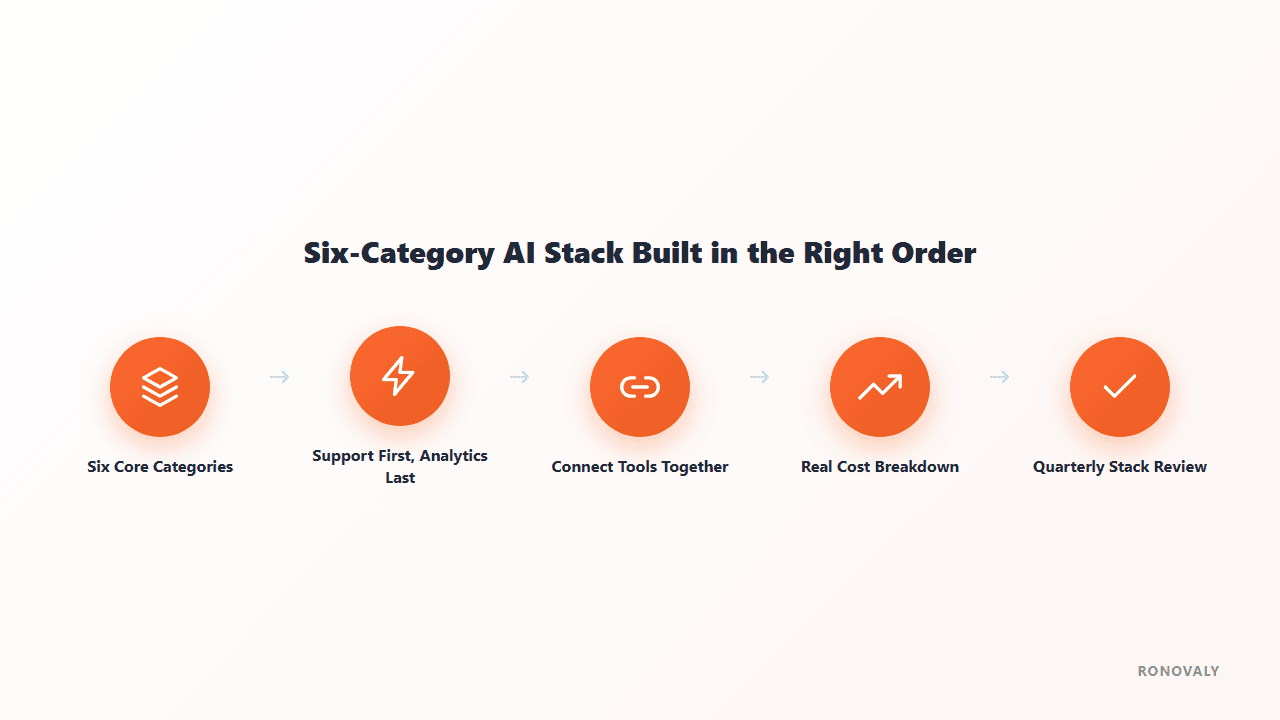
Most Shopify founders don’t have an AI productivity problem. They have an AI tool-hoarding problem. Six subscriptions, three barely used, none talking to each other. A real AI stack isn’t about how many tools you run. It’s six specific categories, added in the right order, each earning its monthly cost. This guide covers what matters, what to skip, and what it really saves you.
If you haven’t picked your first tools yet, start with the complete guide to AI tools for Shopify stores for the wider landscape. This guide is about how to combine them into one stack, not just which ones exist.
What Is an AI Productivity Stack (and Why Most Founders Get It Wrong)
An AI productivity stack is the set of AI tools a founder runs together to cover the store’s recurring work: support, content, marketing, and analytics. A good stack avoids doubled effort and overlapping features. The usual mistake isn’t picking bad tools. It’s picking them in the wrong order, or picking what’s trending instead of what fixes your real bottleneck.
The word “stack” matters here. A stack means layers that build on each other, not six unrelated subscriptions fighting for the same 20 minutes of your morning. A broader AI productivity stack framework describes six general layers for knowledge work: a reasoning model, communication assistants, creation tools, analysis platforms, automation systems, and organization apps. For a Shopify founder, those layers shrink into six ecommerce categories, the ones in this guide. A store’s recurring work is narrower and more repetitive than a generalist’s.
That repetition is why ecommerce suits AI tools so well. The same five customer questions arrive every day. The same product description structure repeats across hundreds of SKUs. The same abandoned-cart sequence has to fire the same way every time. Independent research on ecommerce AI adoption finds that founders who lean into this repetition run leaner teams and react faster to market shifts.
The most common mistake is installing tools because of hype or a single feature demo, not because of a clear bottleneck. A good stack starts with one question: which recurring task eats the most hours each week? Pick one tool for that category, then move to the next. Six categories matter most for Shopify stores: customer support, product content, email and SMS, analytics, SEO and AI search visibility, and a general assistant like ChatGPT or Claude. Treat each category as a test, not a purchase. Install one tool and check whether it moves the metric it was meant to move. Only then decide if the next category is worth the extra cost and setup time.

The 6 Categories That Actually Matter
1. Customer Support & Chat
Support is usually the best place to start, because the volume is steady and repetitive: order status, returns, shipping questions. A handful of question types often make up most of a store’s tickets. AI support tools handle that kind of repetition well from day one. Start with Shopify’s own AI customer support setup before paying for a third-party tool. If you’ve outgrown the native option, compare the two most common upgrades in Tidio vs Gorgias, or see the full 7 best AI chatbots for Shopify.
2. Product Content & Descriptions
Every new SKU needs a description. This is where AI content tools save the most raw hours for catalog-heavy stores. A store adding 20-30 SKUs a month can lose a full workday each week to product copy. Shopify Magic is free and handles this fairly well out of the box. Our review covers what it does well and where it falls short. For larger catalogs or a specific brand voice, AI product descriptions at scale covers the step up to a specialized tool like Jasper AI.
3. Email & SMS Marketing
Email is still one of the best-returning channels in ecommerce. AI-assisted flows (welcome series, abandoned cart, post-purchase) keep earning once they are set up well. A flow built once keeps working for as long as it stays accurate. See Shopify Klaviyo flows setup for the flows worth building first. If you haven’t picked a platform yet, see the best AI email marketing tools for Shopify.
4. Analytics & Decision-Making
Analytics should come later, not first. These tools only pay off once you have enough data, and enough automation running, to act on what they show. Buy an attribution or forecasting platform before you have steady orders and ad spend, and you mostly pay for an empty dashboard. How DTC brands use AI analytics to cut CAC and grow LTV covers the strategy. For a specific tool, see the Triple Whale review. For an operational use, AI inventory forecasting for Shopify shows how the same data can drive reorder decisions, not just ad spend.
5. SEO & AI Search Visibility
This now means two things: ranking on Google and getting cited by AI answer engines like ChatGPT and Perplexity. They are separate channels, but both reward the same content quality. AI SEO for Shopify: rank on Google and get cited by ChatGPT covers both in depth.
6. General Reasoning & Writing Assistant
A model like ChatGPT or Claude for planning, drafting, and thinking through decisions is no longer optional. It makes every other tool faster to set up and fix. Every founder should have this one running before the others. You’ll often use it to write the prompts, policies, and settings text the other tools need. If you use it for brand content, see the ChatGPT DTC content system to keep the output from sounding generic.
Why These Categories Need to Talk to Each Other
A stack where each tool works alone loses most of its value. The real gain shows up when categories connect. Picture a new Shopify order that pings your support team in Slack, updates an inventory tracker, and queues a post-purchase email, with no founder checking three dashboards by hand. That’s where automation platforms like Zapier, Make, and the free, Shopify-native Shopify Flow come in. They aren’t a seventh category. They’re the wiring that makes the other six work together instead of as six silos.
Category-by-category ecommerce AI research names ten areas where AI tools matter for ecommerce: product photography, ad creative, email/SMS, customer support, product copy, on-site search, SEO, demand forecasting, post-purchase upsell, and analytics. The six in this guide have the clearest, fastest payoff for a founder starting from scratch. Add the others (photography, ad creative, on-site search, forecasting) once the core six run smoothly and are connected.

The Right Install Order (Impact-Per-Hour, Not Hype)
Here is the recommended install order, ranked by impact per hour of setup:
1. Customer support chatbot: the biggest recurring time savings for the least setup.
2. Product content tools: you can list products faster.
3. Email and SMS automation: drives revenue once flows are live.
4. Reviews and social proof: lifts conversion over time.
5. Product photo and image tools: polish, less urgent.
6. Analytics: last, once you have enough data worth analyzing.
Putting analytics first is a common mistake. Without other automation running, there is often too little data to justify the cost. Each step builds a base the next one uses. Reverse the order and you get a stack that looks good on paper but takes much longer to show results.
Skipping around this order isn’t fatal. But it’s the difference between a stack that pays for itself in month one and one that takes six months to prove its value.
An Example Stack (With Monthly Cost Breakdown)
Illustrative example (hypothetical): here’s how a home goods brand doing roughly $60,000 a month could build its stack over 10 weeks. Tool prices are indicative list prices and change often, so check each vendor before you budget.
| Category | Tool chosen | Monthly cost | Week installed |
|---|---|---|---|
| Support | Shopify Inbox → Tidio | $0 → $29 | Week 1 |
| Product content | Shopify Magic | $0 | Week 2 |
| Email/SMS | Klaviyo | $45 | Week 4 |
| Automation | Zapier | $30 | Week 6 |
| SEO | Surfer SEO | $89 | Week 8 |
| Analytics | Triple Whale | $149 | Week 10 |
Total stack cost by week 10: roughly $342/month. That sits inside the $110-450/month range typical for a small DTC brand covering six core categories.
Two things about this sequence matter. First, don’t jump straight to a paid support tool: run Shopify Inbox free while you track ticket volume, and upgrade only once its limits actually cost you time. Second, leave a gap between installing Klaviyo and Zapier, and run the welcome and abandoned-cart flows long enough to confirm they convert before automating the handoff between systems. Skipping straight to full automation without that validation step is a common way stacks end up automating a broken process instead of a working one.
For a brand well past $100k/month, the same six categories often cost $1,500-5,000/month. Tools move to higher-volume tiers, and extra seats or features get added. The category order and the test-first logic stay the same at any size.

How Much Time and Money This Actually Saves
Once a stack is set up, the time it saves for a solo founder mostly comes out of support tickets, product listings, and building email campaigns by hand. Support and product content save time fastest, since both start working right away. Email/SMS and analytics save the most money over a longer horizon, because flows mature and data builds up.
Time savings don’t arrive evenly across categories or over time. Support and product content tools often save time within the first week. The tasks they replace, answering repeat questions and drafting product copy, are frequent and simple. Email, SMS, and analytics build value more slowly. A welcome flow built in week one keeps earning every week with no extra founder time. An analytics platform gets more useful as more data piles up. So judge each tool on the right clock. Week-one savings are a fair test for a support tool. The same test will make an analytics platform look like a bad buy, even when it’s on track to pay off by month three or four.
The number worth tracking isn’t abstract “time saved.” It’s time saved multiplied by what you do with that time instead: sourcing products, testing ad creative, or simply not working nights. Say a stack saves 8 hours a week and costs $350/month. It’s worth it if your redirected time is worth more than about $10/hour. Even at a cautious $25/hour, 8 hours a week comes to roughly $800/month in redirected value. That’s more than double the cost of the example stack above.
Common Mistakes When Building an AI Stack
Installing everything in month one. Subscription fatigue and abandoned tools are the predictable result of adopting six categories simultaneously without validating each one’s ROI first.
Choosing tools by feature list instead of bottleneck. The most powerful, fully-loaded tool in a category is wasted spend if your actual bottleneck is somewhere else entirely.
Skipping the free options first. Shopify Inbox and Shopify Magic are both free and cover a real part of the support and content categories. Confirm you need a paid upgrade before paying for one.
Treating analytics as step one instead of step five or six. Without other automation and some data built up, analytics tools struggle to justify their cost early. See them as the layer that tunes a running stack, not the layer that starts it.
Never revisiting the stack after setup. Tools that made sense at $20k/month in revenue often need a second look at $100k/month. A quarterly review catches both unused tools worth cutting and gaps worth filling.
Letting tools work as silos. A support tool that doesn’t share context with your email platform loses much of its value. So does an analytics dashboard nobody checks because it sits behind a forgotten login. Revisit the automation layer above each time you add a category, not just at setup.
Optimizing for the tool instead of the outcome. It’s easy to get lost comparing feature lists of two rival platforms. The real question is simpler: is this category, run by any capable tool, moving the metric it should move? A decent tool that’s set up and used every day beats a best-in-class tool left half-installed.
FAQ
What’s the first AI tool a Shopify founder should install?
A customer support chatbot. Start with the free native option (Shopify Inbox) before looking at a paid upgrade. Support volume is steady and repetitive, so it’s the category with the fastest, most reliable time savings for the least setup. It’s often the first tool to pay for itself.
How much does a full AI productivity stack cost for a Shopify store?
A small DTC brand covering the six core categories (support, content, email, automation, SEO, analytics) often spends $110 to $450 per month. A scaling brand with a fuller stack can land between $1,500 and $5,000 per month. Build toward the lower range first, and add cost only as each category proves its return.
Should I build my AI stack all at once or gradually?
Gradually, in order of impact per hour: support first, then content, then email, then automation and SEO, with analytics last. Installing everything at once tends to leave you paying for tools nobody uses. Checking each category’s return before adding the next keeps the stack lean.
Do I need a developer to set up an AI productivity stack?
No. Every tool in this guide (Shopify Inbox, Shopify Magic, Klaviyo, Zapier, Surfer SEO, Triple Whale) is built for store owners to set up themselves. The most technical step is usually connecting apps through Zapier or Make, and that needs no coding.
How do I know if an AI tool in my stack is actually working?
Track one specific metric for that category, before and after: support response time, email flow revenue, or product listing turnaround. Don’t rely on a vague sense of “feeling more productive.” If a tool isn’t moving its main metric within 60-90 days, consider cutting it at your next quarterly review.
What’s the biggest difference between a $150/month stack and a $3,000/month stack?
It’s rarely about which categories are covered — a lean $150/month stack and a $3,000/month enterprise stack typically cover the same six core categories. The difference is usually volume-based pricing tiers, additional team seats, more advanced automation rules, and deeper historical data retention in analytics platforms. A store scaling from $20k to $200k/month rarely needs new categories; it needs the existing ones to handle more volume without breaking.
Key Takeaways
- An AI productivity stack is 6 categories, not a random pile of subscriptions: support, product content, email/SMS, analytics, SEO, and a general reasoning assistant.
- Install in order of impact-per-hour: support first, analytics last — not the reverse.
- A small DTC stack covering six categories typically costs $110-450/month; validate ROI category by category rather than adopting everything at once.
- Start with free-tier options (Shopify Inbox, Shopify Magic) before paying for an upgrade in each category.
- Review the stack quarterly — tools that made sense at one revenue level often need reevaluating as the store grows.
For the tool comparisons mentioned in this guide, see the complete guide to AI tools for Shopify stores. For the automation layer that connects them, see how to automate your Shopify store with AI.
This post contains affiliate links. If you make a purchase through these links, we may earn a commission at no extra cost to you.