Zapier Shopify Integration: How to Automate With AI
The Zapier Shopify integration connects your store to thousands of other apps, so a new order, customer, or refund can trigger work elsewhere without anyone copying data by hand. You’ll need a paid Zapier plan, since Shopify is a premium app on Zapier, per Zapier’s help center. Paid plans start at $19.99 a month billed annually. After that, Copilot lets you describe a workflow in plain English and review the Zap it builds.
Zapier is a no-code automation platform that links apps with “Zaps”: a trigger in one app starts one or more actions in others. According to Zapier’s pricing page, it connects with more than 9,000 apps.
I rebuilt this guide on September 27, 2026 from Zapier’s own integration page, help center, and pricing page. From my research, two things changed since the original version: Zapier’s app count and its AI features. Here’s the current setup, plan by plan and step by step.
Key Takeaways
- Shopify is a premium app on Zapier, so the free plan can’t run Shopify Zaps; you need Professional, Team, or Enterprise.
- The Professional plan costs $19.99 a month billed annually ($29.99 monthly) and starts at 750 tasks.
- Zapier lists 20 Shopify triggers, including New Paid Order, New Abandoned Cart, New Refund, and Updated Inventory.
- Copilot is unlimited on paid plans, and “AI by Zapier” steps can add AI to any Zap.
- Use Shopify Flow for automations that stay inside Shopify, and Zapier for anything that leaves it.
Zapier Shopify Integration vs Shopify Flow: Which Do You Need?
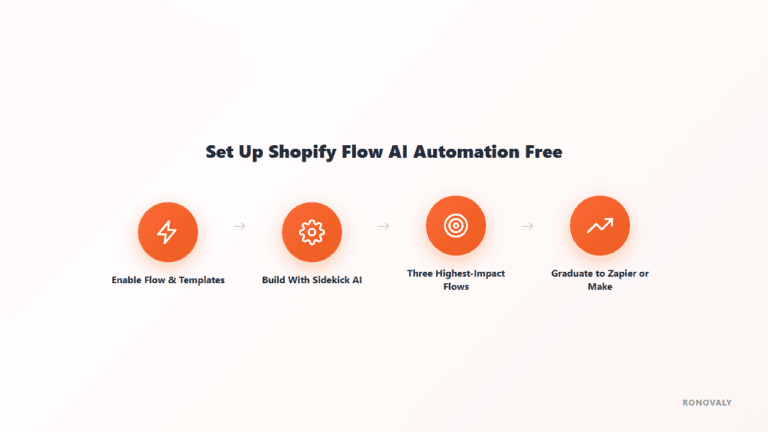
Use both, for different jobs. Shopify Flow handles automations that stay inside your store, like tagging customers or flagging risky orders, and it’s included with Shopify. By contrast, Zapier moves data out of Shopify into tools like Slack, Google Sheets, your accounting app, or an AI model. For internal store logic, start with our Shopify Flow AI automation guide.
What You Need Before You Start
According to Zapier’s help center, you need three things:
- An active Shopify store on any plan: Basic, Shopify, Advanced, or Plus.
- App and channel permissions on your Shopify staff account.
- A paid Zapier plan: Professional, Team, or Enterprise.
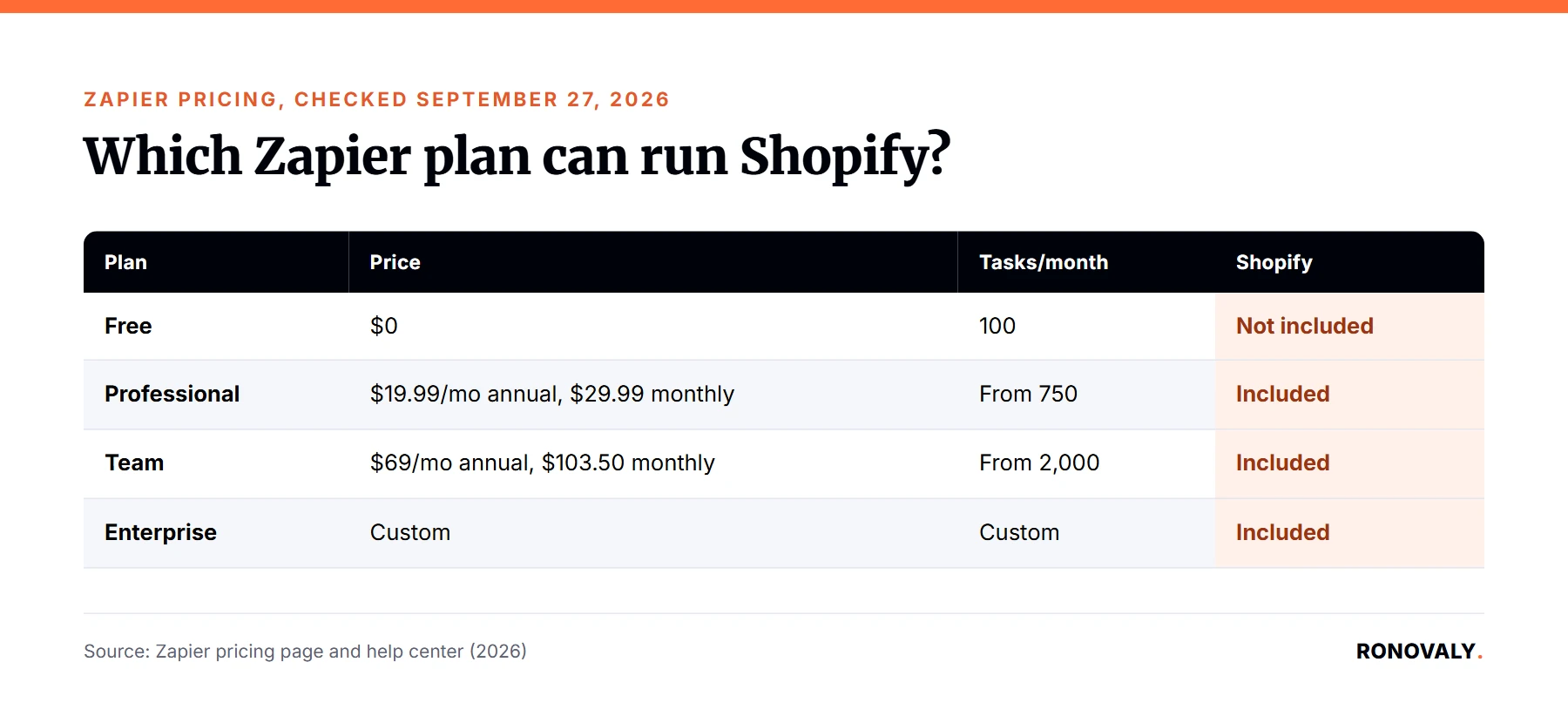
Here’s how the plans compare for a small store, from Zapier’s pricing page:
| Zapier plan | Price | Tasks per month | Shopify (premium app) | AI features |
|---|---|---|---|---|
| Free | $0 | 100 | Not included | Copilot with a daily limit |
| Professional | $19.99/mo annual, $29.99 monthly | From 750 | Included | Unlimited Copilot, AI by Zapier |
| Team | $69/mo annual, $103.50 monthly | From 2,000 | Included | Same, up to 25 users |
| Enterprise | Custom | Custom | Included | Adds bring-your-own-model |
At the Professional entry tier, that works out to under 3 cents per task on annual billing. However, a busy multi-step Zap uses several tasks per run, so estimate your monthly order count times the number of action steps before choosing a tier.
How Many Tasks Will a Shopify Store Actually Use?
Count tasks before you pick a plan, because that’s what you pay for. In Zapier, each action step that runs counts as a task, while the trigger itself doesn’t. Here’s an illustrative example, not a measured result, for a store with 600 paid orders a month. The order log Zap uses one task per order, so that’s 600 tasks. Add the high-value order alert with a filter, and only the orders that pass the filter use a second task, say 60. Then add an AI step that writes a daily recap, which runs about 30 times a month. That adds up to roughly 690 tasks, which fits inside the Professional plan’s 750. However, if you add a second action to every order, you’d pass 1,200 tasks and need a higher tier.
Step 1: Connect Shopify to Zapier
In Zapier, open the apps page, choose Shopify, and enter your store username. Your username is the part of your admin URL after /store/. For example, in https://admin.shopify.com/store/yourstore/, it’s yourstore. Then log in to Shopify and approve the permissions. Once connected, Shopify’s triggers appear in the Zap editor.
Step 2: Pick the Right Shopify Trigger
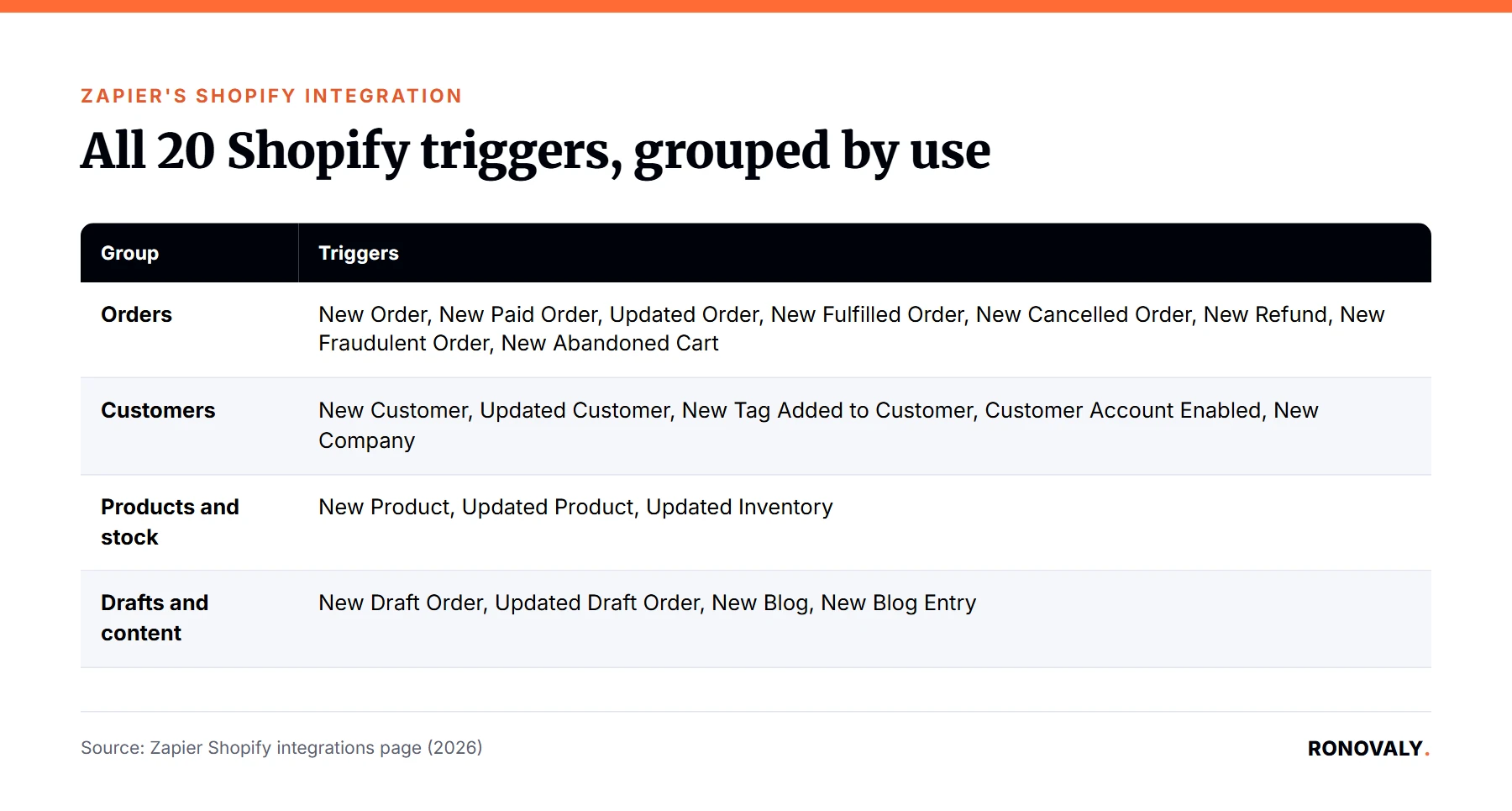
Zapier lists 20 Shopify triggers on its Shopify integrations page. I found it easier to think about them in four groups:
| Group | Triggers |
|---|---|
| Orders | New Order, New Paid Order, Updated Order, New Fulfilled Order, New Cancelled Order, New Refund, New Fraudulent Order, New Abandoned Cart |
| Customers | New Customer, Updated Customer, New Tag Added to Customer, Customer Account Enabled, New Company |
| Products and stock | New Product, Updated Product, Updated Inventory |
| Drafts and content | New Draft Order, Updated Draft Order, New Blog, New Blog Entry |
Choose New Paid Order rather than New Order for anything financial, since it only fires once an order is paid.
Step 3: Build Your First Three Zaps
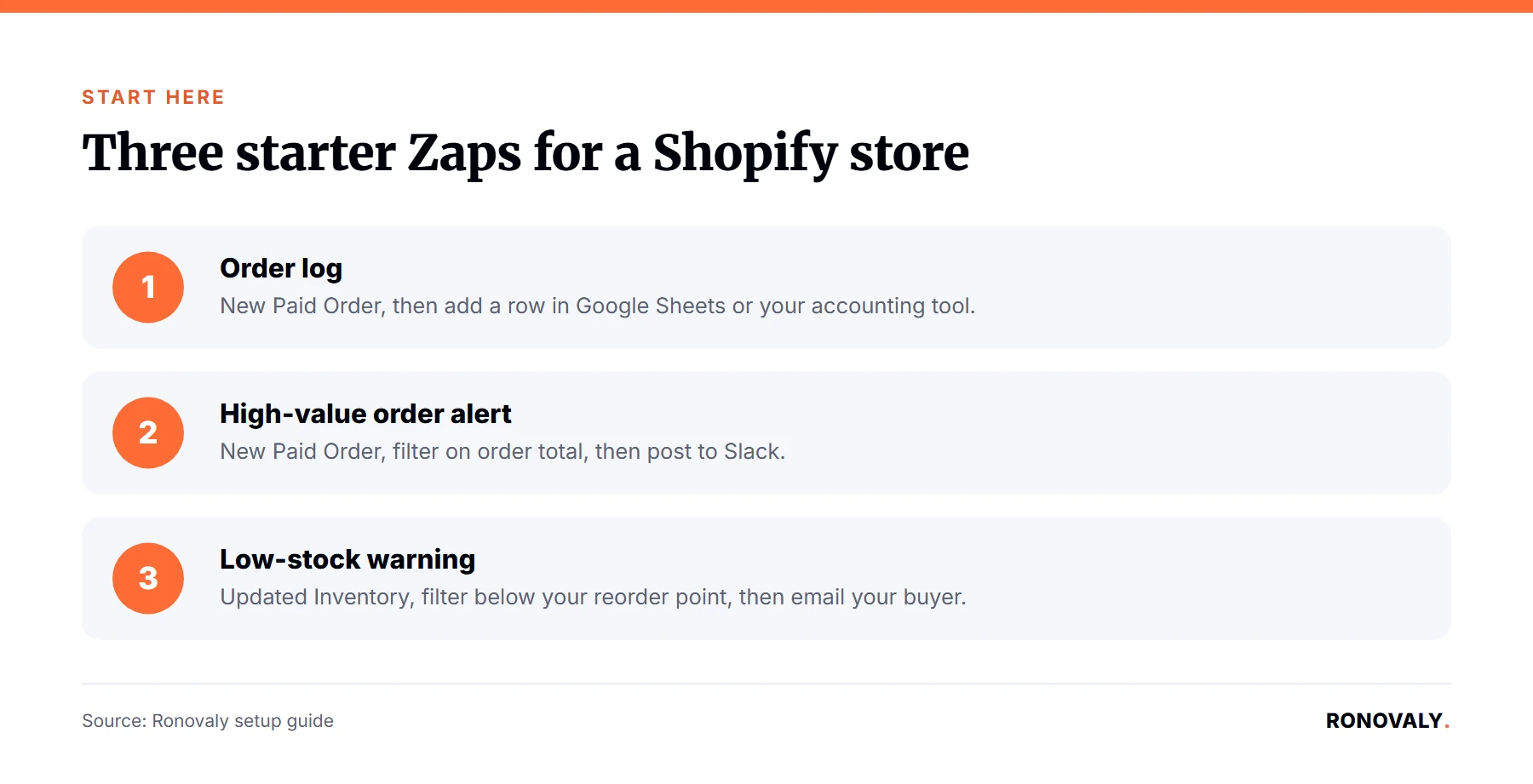
Start with three workflows that remove the most copy-and-paste work. Each one below lists the trigger, a filter, and the action:
- Order log. Trigger: New Paid Order. Filter: none. Action: add a row in Google Sheets or your accounting tool.
- High-value order alert. Trigger: New Paid Order. Filter: order total above your chosen amount. Action: post to a Slack channel.
- Low-stock warning. Trigger: Updated Inventory. Filter: quantity below your reorder point. Action: email your buyer or supplier.
The simplest route is to build them one at a time with Copilot: type the workflow in a sentence, then check each field it filled before turning the Zap on. For example, “When a paid order over $300 comes in, post the order number and total to #big-orders in Slack.”
Step 4: Add AI Steps to Your Zaps
Once your basic Zaps run cleanly, add an AI step in the middle. Paid plans include “AI by Zapier,” per Zapier’s pricing page, so you can generate or summarize text inside a Zap. Here are useful patterns for a Shopify store:
- Draft a product description when a new product is created, then send it to a teammate for review.
- Summarize a refund reason into one line before it’s logged.
- Write a short daily sales recap from the day’s paid orders and post it to Slack.
Keep a person in the loop for anything customer-facing. In addition, never let an AI step publish directly to your storefront without review.
Common Mistakes to Avoid
- Skipping filters. A trigger without a filter fires on edge cases like test orders. Add a filter step first.
- Underestimating tasks. Every action step in a run counts as a task, so multi-step Zaps burn through your plan faster.
- Never checking Zap history. Zapier logs every run. Check it weekly for the first month, since a broken connection can fail quietly.
- Duplicating Shopify Flow. If an automation never leaves Shopify, Flow does it for free.
Frequently Asked Questions
Is Zapier free for Shopify automation?
No. Shopify is a premium app on Zapier, so it only works on paid plans: Professional, Team, or Enterprise. The free plan includes 100 tasks a month, but it can’t run Shopify Zaps. Professional starts at $19.99 a month billed annually, or $29.99 billed monthly, with 750 tasks.
What’s the difference between Zapier and Shopify Flow?
Shopify Flow automates actions that stay inside Shopify, such as tagging customers or flagging orders, and it’s included with Shopify. Zapier connects Shopify to more than 9,000 other apps, so use it when a workflow needs to reach Slack, Google Sheets, email, accounting software, or an AI step.
What Shopify triggers does Zapier support?
Zapier lists 20 Shopify triggers. They include New Order, New Paid Order, New Fulfilled Order, New Refund, New Abandoned Cart, New Customer, New Product, and Updated Inventory. There are also triggers for draft orders, customer tags, companies, and blog entries.
Do I need to code to use Zapier with Shopify?
No. Zaps are built in a visual editor, and Copilot can draft a Zap from a plain-English description. You still need to review each field Copilot fills and add filters, but no code is required for standard Shopify workflows like order logging or Slack alerts.
Can Zapier connect Shopify to AI tools like ChatGPT?
Yes. Paid Zapier plans include AI by Zapier steps, and Zapier also integrates with AI apps such as ChatGPT. You can add an AI step inside a Shopify Zap, for example to draft a product description or summarize a refund reason, then route the result to a person for review.
Next Steps
Pick the one manual task you repeat most after an order comes in. Build that single Zap this week, with a filter, on the Professional plan’s trial. Once it has run cleanly for a week, add the next one. If your automation never needs to leave Shopify, start with Flow instead.
About the Author
Alex Carter covers AI, automation, and Shopify performance for Ronovaly, focusing on workflows that save lean teams time without adding tool sprawl. Editorial note: this guide was updated on September 27, 2026; every plan price, trigger and requirement was fact-checked against Zapier’s own pages that day.
Sources
- Zapier Help Center, “How to get started with Shopify on Zapier” (checked 2026-09-27): https://help.zapier.com/hc/en-us/articles/8495935490957-How-to-get-started-with-Shopify-on-Zapier
- Zapier, Shopify integrations page (checked 2026-09-27): https://zapier.com/apps/shopify/integrations
- Zapier, Pricing (checked 2026-09-27): https://zapier.com/pricing
This post contains affiliate links. If you make a purchase through these links, we may earn a commission at no extra cost to you.