Optimize Shopify Store for Perplexity Shopping: 2026 Setup
To optimize Shopify store for Perplexity Shopping visibility, you close a specific gap. Your theme already generates basic schema automatically. However, Perplexity’s citation signals reward more than that: complete Product schema, a valid GTIN, review markup, and a feed that stays in sync with your live prices. Most stores have the first layer by default and are missing the second. This guide is my full optimize shopify store for perplexity shopping checklist, built to audit that exact gap, step by step, against your own store.
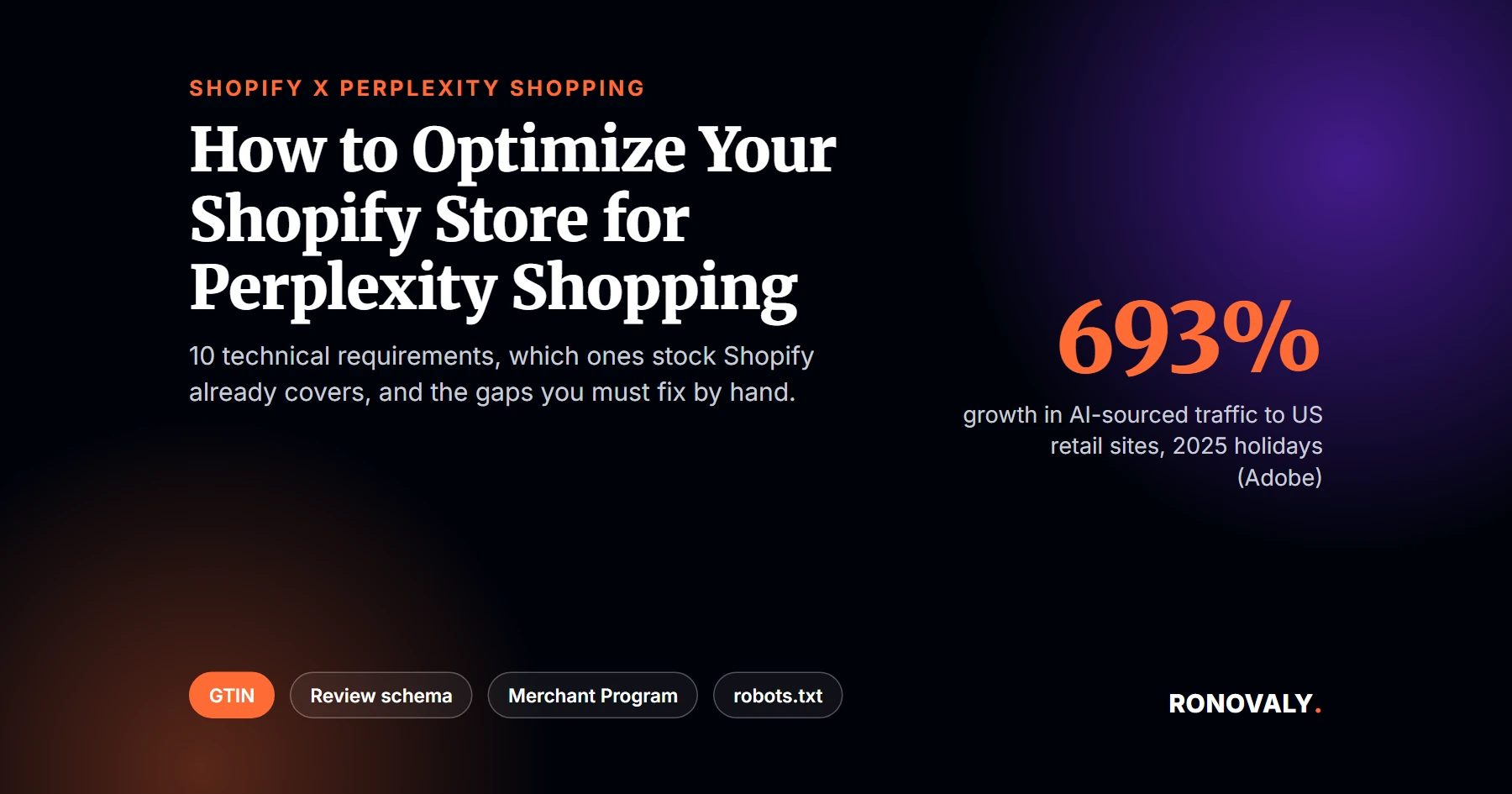
The reason to bother right now is not hype. Specifically, AI-sourced traffic to US retail sites grew 693% year over year during the 2025 holiday season, according to Adobe Analytics, reported by MarketingDive (2026).
Notably, the sites capturing that traffic are not always the ones you would expect. For example, I pulled up a handful of “best running shoes for flat feet” and “best sourdough starter kit” queries in Perplexity this month. In each case, the shopping cards cited small, specialized blogs and single-category stores more often than Shopify’s own documentation or the big marketplace pages I expected to dominate. That is the opening this guide is built around. In short, Perplexity Shopping rewards data completeness over domain authority, so a lean Shopify store can out-execute a much bigger competitor on that one axis.
This guide follows our editorial standard of citing only named, dated sources, and a human editor checked it before publishing. If a number here looks off, our contact page is open and we will fix it. Meanwhile, if your traffic problem is closer to the checkout itself than to AI discovery, start with keeping Shopify checkout fast first. This guide assumes checkout already converts. As a result, it focuses on getting found before a shopper ever gets there.
Key Takeaways
- AI-sourced traffic to US retail sites grew 693% year over year during the 2025 holiday season (November 1 to December 31). Source: Adobe Analytics data, reported by MarketingDive (2026), based on over 1 trillion site visits and 100 million-plus SKUs.
- AI referrals also converted 31% more than non-AI traffic sources over that same holiday window, and generated 32% more revenue per visit. That is a reversal from 2024, when non-AI traffic outperformed AI traffic by 51%, per the same Adobe-sourced MarketingDive report.
- Shopify’s default themes auto-generate basic Product, Organization, and BreadcrumbList schema. However, that output typically omits GTIN, aggregateRating, and shipping or return-policy fields. Those are the exact bonus fields tied to a 3.1x citation lift in Get-Ryze’s technical analysis of Perplexity citation patterns.
- Shopify’s Barcode (GTIN) field is optional, not a required field on any product variant per Shopify’s own product setup documentation, and merchant reports on Shopify’s community forums describe it accepting free-text entries with no format check. As a result, it is the single most common completeness gap between a default Shopify product page and what Perplexity rewards.
- The Perplexity Merchant Program has been open to all Shopify merchants since January 2026, free, with 0% commission on PayPal-based checkout.
- PerplexityBot honors robots.txt, per Perplexity’s own help center. A disallowed page loses full-text indexing but can still surface by domain, headline, and a brief summary.
What You Need Before a Perplexity Shopping Setup
By the end of this setup, you will know exactly which of ten specific technical requirements your Shopify store already meets, and which ones need manual work. Here is what to have ready first.
- Admin access to your Shopify store, specifically the Products section and your theme’s code editor.
- Also, a way to view a live product page’s source code (right-click, “View Page Source,” in any browser).
- In addition, admin access to any reviews app you run, or a plan to install one if you don’t have one yet.
- A short list of your 10 to 20 highest-traffic product pages. You will audit those first, rather than your whole catalog at once.
- Time: 45 to 60 minutes for the audit and Merchant Program signup, plus ongoing time per product for GTIN and review-schema cleanup.
- Difficulty: Beginner to Intermediate. No code is required for the Merchant Program signup; the schema gaps need either a schema app or a short theme edit.
Step 1: Audit What Your Theme Already Generates
By the end of this step, you will know exactly which schema fields your current theme already outputs, without guessing.
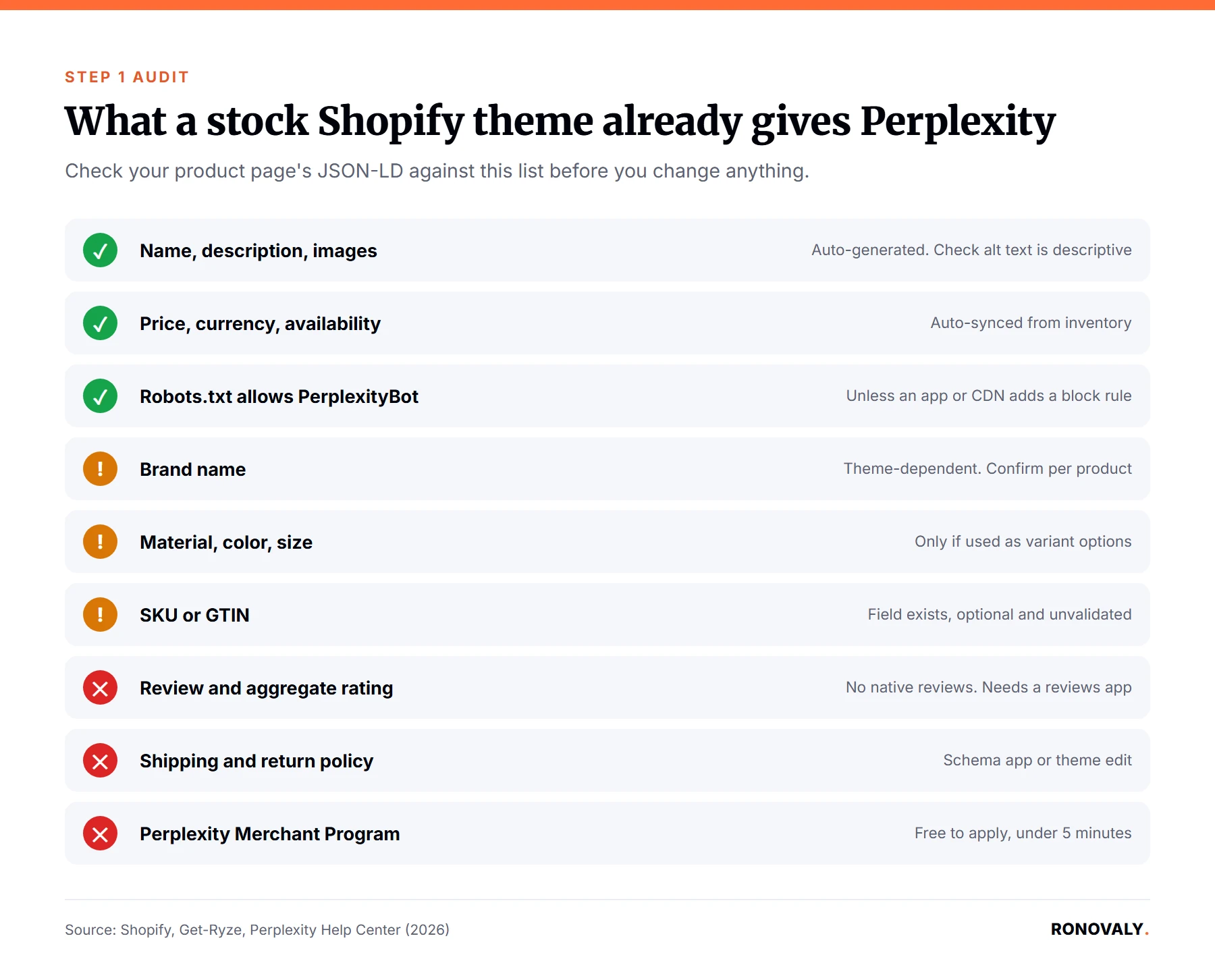
First, open any product page on your store, right-click, and select “View Page Source.” Then search the page for application/ld+json. On most Shopify themes, including Dawn-based ones, you should find a script block there already. Specifically, Shopify’s own guidance confirms that it injects basic Product, Organization, and BreadcrumbList schema automatically through its structured_data Liquid filter. That is good news. However, it is not the whole picture.
Structured data is machine-readable markup, usually in JSON-LD format. In short, it tells a crawler like PerplexityBot exactly what a page contains, instead of making it guess from visible text. Next, read through the JSON-LD block you found and check for four specific fields: brand, gtin or sku, aggregateRating, and shippingDetails. The default block often doesn’t include all four, so check each one. That gap, between “schema exists” and “schema is complete,” is exactly what this guide works to close.
Step 2: The Table to Optimize Shopify Store for Perplexity Shopping
By the end of this step, you will have a prioritized list of exactly what to fix, ranked by how much default coverage you are already missing.
The table below is the original artifact behind this guide. It maps ten specific requirements to whether a default Shopify store already ships with them. I built it from Shopify’s own Perplexity Shopping guidance, Perplexity’s help center documentation on robots.txt, and named third-party technical analyses of feed and schema behavior. Go down the list with one of your own product pages open in another tab.
| Requirement | What Perplexity rewards | Default on stock Shopify? | Manual work needed |
|---|---|---|---|
| Name, description, 3+ images with alt text | Baseline schema completeness | Yes | Confirm alt text is descriptive, not a filename |
| Price, currency, availability | Baseline schema, freshness | Yes, auto-synced from inventory | None if inventory stays current |
| Brand name | Bonus field, citation lift | Partial, theme-dependent | Confirm the brand field is populated per product |
| SKU or GTIN | Required for competitive categories | Field exists but is optional and unvalidated | Manually enter and verify real GTINs |
| Review and aggregate rating | Bonus field, trust signal | No, Shopify has no native reviews | Install a reviews app that emits Review schema |
| Shipping and return policy | Bonus field, transactional trust | No | Add via a schema app or direct theme edit |
| Material, color, size | Bonus field | Partial, only if used as variant options | Map variant options to schema properties explicitly |
| Price and feed freshness | Ranking, anti-suppression | Yes, if inventory isn’t stale or overselling | Avoid third-party caching that lags real stock |
| Robots.txt allows PerplexityBot | Crawl access | Yes, Shopify does not block it by default | Confirm no app or CDN added a block rule |
| Perplexity Merchant Program enrollment | Buy with Pro, dashboard, priority | No, auto-sync happens without it | Apply free, under 5 minutes |
According to Get-Ryze.ai’s technical analysis of Perplexity citation patterns, the numbers back this up. Specifically, pages carrying the full baseline set plus at least three bonus fields were cited 3.1 times more often than pages with partial or missing markup. However, that figure comes from a third-party feed-optimization analysis, not an official Perplexity-published number. Therefore, treat it as a strong directional signal rather than an audited industry average. Similarly, WISEPIM’s Perplexity feed guide notes that Perplexity favors product images at least 800×800 pixels, on a clean background. Other 2026 feed-optimization guides report the same threshold. That is another completeness detail a default theme does not enforce on its own.
Step 3: Fix the GTIN Gap First
By the end of this step, your highest-traffic products will carry a real, valid GTIN instead of a blank or made-up one.
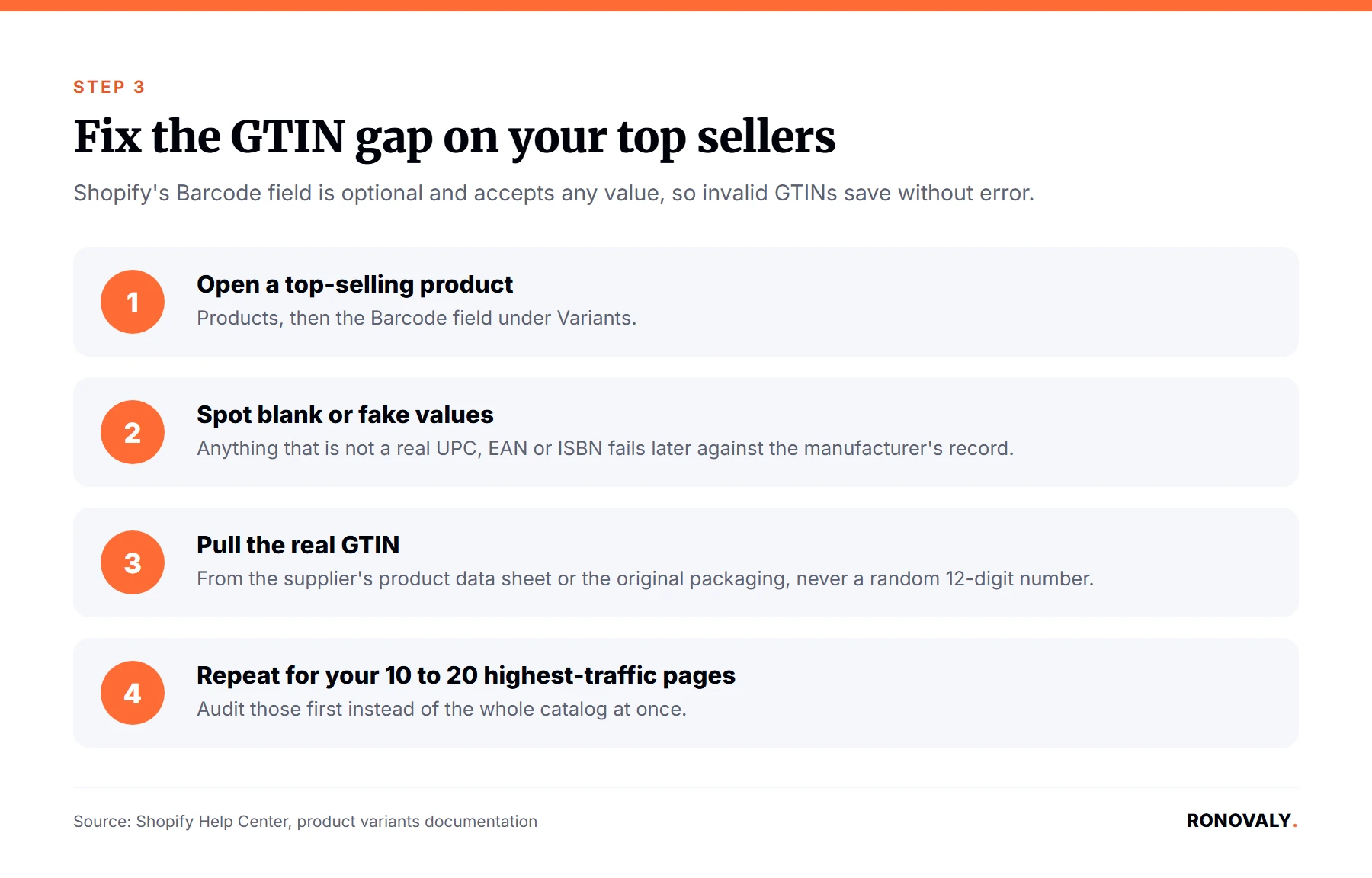
GTIN is short for Global Trade Item Number, the barcode-style identifier (UPC, EAN, or ISBN) that uniquely names a specific product worldwide. Of the ten rows in the table above, the GTIN field is the one I found most Shopify stores get wrong first. That happens simply because Shopify never forces you to fill it in. First, go to Products and open one of your top sellers. Then check the Barcode field under the Variants section. If it is blank, or if it holds something that is not a real UPC or EAN, that product page is telling Perplexity less than it could.
Instead, pull real GTINs from your supplier’s product data sheet or your product’s original packaging, not a random 12-digit number. Notably, the Barcode field is optional on every Shopify product variant, and it does not check the number you enter against a real GTIN registry, so an invalid number will save without error. It will still fail later, though, when Perplexity or Google Merchant Center checks it against the manufacturer’s registry. As a result, work through your top 10 to 20 products first, since that is where the traffic and revenue concentration usually sits.
Step 4: Add Review Schema If You Don’t Have It
By the end of this step, your product pages will emit aggregateRating markup, one of the bonus fields tied to the citation lift in Step 2’s table.
Shopify has no native customer-review feature. As a result, aggregateRating schema is missing from every unmodified Shopify product page by default. If you already run a reviews app such as Judge.me, Loox, or Yotpo, check whether it emits its own JSON-LD block. Most of the established apps do, but a few require a settings toggle to turn structured data on. Go back and view a reviewed product’s page source again, then search for aggregateRating specifically. That check matters because a reviews widget can display stars on the page without actually outputting the schema behind them.
If you don’t run a reviews app yet, this is the point where installing one pays off twice. First, it is a trust signal for human shoppers. Second, it is a schema signal Perplexity’s ranking checks for directly. Either way, pick one with a documented Schema.org output rather than assuming it is included, since that detail varies more across apps than most comparison posts mention.
Step 5: Join the Perplexity Merchant Program
By the end of this step, your store will be enrolled for Buy with Pro in-chat checkout and Perplexity’s merchant performance dashboard, on top of the automatic product-card sync you already have.
Shopify merchants’ product data syncs into Perplexity’s shopping product cards automatically. No application is needed, thanks to Shopify and Perplexity’s direct integration. However, that baseline sync does not include Buy with Pro checkout or the performance dashboard. According to Shopify’s own guidance, the Perplexity Merchant Program has been open to all Shopify merchants since January 2026. It is free to join, and applying takes under five minutes. Furthermore, no technical setup is required at signup, and the program charges 0% commission on purchases completed through its PayPal-based checkout.
Buy with Pro is Perplexity’s in-chat checkout feature for Perplexity Pro subscribers. In practice, it lets a shopper complete a purchase without leaving the chat interface, while your store remains the merchant of record. Apply through Perplexity’s own site, and expect the dashboard access to follow within the program’s stated onboarding window rather than instantly.
Step 6: Confirm Robots.txt Isn’t Silently Blocking You
By the end of this step, you will know for certain that PerplexityBot can crawl your product pages, rather than assuming it can.
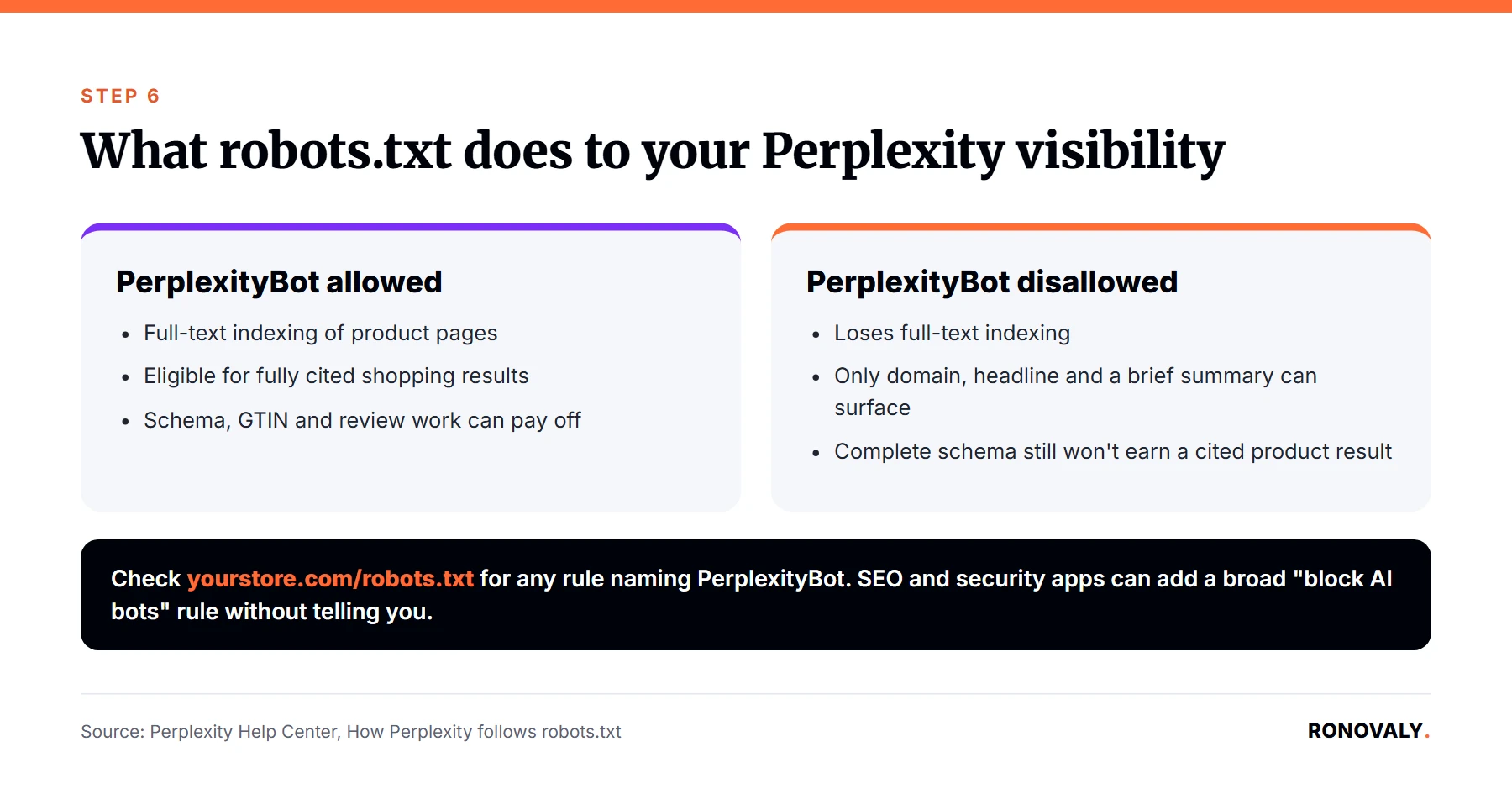
In general, Shopify does not block PerplexityBot in its default robots.txt configuration. However, some SEO or security apps modify robots.txt automatically. A broad-brush “block all AI bots” rule can catch PerplexityBot along with less welcome scrapers. So, check your live robots.txt file directly at yourstore.com/robots.txt and confirm there is no disallow rule naming PerplexityBot.
Per Perplexity’s own help center documentation, PerplexityBot respects robots.txt. Specifically, a disallowed page loses full-text indexing, though the domain, headline, and a brief factual summary can still surface. In practice, that means a blocked product page will not show up as a fully cited shopping result, even if your schema is otherwise complete. After all, none of the completeness work in Steps 1 through 4 matters if the crawler cannot reach the page in the first place.
Common Mistakes to Avoid
The most expensive mistake is treating Perplexity Shopping like a one-time schema fix, instead of an ongoing data-freshness commitment. What else goes wrong?
Entering a fake or reused GTIN just to fill the field. Shopify’s Barcode field does not validate check digits, so an invalid number saves silently. As a result, it fails downstream, and in some cases makes Perplexity conflate your listing with an unrelated product.
Assuming a reviews widget means review schema exists. A star rating rendered on the page and an aggregateRating JSON-LD block are two different things. In fact, only the second one is machine-readable to Perplexity.
Letting stale inventory data sit uncorrected. For example, a feed or cached page that reports “in stock” after an item sells out does more damage than no listing at all, since it is a completeness signal reporting something false.
Blocking AI crawlers broadly for privacy or scraping concerns, without checking the specific bot list first. Specifically, a “block all AI user-agents” rule installed for a different reason can quietly remove PerplexityBot’s access too.
Skipping the Merchant Program because automatic sync already works. The baseline sync only gets your products into product cards. It does not get you Buy with Pro checkout or the performance dashboard, and the application itself costs under five minutes either way.
What Success Looks Like
If you worked through all six steps, your top product pages should now carry complete Product schema, including a real GTIN and review markup. In addition, your robots.txt should confirm PerplexityBot access, and you should be enrolled in the Perplexity Merchant Program.
You will not get a scorecard back from Perplexity confirming the fix worked, since no such reporting tool exists publicly yet. Instead, the signal to watch is your Perplexity Merchant Program dashboard, once access comes through, for product-card impressions and click activity. As a stretch goal, extend the same audit from Step 2 to your next tier of products, the ones ranked 20 through 50 by traffic, once your top sellers are fully covered.
Frequently Asked Questions
What is Perplexity Shopping and how does it decide which products to show?
Perplexity Shopping is an AI shopping feature that generates product recommendations with cited sources when a user asks a shopping question, showing results as cards with images, pricing, and AI-written pros and cons. It weighs product data completeness, Schema.org markup, and price and availability freshness as ranking signals, according to Shopify’s own published guidance.
Do I need to join the Perplexity Merchant Program if I already sell on Shopify?
Not strictly, since Shopify merchants’ product data already syncs into Perplexity’s product cards automatically through the platform integration. However, the formal Merchant Program, free and open to all Shopify merchants since January 2026, adds Buy with Pro in-chat checkout and a merchant performance dashboard that the automatic sync does not include.
Does Perplexity Shopping charge a commission or listing fee?
No. The Perplexity Merchant Program is free to join, carries no listing fee, and charges 0% commission on purchases completed through its PayPal-based Buy with Pro checkout, according to Shopify’s published guidance. Basic product-card visibility through the standard Shopify integration has never required payment either way.
What’s the single biggest technical gap on a typical Shopify store for Perplexity visibility?
The GTIN field is the most likely gap. Shopify’s Barcode field is optional, unvalidated free text. Most stores either leave it blank or fill it with a placeholder that fails downstream validation. Meanwhile, the surrounding schema for price and availability is usually already correct.
How is optimizing for Perplexity Shopping different from optimizing for Google Shopping or AI Overviews?
The underlying technical work overlaps heavily: both reward complete Product schema, valid GTINs, and fresh pricing. The difference is emphasis. Perplexity’s model leans more on review and rating markup and on crawler access via robots.txt, while Google Shopping is stricter on feed format through Merchant Center. Fixing the gaps in this guide’s table improves footing in both places at once.
Does blocking PerplexityBot in robots.txt protect my content, or does it just remove me from AI shopping results?
It removes you from full-text indexing in Perplexity, including shopping results, since PerplexityBot honors robots.txt disallow rules, per Perplexity’s own help center. Your domain, headline, and a brief summary can still surface even when blocked. A blocked product page will not appear as a fully cited shopping result, though, no matter how complete its schema is.
How long does it take to get a Shopify store Perplexity-ready?
Budget 45 to 60 minutes for the initial audit against the readiness table and the Merchant Program signup itself. Cleaning up GTINs and adding review schema takes longer, closer to a few hours spread across a week. The exact time depends on how accurate your current catalog data already is.
Next Steps
You now have a prioritized, sourced audit of exactly what your Shopify store is missing for Perplexity Shopping. In short: run the readiness table against your top pages, fix GTINs first, confirm review schema and robots.txt access, and apply to the free Merchant Program. Google now lets shoppers pay inside AI Mode too: see Shopify Google AI Mode checkout.
This guide covers the platform-specific tactics for one AI shopping surface. For the broader picture of ranking on Google while also getting cited by ChatGPT and other AI engines, my AI SEO for Shopify pillar guide covers the foundational work this post builds on. Additionally, if AI visibility is becoming a real part of your traffic mix, read which AI visibility monitoring tools are worth paying for next. That way, you can track whether these fixes actually move citations, not just schema validators.
This post contains affiliate links. If you make a purchase through these links, we may earn a commission at no extra cost to you.