Shopify Script Tags Deprecated: What Breaks on March 1, 2027
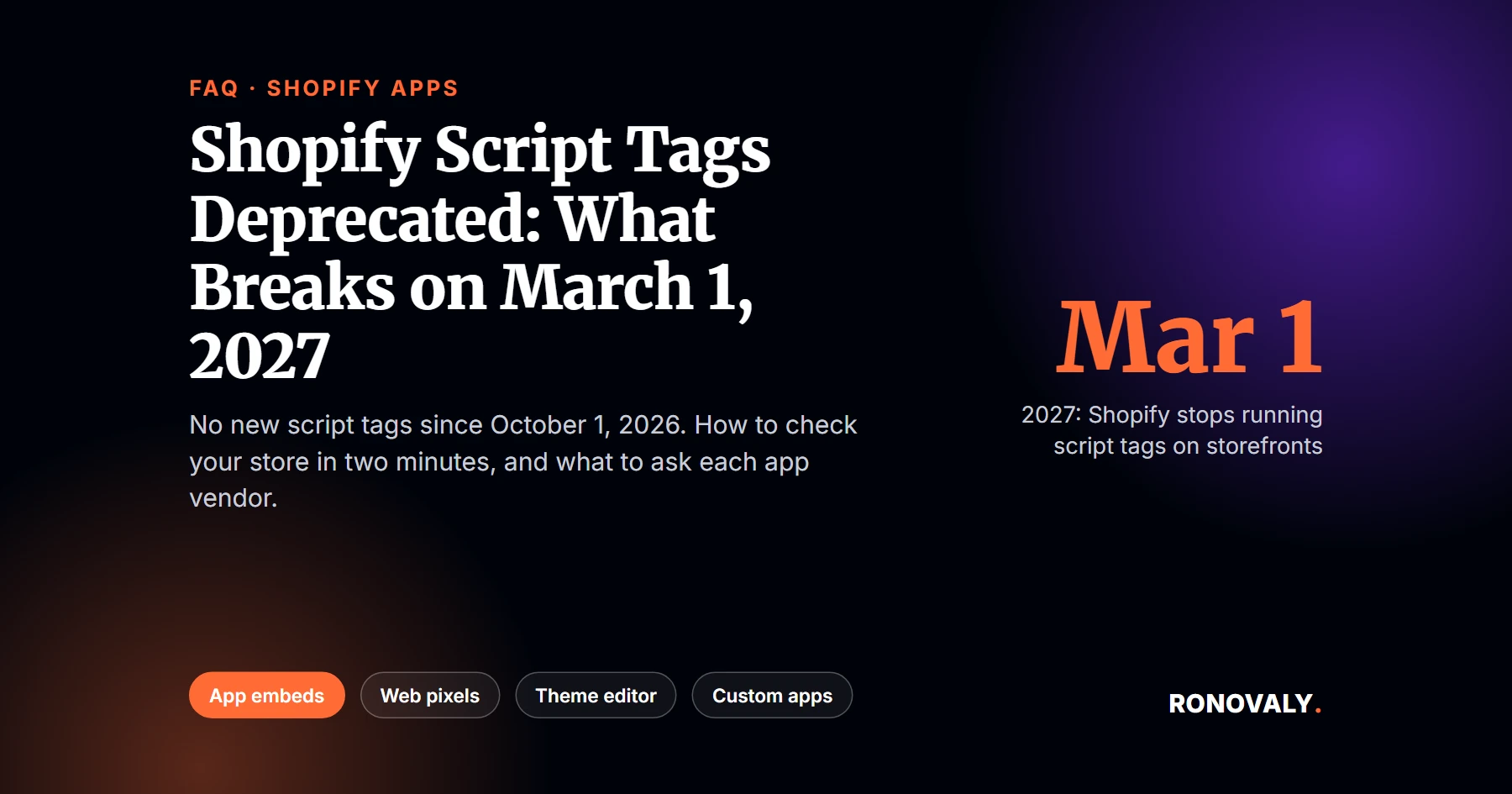
Shopify script tags are deprecated, and the first deadline is today. Since October 1, 2026, apps can no longer create or update script tags, and on March 1, 2027, Shopify will stop running them on storefronts. That’s according to Shopify’s developer changelog. As a result, any app that still loads its code this way will stop working on your store that day, unless its developer ships a replacement and you switch it on.
A script tag is a way for an app to load JavaScript on your storefront without touching your theme code. An app embed is its replacement: a block the app ships, which you turn on in the theme editor.
I read Shopify’s developer changelog, its migration docs, and its Help Center on October 1, 2026. I also checked the public page source of 8 well-known Shopify stores. I don’t run a store, so this is a checklist built from those documents and that check.
Key Takeaways
- From October 1, 2026, apps can’t create or update script tags. Existing ones keep running until March 1, 2027, per Shopify’s changelog.
- On March 1, 2027, Shopify stops injecting script tags into storefronts, so features that depend on them stop working.
- The fix is on the app side: an app embed block, or a web pixel for tracking-only scripts. App embeds stay off until you turn them on.
- In my check of 8 well-known Shopify stores, 5 still loaded 23 scripts this way, from loyalty and chat to SMS marketing.
- Custom apps created in your Shopify admin can’t use app embeds at all, so they need a different fix.
Getting Started with Shopify Script Tags
What does “Shopify script tags deprecated” actually mean?
It means Shopify is retiring an old way for apps to add code to your store. Shopify’s changelog explains that “a script tag loads JavaScript on a storefront without any changes to theme code.” For years, apps used it to add chat widgets, loyalty popups, reviews, and tracking. However, Shopify now wants that code to run through app embeds, which you switch on in the theme editor, and web pixels, which handle tracking. The timeline has two dates. Since October 1, 2026, apps can’t create or update script tags. Then, on March 1, 2027, Shopify stops running the ones that remain. In other words, the feature still works today, but it has an end date, and any app that hasn’t moved by then stops working on your storefront.
What changed on October 1, 2026?
New script tags stopped. Specifically, Shopify’s migration guide says the create and update calls now fail “on every API version,” so older API versions don’t delay it. Existing script tags keep running. As a result, nothing on your store breaks today. In particular, the change affects apps you install from now on: if an app still depends on a script tag, it can’t add one to your store anymore.
What happens on March 1, 2027?
Shopify switches script tags off. The changelog states, “On March 1, 2027, Shopify will stop injecting script tags into storefronts.” Shopify’s storefront migration guide adds that any feature depending on a script tag “will stop working for that store.” Notably, this is the second phase. Script tags on the Order status page already stopped for Plus stores in August 2025 and for all other stores on August 26, 2026.
Will I see a warning banner in my admin?
Probably not. Shopify first planned a banner for app users. Its current guide says, “We’ve decided not to show this banner for now.” Therefore, don’t wait for Shopify to warn you. In fact, you’ll need to check your apps yourself, which takes a few minutes.
How to Check Your Store
How do I see which apps still use script tags?
Look at your storefront’s page source. From my research, Shopify documents no admin screen that lists them. Instead, open your homepage in a browser, view the page source, and search for asyncLoad. In every store I checked, the script tag URLs sat in a list inside that function, and each one ended with shop= followed by the store’s myshopify address. As a result, the domain in each URL usually tells you which app it belongs to. If you find no asyncLoad at all, your homepage likely loads no script tags. However, check a product page too, since some apps load only there.
What did the check of 8 Shopify stores show?
Script tags are still common. On October 1, 2026, I looked at the public homepage source of 8 well-known Shopify brands. I found that five of them still loaded apps through script tags, between 2 and 6 each, for 23 scripts in total. In addition, one store listed the same SMS marketing script twice. I’ve left out the store names, because the point is the pattern, not the brands.
| App category | Scripts found |
|---|---|
| SMS and email marketing | 6 |
| Loyalty and rewards | 2 |
| Subscriptions | 2 |
| Fraud prevention | 2 |
| ID verification discounts | 2 |
| Analytics and AI tools | 2 |
| Live chat, affiliates, social proof, cross-border checkout, pay-later messaging, charity, unidentified | 1 each |
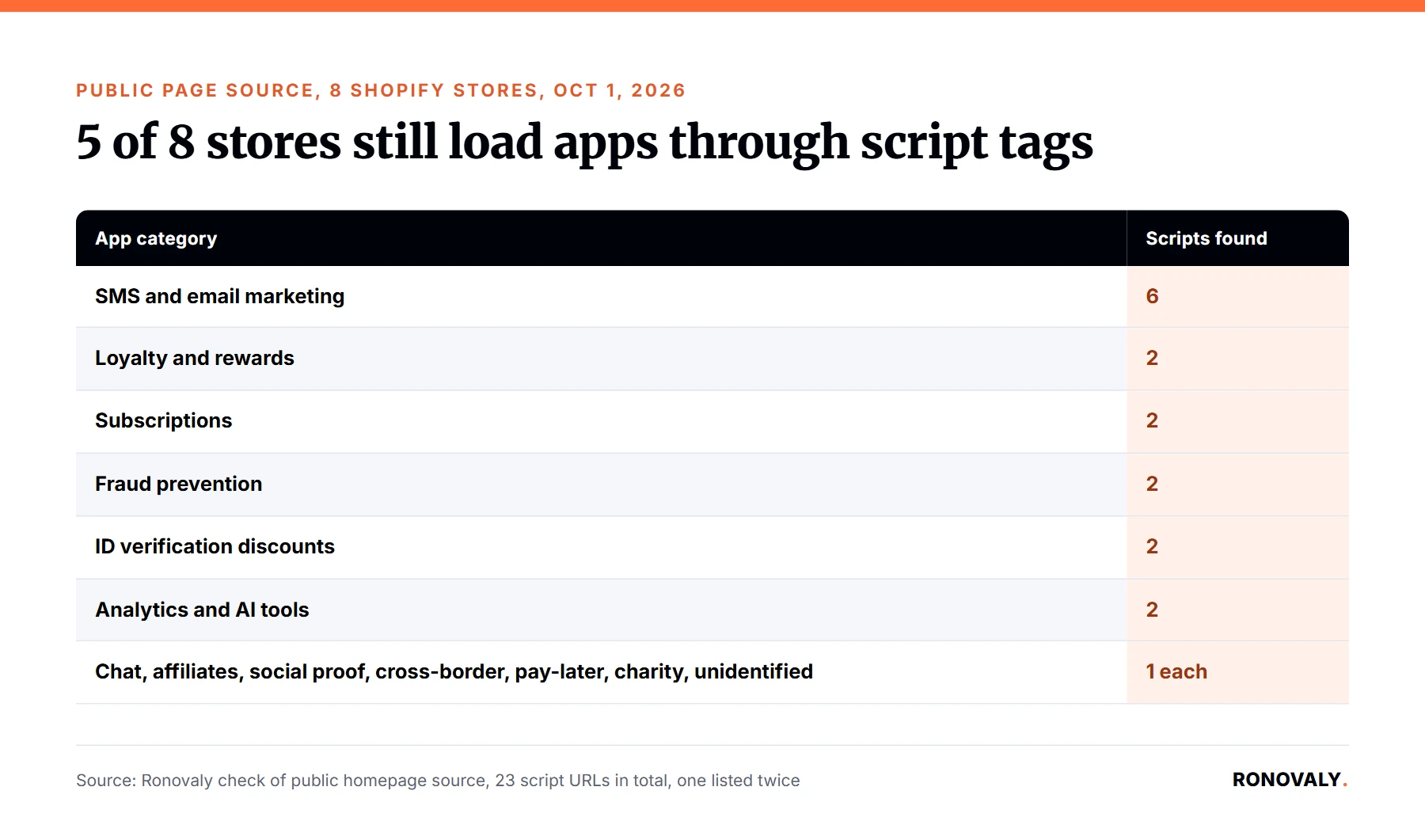
That said, these are limited results. I only checked homepages, and a listed script tag doesn’t prove the vendor lacks an app embed. Even so, it shows that well-known stores still rely on this method. Therefore, a smaller store probably does too.
Where do I turn on the replacement?
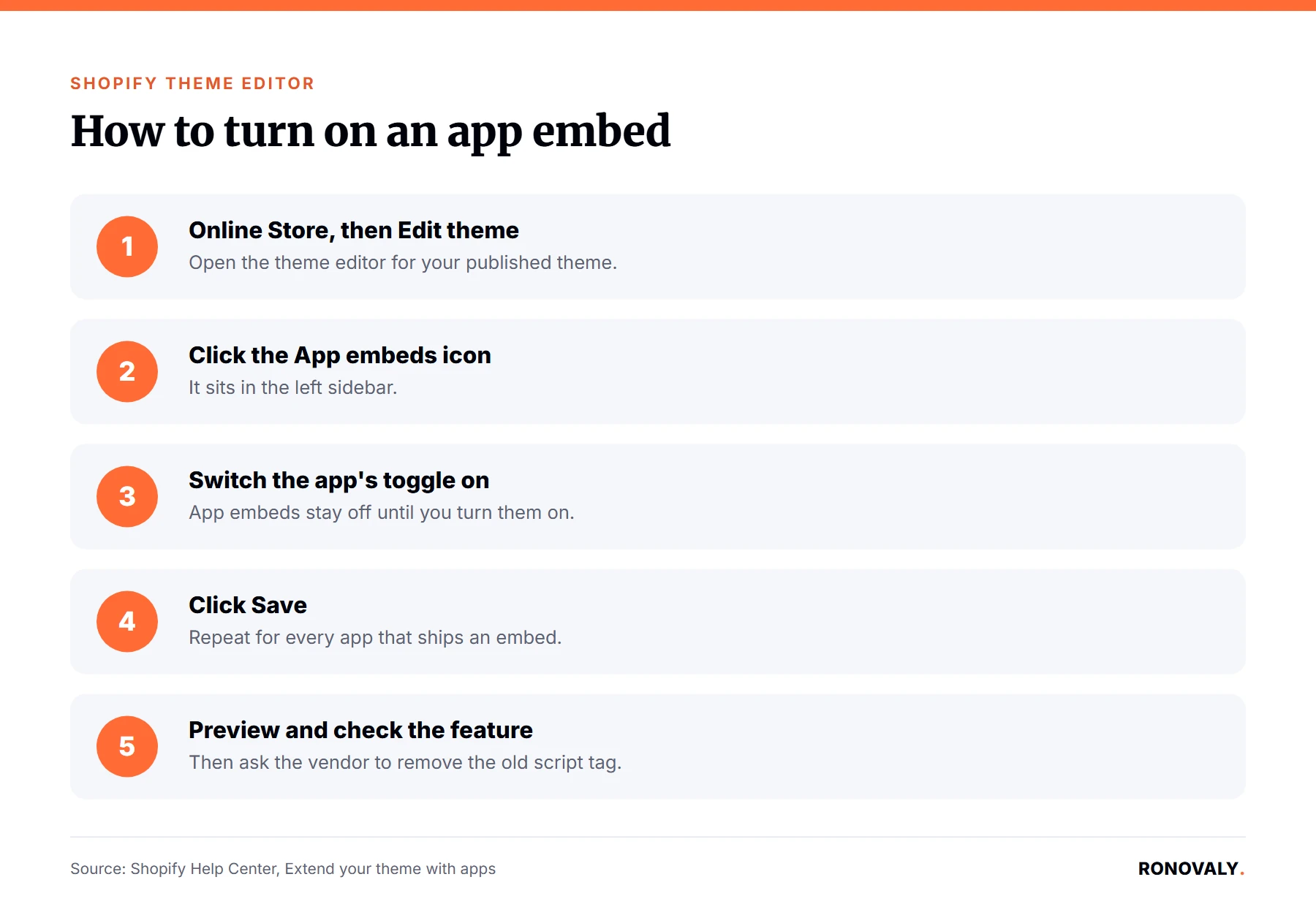
In the theme editor, per Shopify’s Help Center. Go to Online Store, then click Edit theme. Next, in the sidebar, click the App embeds icon. Then find the app and switch its toggle on, and click Save. Afterwards, preview your store to confirm the feature works. Shopify adds that app embeds “can be used with any theme version,” so older themes are covered too.
- Go to Online Store, then click Edit theme.
- In the sidebar, click the App embeds icon.
- Find the app and switch its toggle on.
- Click Save.
- Preview your store and check the feature works.
Common Problems and Decisions
What should I ask each app vendor?
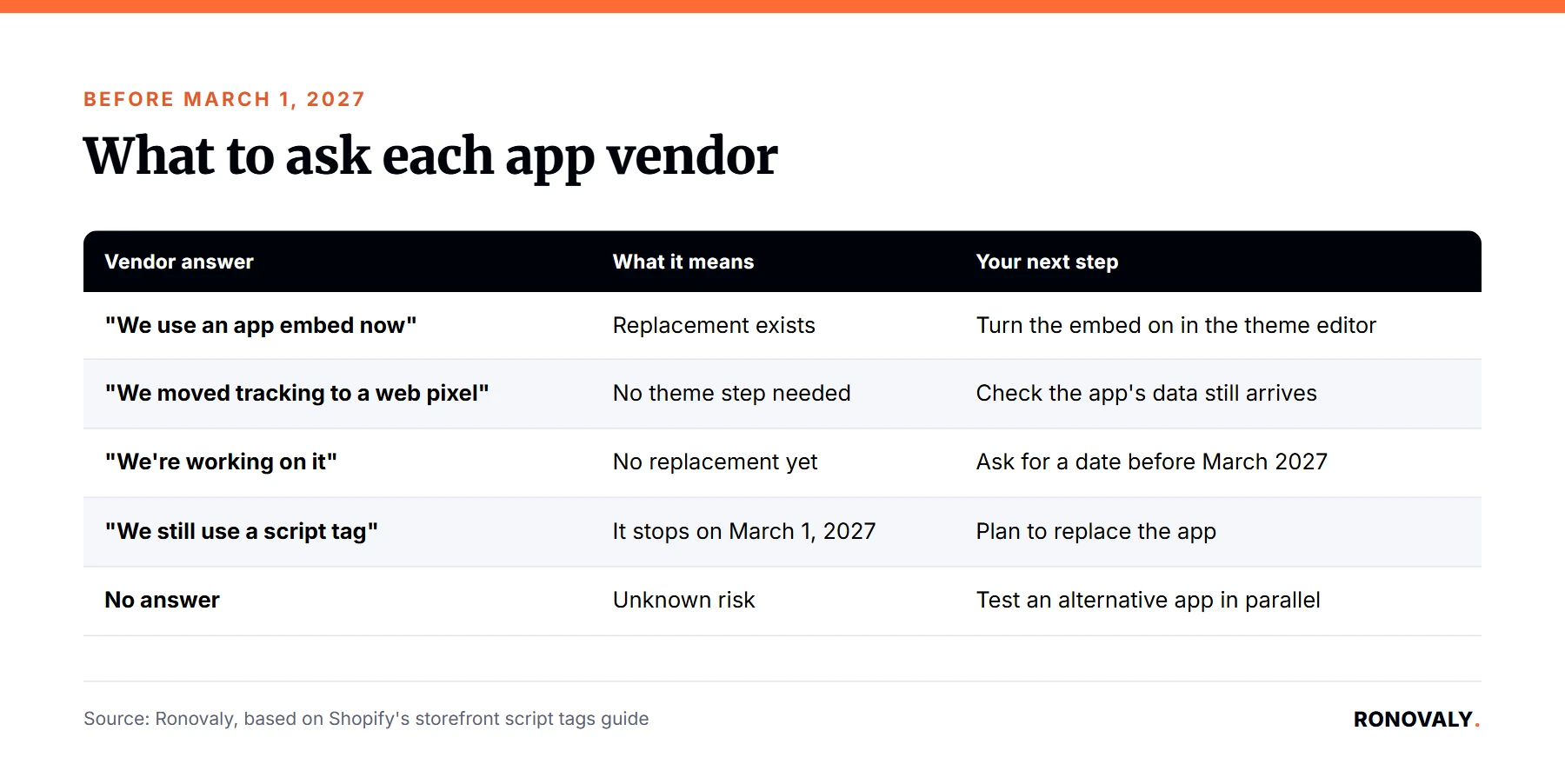
Ask whether the app still uses a script tag, and what replaces it before March 1, 2027. Shopify’s guide names two replacements: an app embed block for code that runs on your pages, and a web pixel for tracking only. I built this table from that guide to help you read the answers:
| Vendor answer | What it means | Your next step |
|---|---|---|
| “We use an app embed now” | Replacement exists | Turn the embed on in the theme editor |
| “We moved tracking to a web pixel” | No theme step needed | Check the app’s data still arrives |
| “We’re working on it” | No replacement yet | Ask for a date before March 2027 |
| “We still use a script tag” | It stops on March 1, 2027 | Plan to replace the app |
| No answer | Unknown risk | Test an alternative app in parallel |
Why could the same app run twice?
Because a script tag and its replacement can both be active. Shopify’s guide warns that running both “will load your script twice, which can double-count analytics events or render your app’s UI twice.” For example, a chat bubble might appear twice, or sales tracking might report double. That’s why the duplicate script in my check matters. Consequently, after you turn an embed on, ask the vendor to remove the old script tag. Similarly, if your numbers jumped in late September, read our guide to the Shopify session measurement update before blaming an app.
What if I switch themes?
You’ll need to turn embeds on again. Shopify’s guide says an app embed is “enabled per theme, so it needs to be active on whichever theme the store publishes.” The Help Center adds that apps “won’t be active by default” on a new theme. Therefore, if you plan a theme change, put the app embeds check on your launch list. Our fastest Shopify themes ranking can help if speed drives that choice.
What about custom apps or tools that asked for an access token?
They’re the hardest case. Shopify’s guide says custom apps created directly in your admin “can’t use app extensions,” so they can’t use app embeds or web pixels. Specifically, some third-party services ask you to create such an app and paste its access token into their dashboard. In that case, Shopify says, “That service needs to release a real app.” Therefore, list every custom app in your admin and ask each service what it plans before March 2027.
Advanced Topics
Is this a good time to remove apps?
Yes, it’s a natural moment for an app audit. Notably, every script you load adds work for the browser, and some apps you installed years ago may do nothing today. For instance, if an app has no replacement and you barely use it, removing it now is simpler than replacing it in February. For a structured method, see our guide to auditing your Shopify AI app stack for hidden costs. For the speed side, read what removing unused apps can do for your speed score.
What should I do before March 1, 2027?
Work through four steps this quarter. First, run the page-source check on your homepage and a product page. Second, ask each vendor the questions in the table above. Third, turn on every app embed that exists, then confirm the old script is gone so nothing runs twice. Finally, set a reminder for February 2027 to check again, because vendors that are “working on it” today may still miss the date.
Related Resources
- Shopify developer changelog, Script tags are deprecated and will stop running on March 1, 2027: dates and the replacement.
- Shopify developer docs, Storefront script tags: banner status, double loading, custom apps.
- Shopify Help Center, Extend your theme with apps: how to turn on app embeds.
Still Have Questions?
Start with the two-minute check: view your homepage source and search for asyncLoad. However, if nothing turns up, check one product page and you’re likely done. If you find scripts, send each vendor the questions in the table above this week. You have until March 1, 2027, which is enough time for a calm fix but not for a February scramble.
About the Author
Alex Carter covers AI, automation, and Shopify platform changes for Ronovaly, focusing on what they mean for stores in the $500K to $5M ARR range. Editorial note: every quote in this post was checked against its source on October 1, 2026, and the 8-store check used public page source only.
Sources
- Shopify developer changelog, “Script tags are deprecated and will stop running on March 1, 2027” (August 24, 2026): https://shopify.dev/changelog/online-store-script-tags-deprecation
- Shopify developer docs, “Storefront script tags” (checked 2026-10-01): https://shopify.dev/docs/apps/build/online-store/script-tag-deprecation/storefront
- Shopify developer docs, “Order status script tags” (checked 2026-10-01): https://shopify.dev/docs/apps/build/online-store/script-tag-deprecation/order-status
- Shopify Help Center, “Extend your theme with apps” (checked 2026-10-01): https://help.shopify.com/en/manual/online-store/themes/theme-structure/extend/apps
- Ronovaly check of public homepage source on 8 Shopify stores (October 1, 2026): data kept on file.
This post contains affiliate links. If you make a purchase through these links, we may earn a commission at no extra cost to you.