AI-Driven Decision Making for Shopify: The Strategy Guide for DTC Founders (2026)
Table of Contents
Why Most Shopify Founders Are Flying Blind
The 3-Layer AI Decision Framework for Shopify
Building an AI decision system isn’t about adding more dashboards. It’s about creating three connected layers that feed each other.Layer 1 — Data Collection (Know What’s Happening)
This layer captures everything: orders, customer behavior, ad spend, inventory levels, email engagement, return rates. The foundation.Tools for Layer 1:- Shopify Analytics — baseline order and traffic data (built-in, free)
- Google Analytics 4 — detailed user behavior and conversion paths (free)
- Klaviyo — email and SMS engagement data with customer lifetime value tracking
- Triple Whale Pixel — first-party attribution data across paid channels, bypassing iOS 14+ tracking gaps
Layer 2 — Analysis & Attribution (Understand What It Means)
 Raw data doesn’t make decisions. This layer synthesizes it — connecting ad spend to actual revenue, segmenting customers by behavior, forecasting what’s coming.Tools for Layer 2:
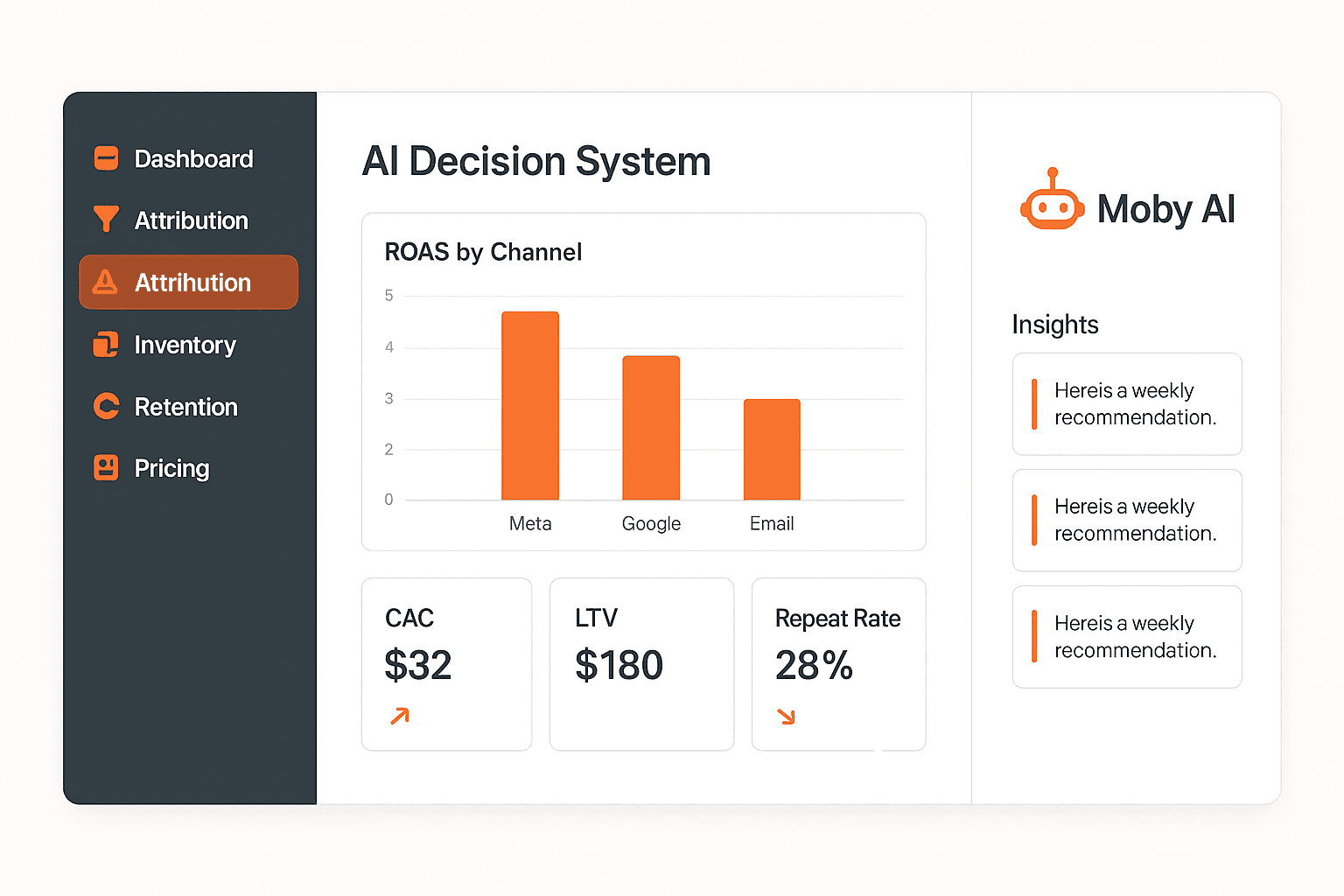
- Triple Whale — marketing attribution dashboard, creative analytics, Moby AI for automated weekly analysis → Full Triple Whale Review
- Klaviyo Analytics — customer segmentation, predictive CLV, churn risk scoring
- Shopify Sidekick — proactive AI alerts for slow-moving inventory, conversion drops, and revenue anomalies
Layer 3 — Action & Automation (Do Something About It)
This is where decisions become execution. Layer 3 takes the insights from Layer 2 and either alerts you to act or automates the response.Tools for Layer 3:- Klaviyo Flows — automated email/SMS triggered by customer behavior (churn risk, win-back, VIP) → Klaviyo Flows Setup Guide
- Rebuy — AI personalization that dynamically adjusts product recommendations and upsells based on customer data → Rebuy Review
- Make — cross-platform automation connecting your data to action (reorder alerts, Slack notifications, CRM updates) → Make Automation Guide
- Shopify Flow — native automations for tagging, holds, and internal ops
The 4 Decisions AI Transforms for DTC Founders
Decision 1 — Marketing Attribution
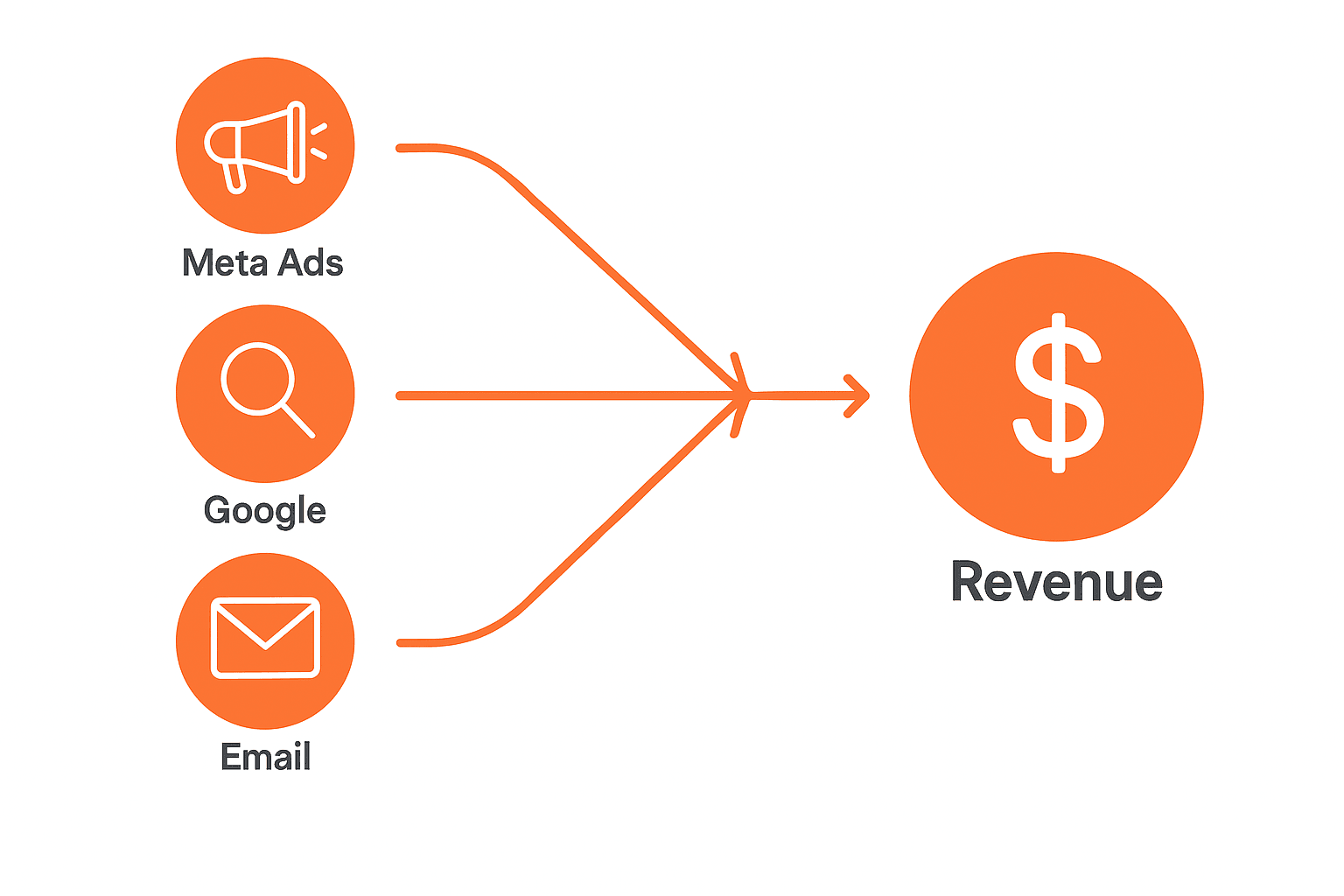
The problem: You spend $15,000/month across Meta, Google, and email. Your Shopify dashboard shows $60,000 in revenue. But which channel drove what?What AI does: Triple Whale’s first-party pixel tracks the actual customer journey — from first click to purchase — independent of platform-reported ROAS (which Meta and Google both inflate). Moby AI runs your weekly performance analysis and surfaces the answer: “Your Meta campaigns drove 38% of revenue but are consuming 62% of your budget. Google Shopping is underinvested.”The decision that changes: Budget allocation. Founders using attribution data typically reallocate 20-30% of their ad budget within the first 60 days — and see immediate ROAS improvement without spending more.Metric to track: True ROAS per channel (not platform-reported). Target: each active channel above 2.5x true ROAS.Decision 2 — Inventory Planning
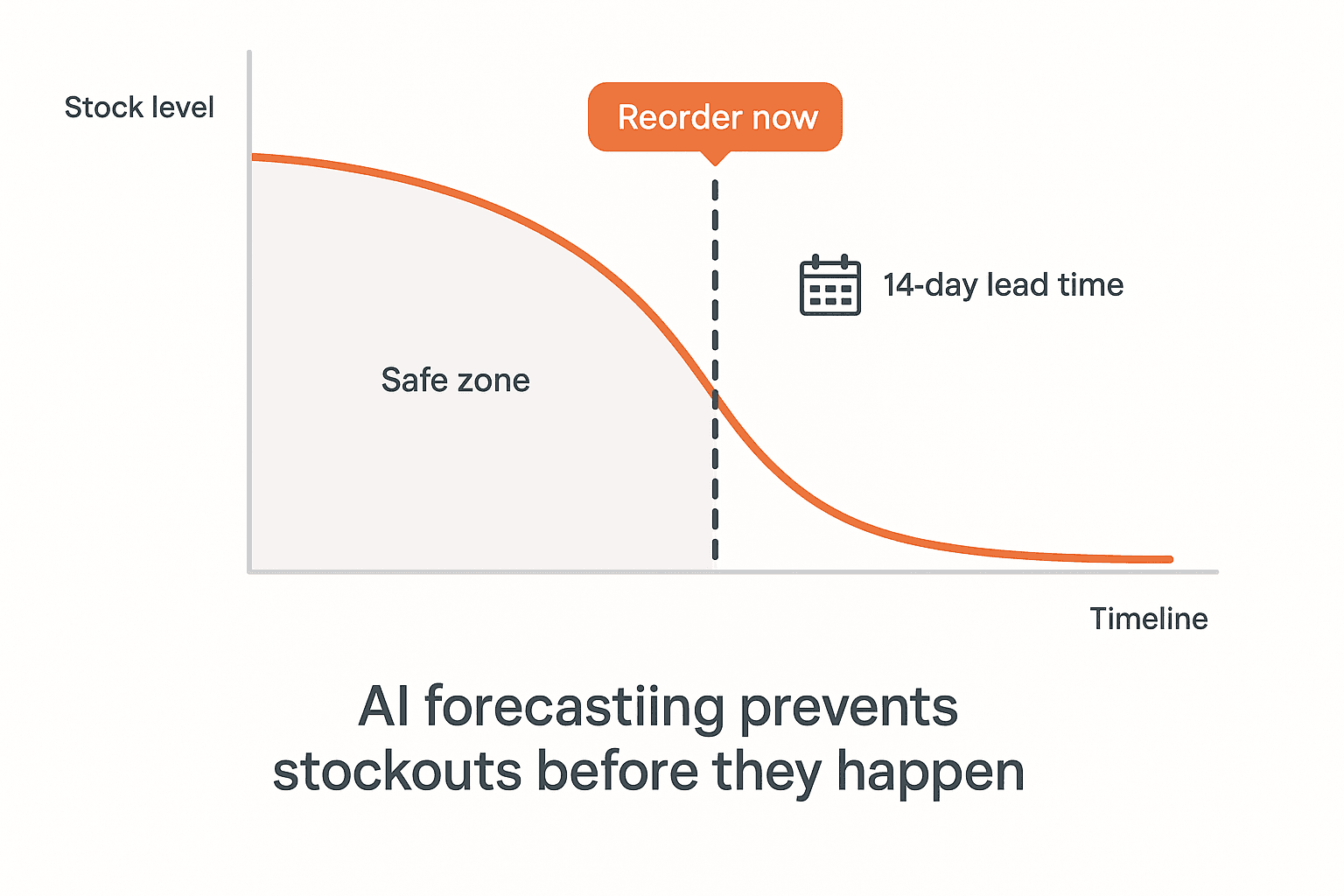 The problem: You reorder based on what you have today. You don’t account for growth trends, seasonal spikes, or supplier lead times.What AI does: AI forecasting tools analyze your historical sales velocity, seasonality patterns, and current sell-through rates to predict when you’ll run out — and when to reorder. Shopify Sidekick proactively alerts you when a product is trending toward stockout based on current sell-through vs. projected demand.The decision that changes: Reorder timing and quantity. Instead of “I have 20 units left, I should order,” the decision becomes “at current velocity with my 14-day supplier lead time, I need to order by Thursday to avoid a stockout on May 28.”Metric to track: Stockout rate. Target: under 2% of SKUs in stockout at any given time. See the full breakdown in the AI inventory forecasting guide.
Decision 3 — Customer Retention
The problem: You treat all customers the same. You don’t know who’s about to churn until they already have.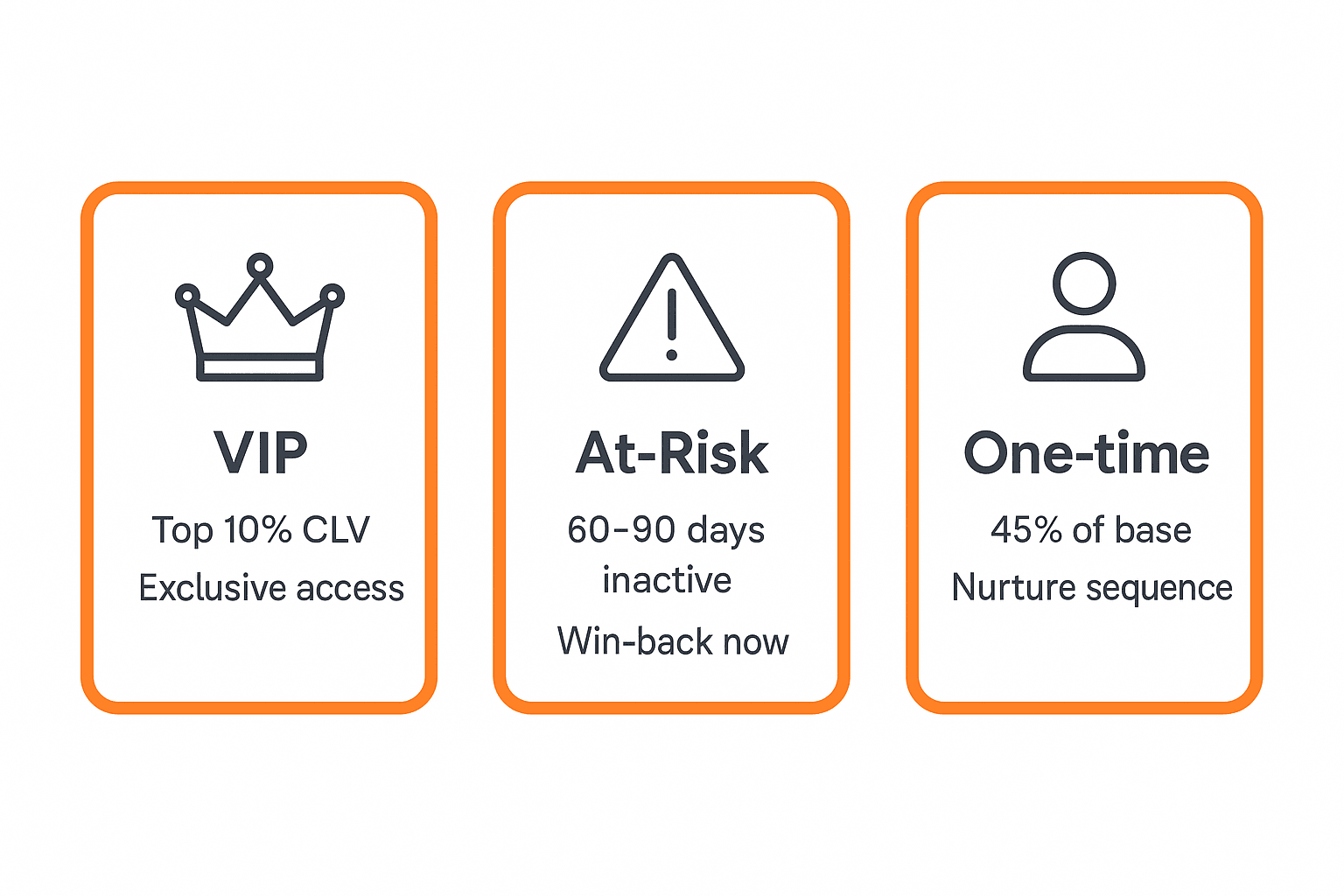 What AI does: Klaviyo’s predictive analytics scores every customer on churn probability, predicted CLV, and purchase likelihood. It identifies three segments that require different decisions:
- VIP customers (top 10% by CLV) — require proactive love, exclusive access, early drops. Losing one is worth 5-10 lost regular customers.
- At-risk customers (haven’t purchased in 60-90 days, previously regular) — require a win-back sequence now, not when they hit 180 days.
- One-time buyers (45% of most Shopify customer bases) — require a nurture sequence to convert to repeat buyers. The economics: converting 5% of one-time buyers to repeat customers typically adds 15-20% to annual revenue.
Decision 4 — Promotions and Pricing
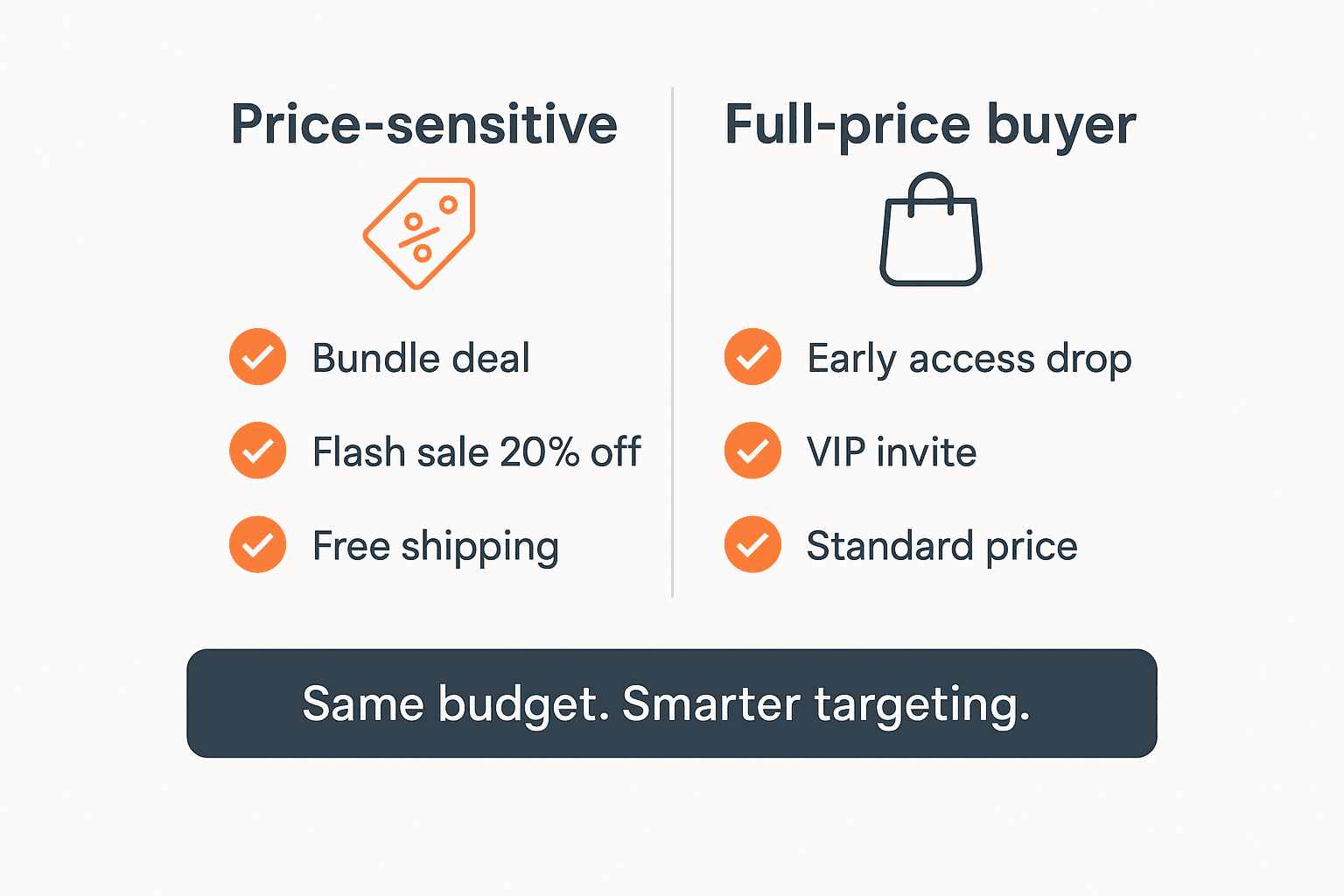 The problem: You discount because it feels like it drives revenue. You don’t know if it does — or if you’re just training your customers to wait.What AI does: Klaviyo’s segmentation lets you identify who responds to discounts vs. who buys regardless. Triple Whale’s creative analytics shows you which offer angles drive the best CAC. Rebuy’s AI personalization dynamically adjusts what’s shown to whom — so a price-sensitive customer sees a bundle deal while a VIP customer sees early access instead.The decision that changes: Offer targeting. Same promotion budget, sent to the right segments = 30-40% better conversion with less revenue left on the table.Metric to track: Discount rate (% of orders with a discount code applied). If it’s above 35%, you may have a training problem.→ See also: How to reduce cart abandonment with AI
Your 90-Day AI Decision System Rollout
Don’t try to implement everything at once. Here’s a realistic timeline:Days 1-30 — Build the foundation- Connect Shopify to Google Analytics 4 (free, 1 hour)
- Set up Triple Whale or your attribution tool of choice
- Create 3 core Klaviyo segments: VIP, At-Risk, One-Time Buyers
- Configure Shopify Flow fraud hold and inventory alerts
- Review your first Triple Whale weekly attribution report
- Run your first Klaviyo predictive CLV analysis
- Identify your top 3 underperforming budget allocations
- Launch a win-back flow for At-Risk segment
- Reallocate ad budget based on 60 days of attribution data
- Set up Rebuy post-purchase upsell with AI personalization
- Configure Make workflows for cross-platform data sync
- Review repeat purchase rate and set a 30-day improvement target
The AI Tool Stack for Shopify Decision-Making
| Decision Area | Tool | Monthly Cost | Affiliate |
|---|---|---|---|
| Attribution | Triple Whale | $149/month | ✅ 20% recurring |
| Email analytics & CLV | Klaviyo | From $45/month | ✅ 15% × 12 months |
| Personalization & upsell | Rebuy | From $99/month | ✅ 20% recurring |
| Cross-platform automation | Make | From $16/month | ✅ 20% recurring |
| Native ops automation | Shopify Flow | Free | — |
5 Mistakes DTC Founders Make with AI Analytics
1. Trusting platform-reported ROAS Meta says your campaign is 4.2x ROAS. Triple Whale says it’s 1.8x. Meta is using modeled attribution and taking credit for sales that were already happening. Always use first-party attribution data for budget decisions.2. Optimizing for last-click The channel that gets the last click before purchase often isn’t the channel that created the intent. Optimizing for last-click attribution systematically undervalues top-of-funnel channels (organic search, email nurturing) and overvalues retargeting.3. Watching too many metrics A 7-figure Shopify operator tracks 5-7 core metrics weekly, not 40. Pick your north star metrics: ROAS, repeat purchase rate, CAC, CLV, and stockout rate. Everything else is noise unless something breaks.4. Automating before validating Set up an automation, let it run for 30 days, check the results before scaling it. Automations that fail silently (mis-tagged customers, broken flows, incorrect triggers) scale your errors faster than your successes.5. Waiting for perfect data You will never have perfect data. The goal is directionally correct data that improves your decisions by 20-30%. Start with what you have. Refine over time.Frequently Asked Questions
What’s the difference between Shopify Analytics and an AI analytics tool like Triple Whale?
Shopify Analytics tells you what happened: revenue, orders, traffic, conversion rate. Triple Whale tells you why it happened and which channel drove it — using first-party pixel data that bypasses the attribution gaps created by iOS 14+, ad blockers, and cross-device journeys. For basic reporting, Shopify Analytics is sufficient. For budget decisions above $5K/month in ad spend, you need first-party attribution.Do I need all these tools, or can I start with just one?
Start with Klaviyo if you have an email list and want to improve retention — it has the broadest impact for most stores. Add Triple Whale when your paid ad spend exceeds $5K/month. Add Rebuy when you’re ready to optimize post-purchase revenue. Layer them in order of impact for your current stage.How long before I see ROI from an AI decision system?
Most founders see measurable impact within 30-60 days on retention (win-back flows start recovering lapsed customers immediately) and 60-90 days on attribution (you need enough data to make confident budget reallocation decisions). Inventory improvements are visible within the first reorder cycle.Is this only for large Shopify stores?
No. The framework applies from $100K/year upward. At lower revenue, prioritize Klaviyo for retention and Shopify Flow for operations. Add Triple Whale when ad spend justifies the $149/month investment — typically at $30K+/month in revenue.What’s the single highest-ROI change a Shopify founder can make with AI?
Fixing attribution. Most founders discover they’re spending 30-50% of their ad budget on channels with negative true ROAS. Reallocating that spend based on accurate data is consistently the fastest path to profitability improvement — with no increase in total budget.The Bottom Line
The DTC founders who win in 2026 aren’t the ones with the biggest ad budgets. They’re the ones making better decisions faster — because their AI stack tells them what to do next, not just what happened last month.The shift from reactive to AI-driven decision making in DTC e-commerce follows a three-stage progression: first, consolidating data from disparate sources into a unified view; second, using AI tools to surface attribution, churn risk, and inventory signals before they become problems; third, automating the responses so the system acts on insights without requiring manual intervention every time. Founders who complete all three stages report an average 23% improvement in net margin within 12 months, primarily through better ad allocation and reduced customer acquisition costs (DTC Analytics Benchmark, 2026).Start with Layer 1. Build clean data. Add Layer 2. Understand what it means. Build Layer 3. Automate the response.The system compounds. Every good decision you make today improves the data quality that informs tomorrow’s decision.Build your AI decision stack on any budget
The 3-layer framework works at every revenue level. The tools change — the logic doesn’t.
Better decisions require better data, and better data requires the right tools — the best AI tools for Shopify stores in 2026 covers the analytics and decision-support stack.
| Revenue | Layer 1 — Data | Layer 2 — Analysis | Layer 3 — Action | Monthly cost |
|---|---|---|---|---|
| Under $10K/mo | Shopify Analytics + GA4 | Shopify Reports | Klaviyo basic flows | $0–$30 |
| $10K–$50K/mo | GA4 + Klaviyo | Triple Whale Founders Dash | Klaviyo AI + Shopify Flow | $130–$200 |
| $50K–$200K/mo | Triple Whale + Fairing | Triple Whale + Lifetimely | Rebuy + Klaviyo AI | $350–$600 |
| $200K+/mo | Northbeam + Fairing | Northbeam + custom BI | Full automation stack | $600–$1,500 |
The $0 starting point: Shopify Analytics and Google Analytics 4 together give you more data than most founders ever act on. Before paying for any attribution tool, spend two weeks building a habit of checking three numbers every Monday morning: your best traffic source by revenue (not sessions), your top 5 products by margin (not units), and your 30-day repeat purchase rate. If you don’t have a weekly data habit, buying Triple Whale won’t fix that.
The $130 inflection point: Triple Whale’s Founders Dash consolidates your ad spend, revenue, and blended ROAS into a single daily summary. For stores spending $3,000+/month on ads, this pays for itself the first time it surfaces a channel that’s burning budget with no attributed revenue.
The $350+ stack: Once you’re above $50K/month, post-purchase survey data from Fairing becomes essential. Pixel-based attribution breaks above a certain ad spend threshold — asking customers “How did you hear about us?” gives you the signal that attribution models can’t.
How to measure ROI from your AI decision system
Most founders never measure whether their analytics stack is actually improving decisions. Here’s a simple framework to track it.
Track decisions, not data. The goal isn’t to have more dashboards — it’s to make better calls. Keep a simple log: each week, record one data-driven decision you made and its outcome 30 days later. After 90 days, you have a track record you can actually evaluate.
| Decision type | Metric to track | Target improvement (90 days) |
|---|---|---|
| Ad channel allocation | Blended ROAS | +15–25% |
| Inventory reorders | Stockout rate | -50% |
| Email segmentation | Revenue per recipient | +20–35% |
| Retention campaigns | 90-day repeat rate | +5–10 percentage points |
| Pricing decisions | Gross margin % | +2–5 percentage points |
The 30-60-90 day benchmark: In the first 30 days, you’re setting up data collection and building the habit. Days 31–60, you start identifying your single biggest inefficiency — one channel wasting spend, one product with hidden margin, one segment worth doubling down on. By day 90, you should have made at least three decisions backed by clean data that you wouldn’t have made before. If you haven’t, the problem isn’t the tools — it’s the process. Revisit your Monday morning metrics habit first.
A useful benchmark: stores that implement a structured AI decision system typically see a 15–20% improvement in blended ROAS within 60 days, simply by stopping spend on channels that looked profitable in last-click attribution but weren’t in multi-touch models.
Your AI strategy also needs organic traffic: AI SEO for Shopify — rank on Google and get cited by ChatGPT.
The one decision to make this week
Reading about AI decision frameworks is easy. Actually changing how you make decisions is hard. To make this concrete: pick one decision you make every week on gut feel — usually ad budget allocation, a reorder quantity, or a promotional discount level — and spend 30 minutes this week pulling the actual data behind it.
You don’t need a new tool to do this. Shopify’s native reports, your ad platform’s attribution summary, and a spreadsheet are enough to start. The goal isn’t a perfect system on day one. The goal is to make one data-backed decision this week instead of zero. That habit, compounded over 90 days, is worth more than any analytics tool you could buy.
When you’re ready to scale that habit into a full AI decision system, the 3-layer framework above gives you the roadmap. Start at Layer 1. Get your data clean before you buy any analysis tool. And measure every decision against a baseline — so you know, 60 days from now, whether the system is actually working.
This post contains affiliate links. If you make a purchase through these links, we may earn a commission at no extra cost to you.