SOPs for Shopify Founders: How to Document Your Operations with AI
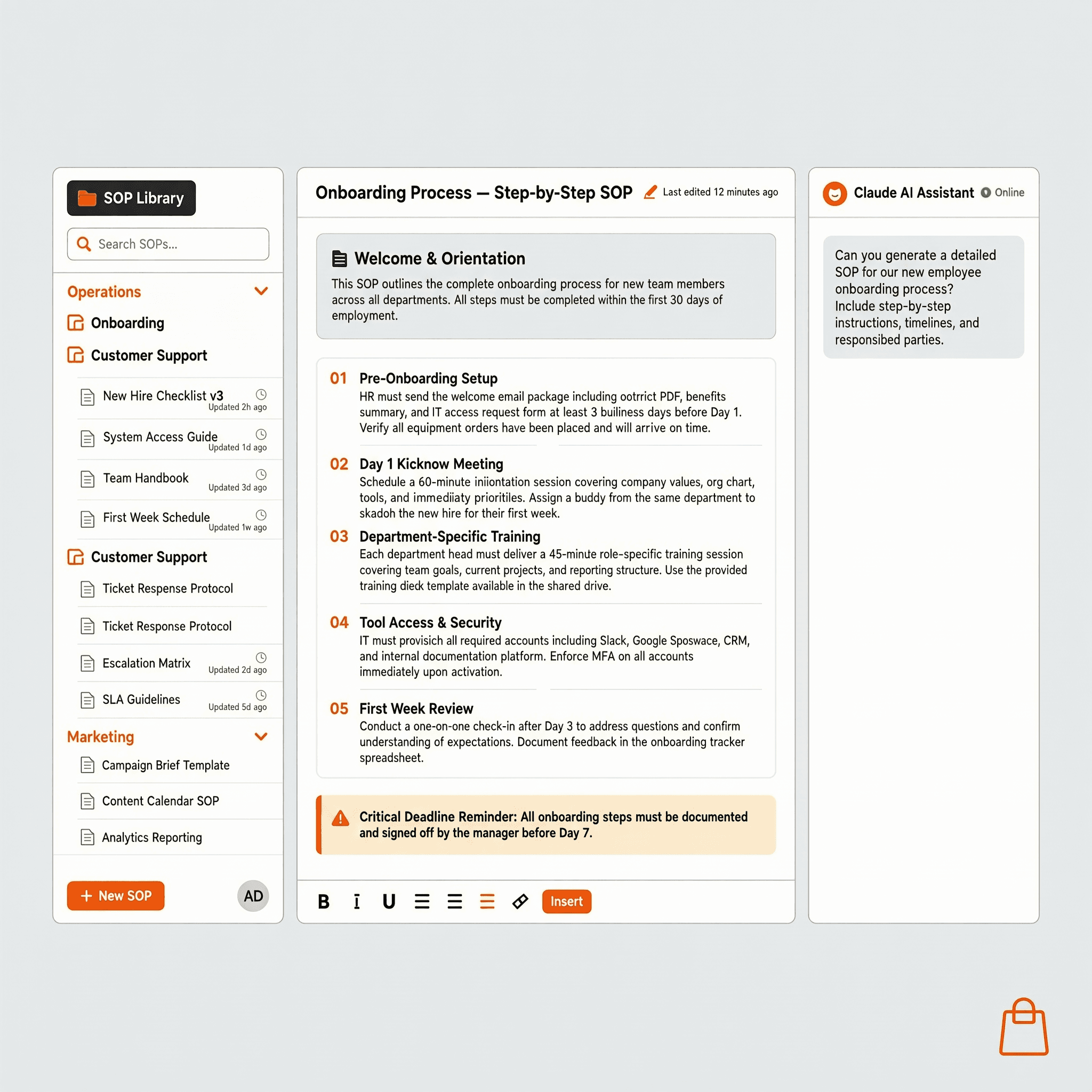
Here’s a rule worth writing down: if you can document exactly how a task gets done, you probably don’t need to hire for it yet.
SOPs and automation work together: once your processes are documented, the next step is automating them — the Shopify automation guide shows you how.
Most Shopify founders hit a wall at $300-500K/year. Not because the market dried up. Not because the product stopped working. Because everything runs in their head, and their head is full.
They’re the only one who knows how to handle a chargeback. The only one who knows what to do when a supplier ships the wrong SKU. The only one who knows the exact sequence for launching a new product.
That’s not a business. That’s a job you can’t quit.
SOPs (Standard Operating Procedures) are what turn tribal knowledge into a system. And with AI, writing them takes 20 minutes per process — not an afternoon.
Table of Contents
What Is a Shopify SOP (and Why You Need One Before Scaling)
A Standard Operating Procedure (SOP) is a documented, step-by-step guide for how a specific task gets done in your business. Done right, it turns the knowledge locked in one person’s head into a repeatable outcome that anyone — a new hire, a VA, or an AI agent — can execute consistently. For Shopify founders, SOPs cover everything from how to process a return to how to prepare for a product launch. The key distinction from a task list: an SOP includes the decision logic, not just the steps. It answers “what do you do if X happens?” not just “what do you do next?”
Why write them before scaling?
Because scaling without SOPs means scaling your chaos. Every new hire needs to be trained manually. Every new process breaks differently. Every operational mistake gets repeated.
With SOPs in place:
- You can onboard a VA in 2 days instead of 2 weeks
- Your automations don’t fail because the process wasn’t defined
- You can step away from daily operations without everything breaking
The businesses that reach $1M+ in revenue aren’t run by founders doing everything. They’re run by documented systems that anyone can follow.
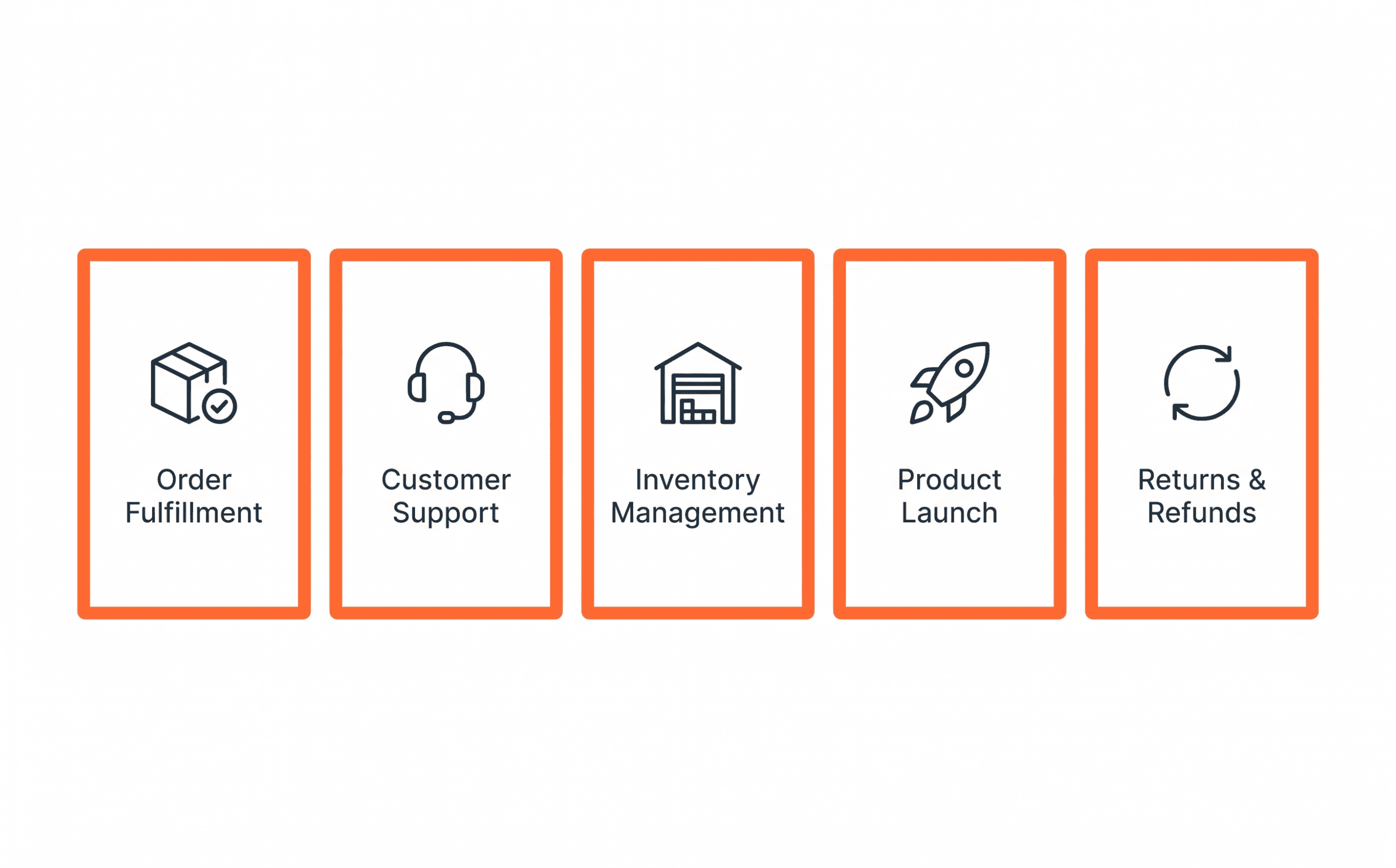
The 5 Shopify SOPs to Write First
Don’t try to document everything at once. Start with the processes that break most often or take the most of your time.
1. Order Fulfillment SOP
What it covers: How an order moves from “placed” to “shipped” — including what to do when inventory is low, when a variant is out of stock, or when an order needs manual review.
Why it’s first: Fulfillment failures are a common source of negative reviews and chargebacks. Documenting this process is also the prerequisite for automating it with Shopify Flow.
2. Customer Support SOP
What it covers: Response templates for the 8-10 most common support tickets (WISMO, damaged item, wrong item, return request, discount code issues), plus escalation rules for edge cases.
Why it’s critical: Support is the highest-volume repetitive task for most Shopify stores. With a documented SOP, a VA or AI chatbot can handle 70-80% of tickets without your involvement.
3. Inventory Management SOP
What it covers: Reorder thresholds per SKU, supplier contact process, lead times, what to do when inventory hits critical levels, and how to handle overstock.
Why it matters before scaling: A single stockout during a high-traffic period — a product launch, Black Friday, a viral moment — can cost you 3-5x what the SOP would have taken to write.
4. Product Launch SOP
What it covers: The exact checklist for launching a new product — from uploading images to writing product descriptions, setting up collections, configuring shipping rules, and scheduling the announcement email.
Why founders skip this: They’ve done it before and think they remember how. They don’t. Every launch has a different missing step. Document the first one you do correctly, then run it every time.
5. Returns and Refunds SOP
What it covers: Your return policy translated into a decision tree — accepted conditions, timeframe, refund vs. store credit rules, how to process in Shopify, how to log in your system.
Why it’s non-negotiable: Inconsistent return handling is one of the fastest ways to generate chargebacks and negative reviews. One documented process eliminates both risks.
How to Write a Shopify SOP with AI in 20 Minutes
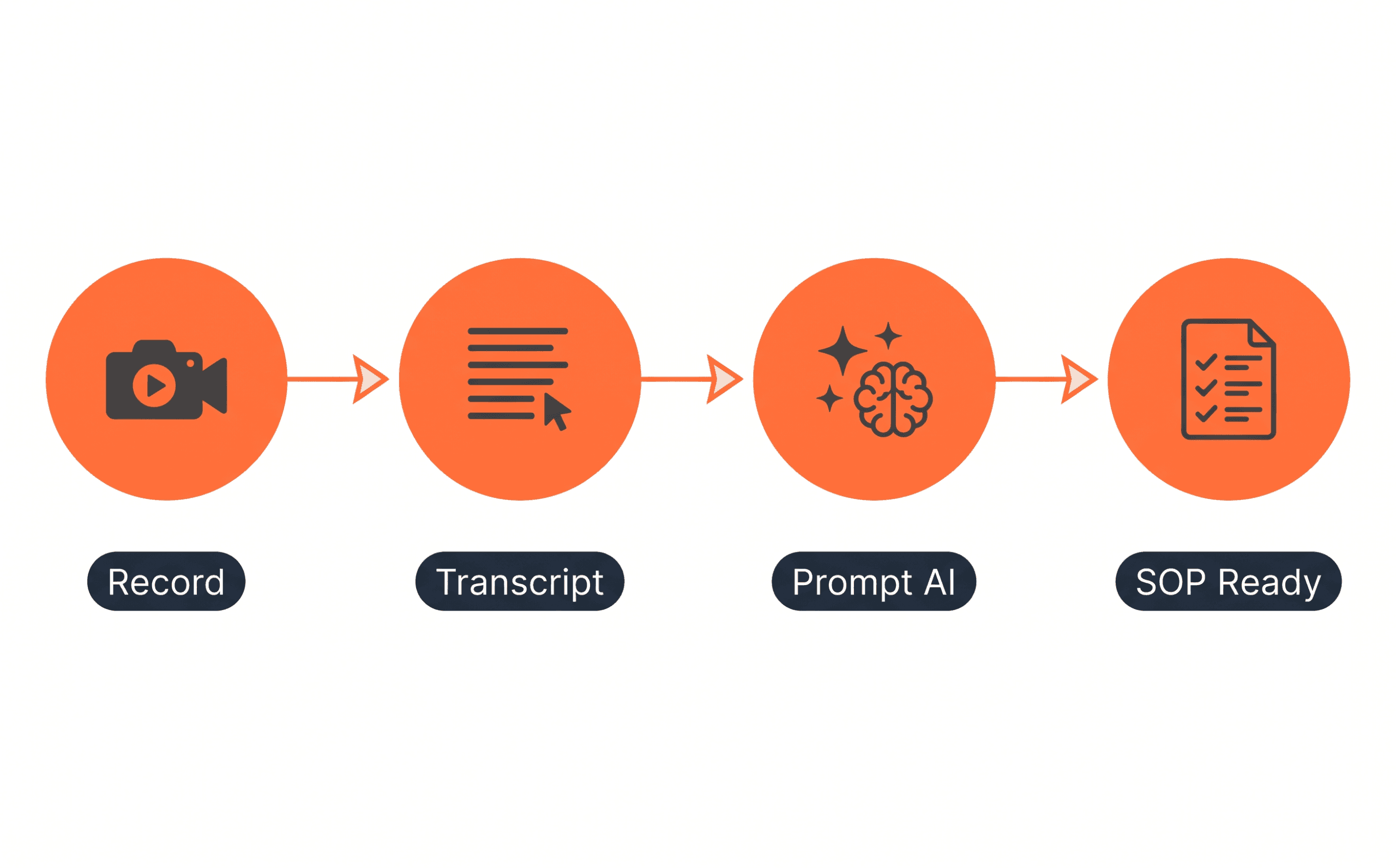
The fastest method: record yourself doing the task, transcribe it, and let AI turn the transcript into a structured SOP.
Step 1 — Record the process
Use Loom (free), Zoom, or your phone. Do the task as you normally would. Talk through what you’re doing and why. Don’t edit. Don’t aim for perfection. 5-10 minutes of raw footage is enough.
Step 2 — Get the transcript
Loom, Fathom, and Zoom all auto-generate transcripts. Copy the full transcript text.
Step 3 — Paste into Claude or ChatGPT with this prompt:
Turn this transcript into a clean Standard Operating Procedure for my
Shopify store. Format it with:
- Title
- Purpose (1-2 sentences)
- Who this is for
- Prerequisites / tools needed
- Step-by-step instructions (numbered)
- Decision points (if X, then Y)
- Common mistakes to avoid

Here's the transcript:
[paste transcript]
Step 4 — Review and fix
Don’t just read it. Follow the SOP the next time you do the task. You’ll immediately find assumed knowledge, missing steps, and anything the AI misread. Fix those and it’s done.
Step 5 — Store it (see next section)
Total time: 20-30 minutes per SOP. Once written, it runs forever.
The Shopify SOP Template (Copy This)
# SOP: [Task Name]

**Version:** 1.0
**Last updated:** [Date]
**Owner:** [Name or role]
**Used by:** [Who follows this SOP]

---

## Purpose
[1-2 sentences on what this SOP accomplishes and why it exists]

## Prerequisites
- [ ] Access to: [tools, accounts, permissions needed]
- [ ] Time required: [estimate]

## Steps

1. [First action]
   - If [condition]: do [X]
   - If [condition]: do [Y]

2. [Second action]

3. [Third action]

[Continue...]

## Common Mistakes
- [Mistake 1] → [How to avoid it]
- [Mistake 2] → [How to avoid it]

## Related SOPs
- [Link to related process]

## Changelog
| Date | Change | Author |
|------|--------|--------|
| [Date] | Initial version | [Name] |
Where to Store Your SOPs
The tool doesn’t matter as much as the consistency. Pick one and use it for everything.
Notion — Best for most Shopify founders. Free, flexible, easy to share with VAs and contractors. Use their pre-built SOP template or create a simple database. Each SOP is a page, searchable and linkable.
Google Docs — Zero learning curve. Good if you already use Google Workspace. Organize by folder: /SOPs/Fulfillment, /SOPs/Customer Support, etc.
ClickUp / Asana — Better if your SOPs tie directly to tasks and projects. Steeper setup but more powerful for teams.
The rule: every SOP in one place, organized by department (Fulfillment, Marketing, Ops, Support), accessible to everyone who needs it.
SOPs Are the Foundation — Automation Is the Next Step
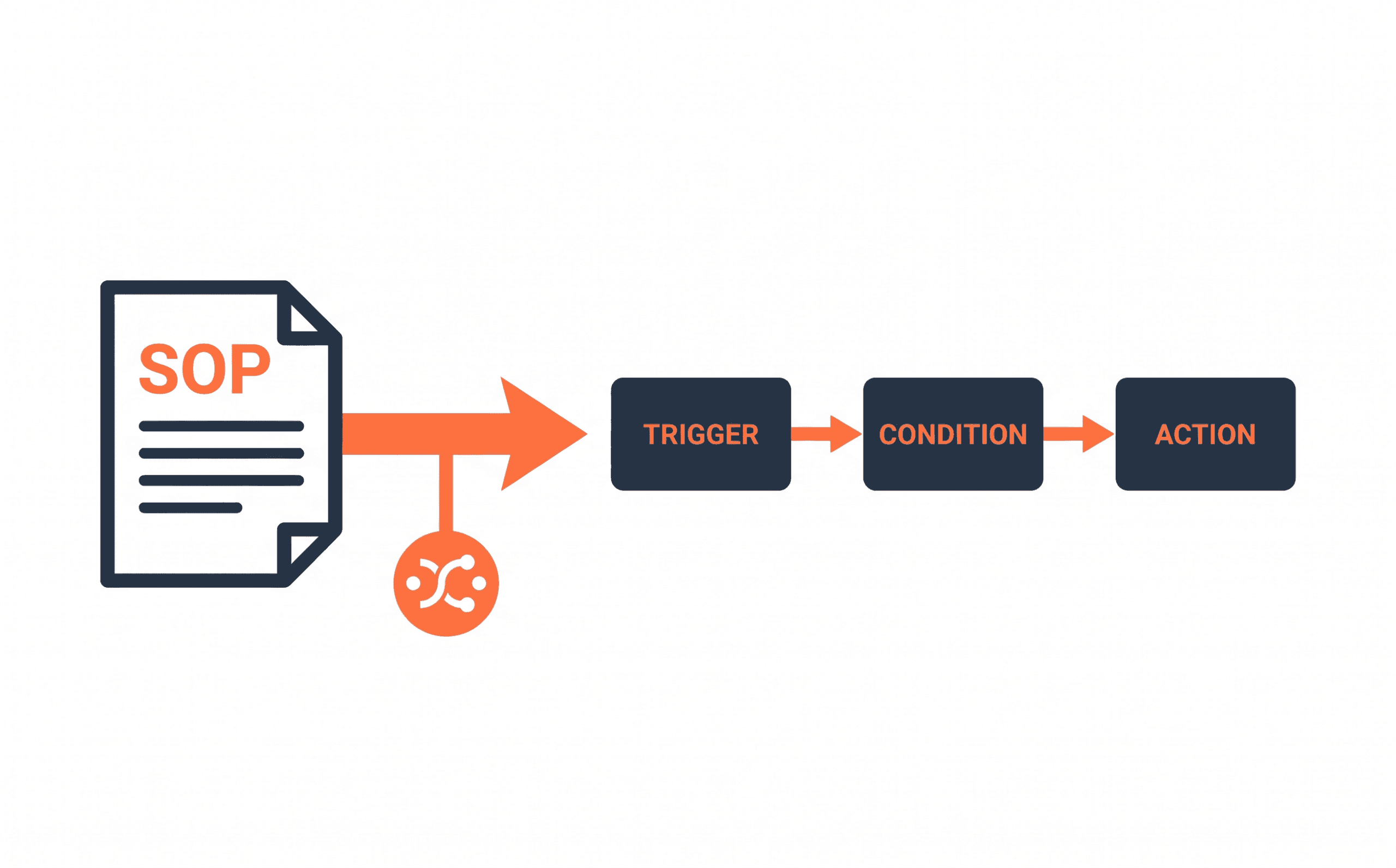
SOPs are the prerequisite for automation. The relationship is direct: if you can document exactly how a task should be done — including the decision logic and edge cases — then a tool, a workflow, or an AI agent can execute it. Shopify Flow, Make, and Klaviyo are all trigger-condition-action systems. Every automation you build is, at its core, an SOP translated into software. Founders who try to automate before documenting typically end up with automations that break unpredictably, because the edge cases were never captured. Write the SOP first. Then build the automation on top of it.
The practical path:
- Write the SOP manually (captures every edge case)
- Build the automation based on the SOP
- Use the SOP to train anyone who manages exceptions
This is why the Shopify automation guide recommends building your automation stack after — not instead of — documenting your processes. They’re not alternatives. SOPs enable automation. Automation scales SOPs.
For cross-platform automations (Shopify + Notion + Slack + Google Sheets), Make is the tool that connects them — including syncing your SOP updates to wherever your team works.
Frequently Asked Questions
How many SOPs does a Shopify store need?
Start with 5-10 covering your highest-volume and highest-risk processes. Most stores doing $500K/year have 15-25 active SOPs. There’s no magic number — document what breaks, what you get asked most often, and what only you know how to do.
Do I need to update SOPs regularly?
Yes, but not constantly. Review each SOP when the process changes (new tool, new policy, new supplier), when a mistake gets made that the SOP should have prevented, or quarterly as a general audit. Add a “Last updated” field to every SOP so you always know which are stale.
Can I use AI to write SOPs from scratch (without recording)?
Yes, but it’s less accurate. Describe the process in bullet points to Claude or ChatGPT, then ask it to format it as an SOP using the template above. Then follow the SOP the next time you do the task and fix what’s missing. The record-then-transcribe method is faster and more complete.
What’s the difference between a checklist and an SOP?
A checklist is a simplified version of an SOP — useful for tasks with no decision logic (e.g., pre-launch checklist). An SOP includes the “if this, then that” decision points and context. Use checklists for simple tasks, SOPs for anything with variables.
Should I share my SOPs with contractors and VAs?
Yes — that’s the point. An SOP you can’t share is a note. An SOP structured for handoff is a system. When onboarding a new VA, give them the relevant SOPs and have them do the task once while following the SOP. They’ll catch any remaining gaps, and you’ll never have to train the same task twice.
The Bottom Line
You can’t scale what only exists in your head.
Writing SOPs with AI takes 20 minutes per process. The return is: faster onboarding, fewer mistakes, automations that actually work, and the ability to step away from daily operations without the store breaking.
Write the 5 SOPs above first. Store them in Notion. Then use them as the blueprint for the automations in the complete Shopify automation guide.
Your systems should run the business. You should run the strategy.
This post contains affiliate links. If you make a purchase through these links, we may earn a commission at no extra cost to you.