Shopify Rollouts Discounts: How to Test a BFCM Offer First
Shopify rollouts discounts arrived on October 2, 2026, and they change how you can prepare a Black Friday offer. You can now add existing discounts to a rollout, show them to part of your online store traffic, and compare the results before every visitor sees them. That’s according to Shopify’s changelog. As a result, you can test “20% off” against your usual offer in October instead of guessing in November.
A rollout is a Shopify feature, under Markets in your admin, that publishes store changes on a schedule or to a share of visitors. A discount change is the new part: it activates or deactivates existing discounts for the visitors in that rollout.
I read Shopify’s changelog and five Help Center pages on Rollouts on October 5, 2026. I don’t run a store and haven’t run this test myself, so this is a guide built from those documents.
Key Takeaways
- Since October 2, 2026, a rollout can activate or deactivate existing discounts, alone or with theme and checkout changes.
- Rollouts work on the Basic plan or higher, but Experiments (treatment against control) need the Grow plan or higher.
- In an Experiment, the control group gets your usual discount behavior, with no test discount.
- Shopify doesn’t report revenue or orders attributed to the discount, so you judge the test on store metrics like conversion rate.
- A discount code in a test can be shared outside the test group, and a new Experiment ends 90 days after it starts unless you change it.
Getting Started with Rollouts Discounts
What did Shopify add to Rollouts on October 2, 2026?
Discounts. Before this update, a rollout could change your theme, your checkout and accounts pages, or your product catalogs. Now it can also switch discounts on or off. The changelog lists three uses. First, schedule a new offer “to a portion of online store traffic, then expand when you’re ready.” Second, “test discount changes against your existing offers and review conversion results.” Third, launch a discount together with a theme or checkout change in one rollout. In addition, Shopify notes that “your discount’s existing customer eligibility rules still apply.” In other words, a rollout decides who sees the discount, and the discount’s own rules still decide who qualifies. You still create the discount itself in Discounts, as before.
Which Shopify plan do I need?
It depends on the type of rollout. Shopify’s requirements page says, “Rollouts are available on the Basic plan or higher.” However, it adds that “Experiments are available to stores on the Grow plan or higher.” So a Basic store can schedule a discount for a share of visitors, but it can’t run a treatment against a control. From my research, at least one guide published after the launch states this plan rule incorrectly, so check the Help Center rather than a summary. Also, the staff member who sets it up needs the Discounts permission.
Launch, Event, or Experiment: which one fits a BFCM offer?
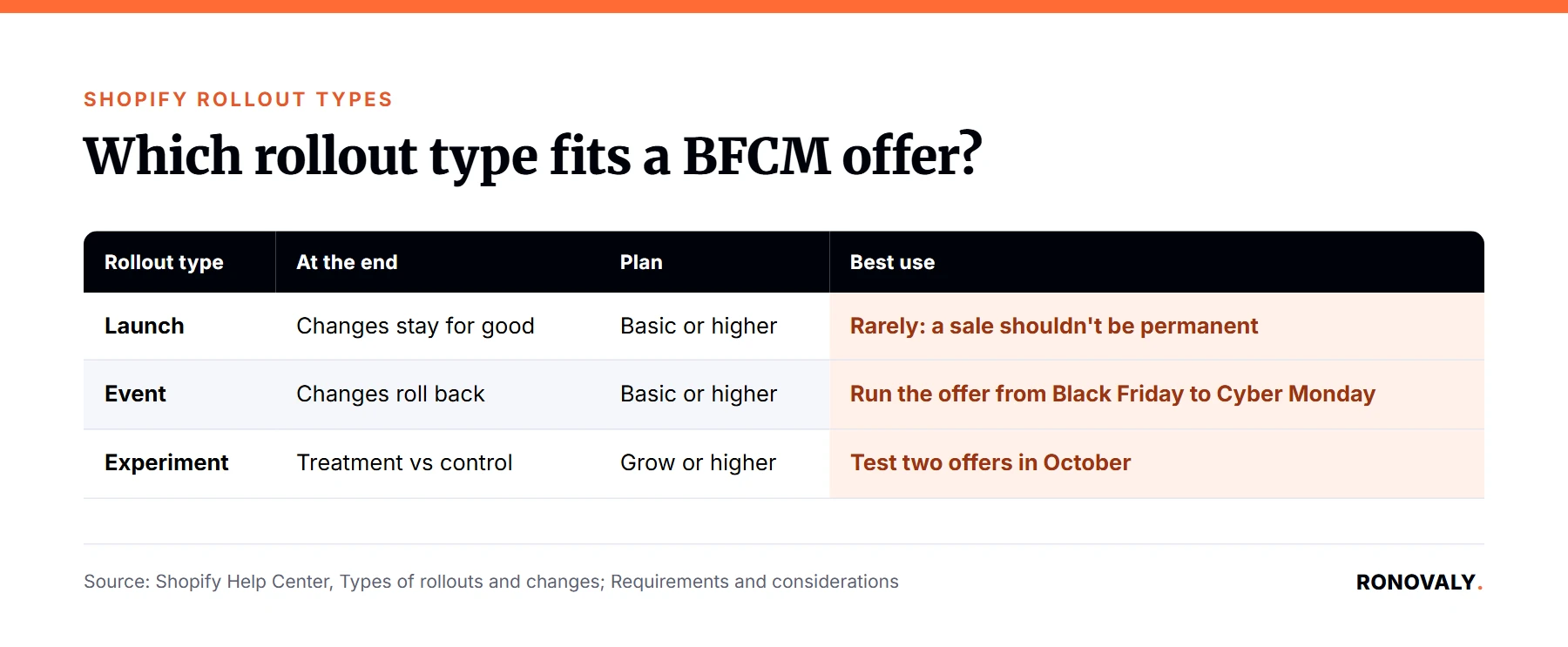
Pick by what should happen when the rollout ends. Shopify’s rollout types page says a Launch merges changes “into your store permanently,” an Event “publishes your changes for a set period, and then rolls them back,” and an Experiment compares a treatment with a control. I built this table from that page for a holiday offer:
| Rollout type | What happens at the end | Plan | Best use for a BFCM offer |
|---|---|---|---|
| Launch | Changes stay for good | Basic or higher | Rarely: a sale shouldn’t be permanent |
| Event | Changes roll back | Basic or higher | Run the offer from Black Friday to Cyber Monday |
| Experiment | Treatment vs control, then you decide | Grow or higher | Test two offers in October |
How to Set Up a Discount Test
How do I add a discount to a rollout?
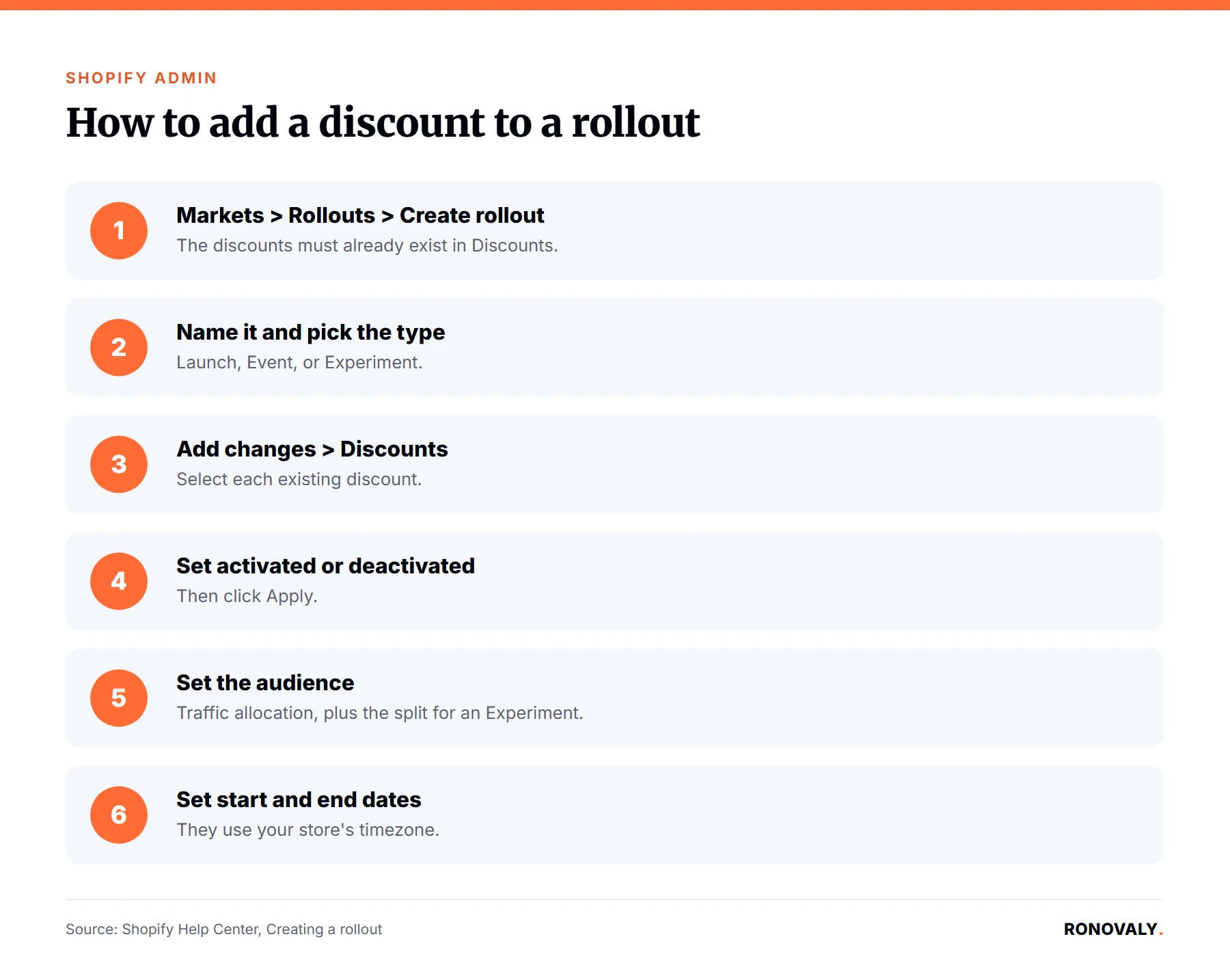
Start from Markets, then Rollouts. Shopify’s creation guide walks through the steps below. Notably, you need the discounts to exist already, because a rollout only switches them on or off. Next, pick the type and the audience before you save. The guide also warns that if a rollout is a Launch, “the changes apply permanently at the scheduled time,” and you can’t revert them afterwards.
- Go to Markets > Rollouts and click Create rollout.
- Name it, for example “BFCM offer test 2026”, and choose Launch, Event, or Experiment.
- Click Add changes, then Discounts, and select each existing discount.
- Set each one to activated or deactivated for visitors in the rollout, then click Apply.
- In Audience, set the traffic allocation and, for an Experiment, the traffic split.
- Set the start and end dates, which use your store’s timezone from Settings > General.
How much traffic sees the test offer?
Two settings decide it. Traffic allocation is the share of eligible visitors in the rollout. Traffic split divides that share between control and treatment in an Experiment. Shopify’s analytics page gives the example of a 50% allocation with a 50% split, where the Experiment uses half of the allocated half. In that case, a quarter of eligible visitors see the test offer. By default, a new Experiment uses a 50/50 split. Also, if you set the allocation below 100%, Shopify requires a start and an end date.
What does the control group get?
Your store as it is today. Shopify states, “In an Experiment, the control follows your store’s standard discount behavior. No discount is included in the control.” Specifically, the control sees the selected discounts in their current state, and the treatment sees them as the rollout changes them. So the cleanest test is one question: does this offer beat what we do now? If you want to compare two new offers, you’d run them one after the other, which takes longer.
Common Problems and Decisions
What are the traps the changelog doesn’t mention?
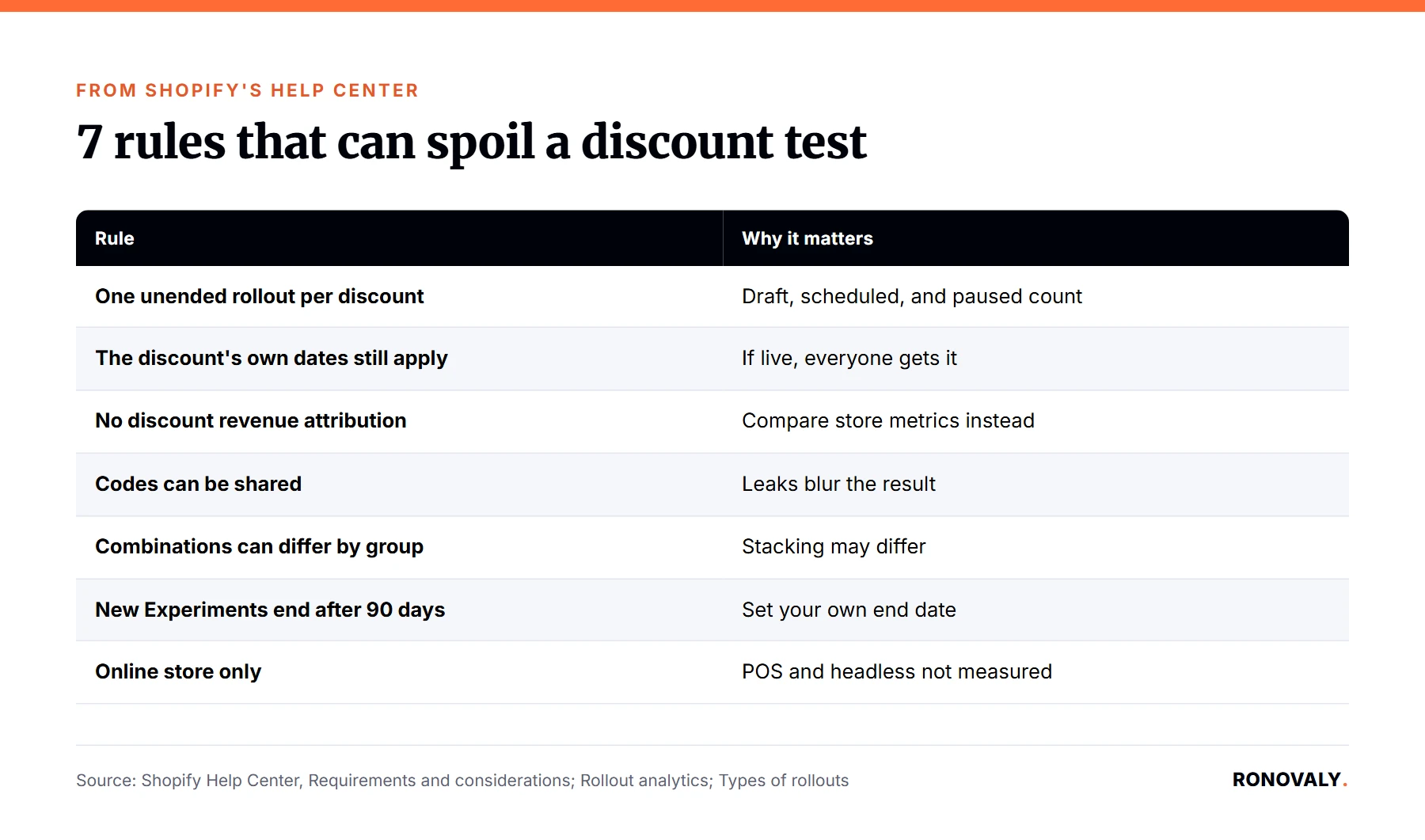
I found seven rules in the Help Center that the changelog skips. Each one can quietly spoil a test, so read them before you launch. I built this table from the requirements, analytics, and types pages:
| Rule from Shopify’s docs | Why it matters for a BFCM test |
|---|---|
| A discount can sit in only one unended rollout at a time | Draft, scheduled, and paused count, so end the test before reusing the discount |
| The discount’s own active dates still apply | If its dates are live, everyone gets it, test or not |
| No discount revenue or order attribution | You compare store metrics, not “sales from code X” |
| Codes can be shared outside the test group | Leaks can blur the result |
| Combination settings can differ between groups | Stacking may work for one group and not the other |
| A new Experiment ends 90 days after it starts | Too long for a test that must end before Black Friday |
| Experiments run on the online store only | POS and headless sales aren’t in the results |
Why should the test discount have no active dates of its own?
Because the discount would be live for everyone. Shopify says a discount is active for a visitor “when the discount’s own active dates apply, or when an active rollout that activates the discount applies to that visitor.” From my reading of that rule, a discount whose own dates already cover the test window reaches the control group too. Therefore, the test discount should only be switched on by the rollout. In contrast, a rollout that deactivates a discount does override its dates for visitors in the rollout. Shopify also lets you edit a discount that’s in a rollout, and it shows a warning when an edit can affect the schedule or an Experiment’s results.
Should I test a code or an automatic discount?
An automatic discount keeps the test cleaner. Shopify’s analytics page warns, “Eligible visitors can still share that code, so a code that’s part of an Experiment can reach visitors outside the group that you’re testing.” For example, one shopper in the treatment group could post the code in a deals forum. An automatic discount has no code to share, so the groups stay apart. That said, if your BFCM plan depends on a code, for instance for an email list, test the code anyway and treat the result as a rough signal.
How do I read the results without discount revenue?
Look at store-level metrics. Shopify says a rollout with a discount change “reports the same metrics as any other rollout,” and that “discount-specific metrics, such as the revenue or the orders attributed to a discount, aren’t available.” The metrics Shopify lists for rollouts include conversion rate, add to cart rate, and reached checkout rate, plus gross sales and average order value for some types. However, the page also warns that exposures match assignments, “which might skew results.” For instance, a visitor who reaches the cart and meets an automatic discount’s conditions is counted. Similarly, if your session numbers moved recently, read our guide to the Shopify session measurement update before you compare conversion rates.
Will my ads show the wrong offer?
Possibly, if you mix in catalog price changes. Shopify’s reach page says an Experiment, or an Event below 100% of visitors, applies to “online store only.” Consequently, ads, listings, product feeds, and apps “might display product details that differ” from what some visitors see. That warning is about catalog changes such as prices. Even so, the same logic applies to your ad copy: an ad that promises “25% off” will mislead the control group. So keep test offers out of ad copy until a winner is chosen.
Advanced Topics
When should I start testing before Black Friday 2026?
Now. Thanksgiving 2026 falls on November 26, so Black Friday is November 27 and Cyber Monday is November 30. Shopify doesn’t publish a minimum test length, and its default end date of 90 days runs past the holidays. Therefore, set your own end date. Here’s a simple calendar built from Shopify’s rules. First, run the Experiment through October. Second, end it in early November, because the discount can’t join a new rollout while the test is unended. Third, create an Event for the winning offer that starts on Black Friday and ends after Cyber Monday, so it rolls back on its own. For broader pricing strategy, see our guide to AI dynamic pricing for small Shopify brands.
Can I launch the winning offer with a theme change?
Yes, and that’s the third use in the changelog. A rollout can hold one theme change, one checkout and accounts change, catalog changes, and one discount change. For example, a holiday theme and the sale can go live in the same Event and roll back together. However, rollouts don’t work with vintage themes, and theme edits inside a rollout need the Edit code permission. Finally, line your emails up with the same start time. Our guide to Klaviyo AI segmentation for abandoned carts covers the email side.
Related Resources
- Shopify changelog, Schedule and test discounts with Rollouts: the October 2, 2026 announcement.
- Shopify Help Center, Requirements and considerations for using rollouts: plans and discount rules.
- Shopify Help Center, Rollout analytics: metrics, traffic split, and the code warning.
Still Have Questions?
Start with one test this week: an automatic discount, an Experiment with your own end date in early November, and a single question, “does this offer beat what we do now?” If you’re on Basic, use an Event at a share of traffic instead and compare it with last year’s numbers. Either way, check the seven rules in the table above before you click Save.
About the Author
Sarah Blake covers paid acquisition, email, and retention for Ronovaly, focusing on Shopify brands in the $500K to $5M ARR range. Editorial note: every quote in this post was checked against Shopify’s changelog and Help Center on October 5, 2026. No test was run on a live store.
Sources
- Shopify changelog, “Schedule and test discounts with Rollouts” (October 2, 2026): https://changelog.shopify.com/posts/schedule-and-test-discounts-with-rollouts
- Shopify Help Center, “Requirements and considerations for using rollouts” (checked 2026-10-05): https://help.shopify.com/en/manual/markets/rollouts/requirements-and-considerations
- Shopify Help Center, “Types of rollouts and changes” (checked 2026-10-05): https://help.shopify.com/en/manual/markets/rollouts/rollout-types
- Shopify Help Center, “Rollout analytics” (checked 2026-10-05): https://help.shopify.com/en/manual/markets/rollouts/analytics
- Shopify Help Center, “Creating a rollout” (checked 2026-10-05): https://help.shopify.com/en/manual/markets/rollouts/create-a-rollout
- Shopify Help Center, “Audience reach and external channels for rollouts” (checked 2026-10-05): https://help.shopify.com/en/manual/markets/rollouts/reach-and-external-channels
This post contains affiliate links. If you make a purchase through these links, we may earn a commission at no extra cost to you.