Shopify Conversion Rate Optimization: The AI Guide (2026)
Last updated: June 2026
The average Shopify store converts at 1.4%. The top 20% convert at 3.3% or higher. That gap — on a store doing $50,000/month in revenue — is the difference between $50K and $118K from the same traffic. No extra ads. No new products. Just better conversion.
In 2026, AI has changed what’s possible in conversion rate optimization. Personalization that once required a dedicated CRO team runs automatically. Exit-intent detection, product recommendations, email recovery sequences — all of it works 24/7 once you set it up. This guide covers the 5 levers that move the needle most, in the order that delivers results fastest.
CRO doesn’t work in isolation — it runs on top of your automation infrastructure. If you haven’t built that yet, automating your Shopify store with AI gives you the foundation everything here relies on.
What counts as a good Shopify conversion rate?
Industry benchmarks by niche
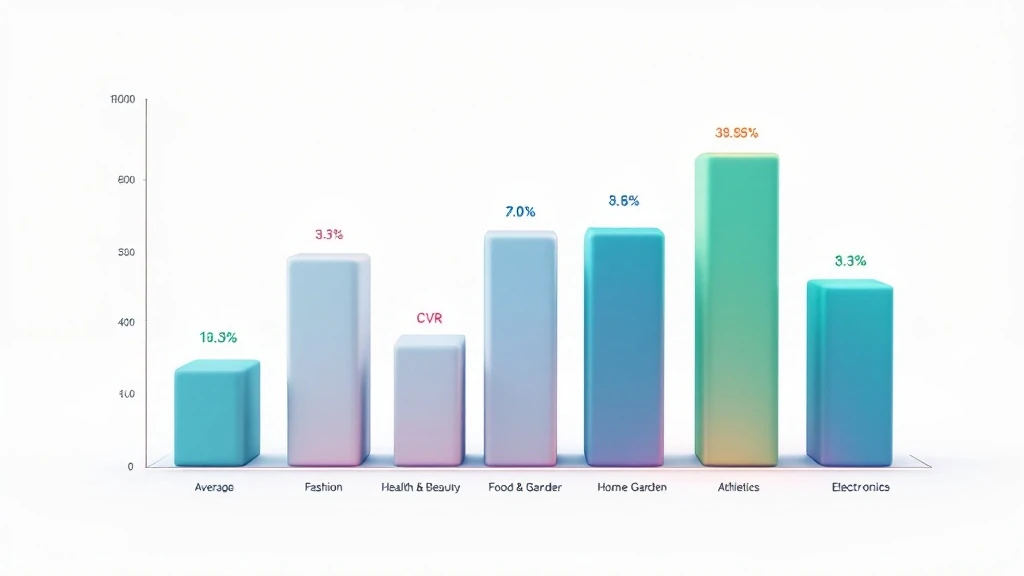
The global Shopify average (1.4%) hides massive variation by category. Your real benchmark is your niche:
| Niche | Average CVR | Top 20% CVR |
|---|---|---|
| Fashion & Apparel | 1.01% | 2.8% |
| Health & Beauty | 2.03% | 4.5% |
| Food & Beverage | 2.87% | 5.2% |
| Home & Garden | 1.40% | 3.1% |
| Sports & Outdoors | 1.62% | 3.4% |
| Electronics | 0.96% | 2.1% |
If you’re in health & beauty at 2%, you’re average — not good. If you’re in electronics at 2%, you’re crushing it. Always benchmark against your niche, then work backward from what the top 20% do differently.
Why most stores stay stuck at 1-2%
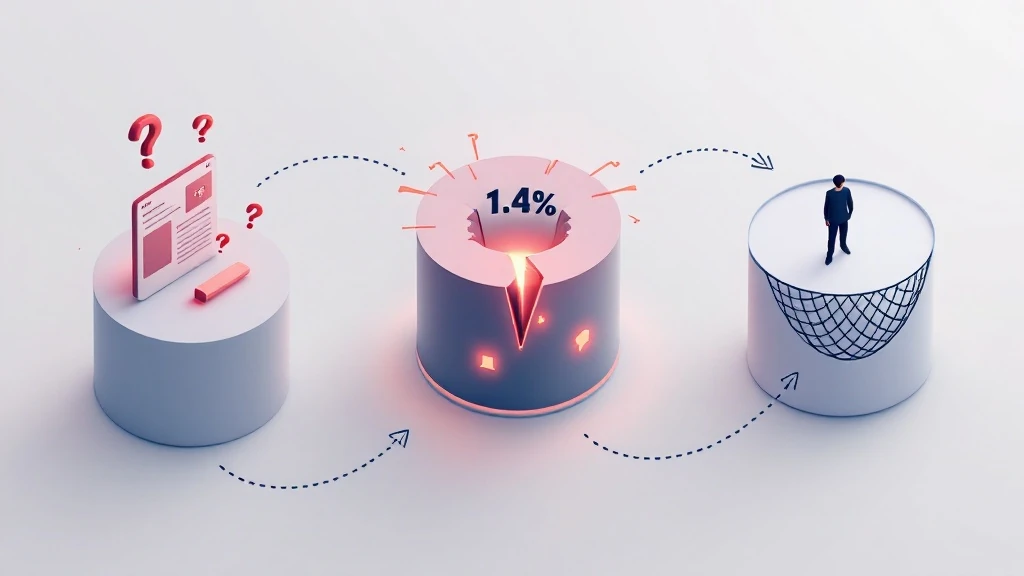
The gap between 1.4% and 3.3% comes down to three compounding problems: product pages that don’t answer buyer objections, checkout flows that add friction at the moment of decision, and no recovery system for visitors who almost converted. Stores above 3% have solved at least two of these three. Stores at 1% haven’t solved any.
AI doesn’t change the fundamentals of CRO — clear value, low friction, smart recovery. What it does is make those fundamentals cheaper and faster to implement at scale.
Lever 1 — Product page optimization with AI
The 5 elements that kill product page conversions
Most product page problems fall into one of five categories. Each costs 0.2-0.8% in conversion rate — and most stores have three or four simultaneously:
- Weak product descriptions — Features listed instead of benefits explained. A buyer doesn’t care a jacket is “water-resistant polyester” — they care they’ll stay dry on a 20-minute rainy commute.
- No social proof above the fold — Review count and star rating should be visible without scrolling. 95% of shoppers read reviews before buying. If they have to hunt, many don’t bother.
- Poor image coverage — Images are your substitute for touch. Missing lifestyle shots, no size reference, no detail angles — each gap creates doubt that kills conversions.
- Slow page load — Every 1-second delay reduces conversions by 7% (Google/Deloitte). Most Shopify stores load in 3-5 seconds on mobile. Top converters load in under 2.
- No urgency or scarcity signals — “Add to cart” on a page with no stock indicator converts worse than the same page with “Only 12 left” and “47 people viewed this today.”
AI tools that fix product page conversion problems
AI product descriptions: Shopify Magic generates benefit-led descriptions from bullet points in seconds. It produces multiple variants — short vs long, benefit-led vs feature-led — for A/B testing without a copywriter.
Dynamic recommendations: AI upsell apps for Shopify like Rebuy show “Frequently bought together” sections personalized per visitor based on browse history. Stores using dynamic recommendations see 3-8% higher product page CVR vs static blocks.
Smart review display: Apps like Okendo and Judge.me use AI to surface the most relevant reviews per visitor. A first-time buyer sees social proof from people like them. A returning visitor sees reviews that address their specific objection.
Real urgency signals: Stock counters and “low stock” badges — when genuine — consistently lift product page CVR by 2-5%. Shopify’s native inventory display handles this without a plugin.
Lever 2 — Checkout optimization
The 3-step checkout audit
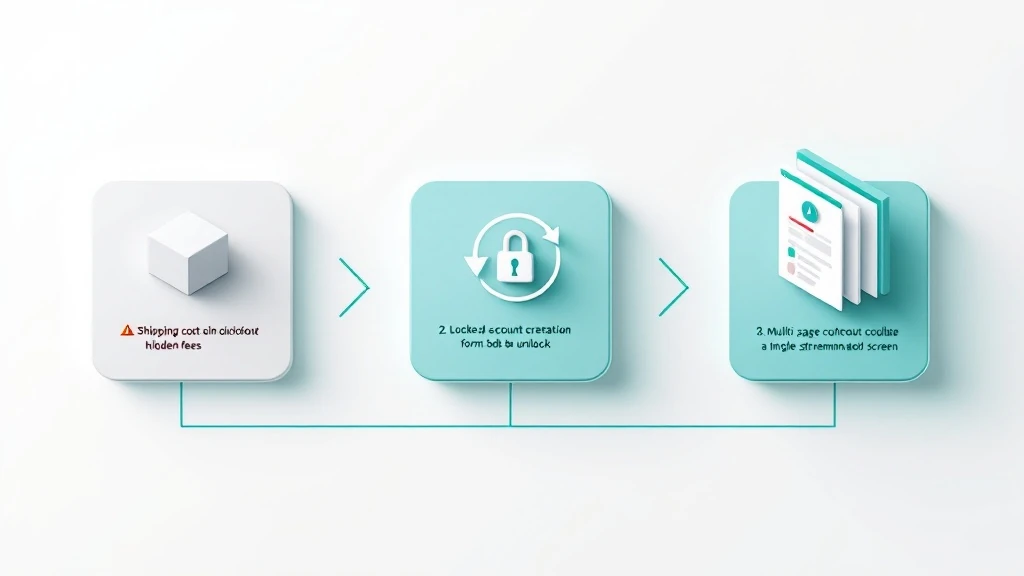
Before adding any tool, audit your current checkout against these three questions. Most stores find at least two problems:
- Are unexpected costs appearing? Shipping fees that only show at the payment page are the #1 abandonment cause (48% — Baymard Institute). Show shipping costs on the product page and cart — not just at checkout.
- Is account creation required? Forcing visitors to register before buying costs 26% of checkout completions. Fix: Shopify Settings → Checkout → Customer accounts → “Accounts are optional.”
- How many steps does checkout have? Shopify’s one-page checkout consolidates contact info, shipping, and payment into one screen. Stores migrating from 3-page to 1-page checkout report 8-15% higher completion rates.
Shop Pay, Apple Pay, and Google Pay impact
One-tap checkout options are the single highest-ROI checkout change for most stores. Shop Pay shows up to 50% higher checkout completion vs standard checkout — it pre-fills address and payment for returning Shop users, removing every point of re-entry friction.
Enable in Shopify admin → Settings → Payments → Accelerated Checkouts. Takes 5 minutes. The conversion lift starts the same day. For stores doing over $10K/month, this single change often delivers more revenue than any other CRO tactic.
Once checkout is optimized, the next layer is recovering the 70% who abandon before completing. The full 3-email + exit-intent + SMS playbook is in the dedicated Shopify cart abandonment recovery guide.
Lever 3 — AI personalization and upsells
Product recommendations that actually convert
Personalization is where AI delivers its clearest CRO ROI. Static “Customers also bought” sections — identical for every visitor — convert at 0.5-1.5%. AI-personalized recommendations that adapt to each visitor’s history and real-time behavior convert at 3-6%.
The practical difference: a static section might show your best-selling product to someone who already owns it. An AI-personalized section shows the item most likely to convert for that specific visitor at that specific moment.
- Product page — “Complete the look” or “Frequently bought together” below the add-to-cart button. Increases AOV by 15-25% when relevant.
- Cart page — A single high-confidence recommendation based on what’s in the cart. Easy to accept when the customer is already in buying mode.
- Post-purchase — The highest-converting moment. A one-click upsell on the thank-you page before the customer leaves. No payment re-entry required.
Email flows that bring back browsers
Not every visitor who leaves was ready to buy — but many will be within 7-14 days. A browse abandonment flow triggers when someone views a product page but doesn’t add to cart. Softer than cart abandonment: no discount, just a timely reminder.
Klaviyo’s browse abandonment flow converts at 1-3% — recovering revenue you would have completely lost. Combined with the abandoned cart sequence, Klaviyo flows for Shopify typically account for 20-30% of total store revenue once fully configured.
Lever 4 — Cart abandonment recovery
70% of Shopify carts are abandoned. Recovering 15% of those — with a 3-email sequence, exit-intent popups, and SMS — is the equivalent of a 10%+ lift in effective store CVR. It’s revenue from visitors who already said yes and changed their mind at the last second.
- Email sequence (1h / 24h / 72h) — Email 1 is a gentle reminder. Email 2 adds social proof. Email 3 offers a time-limited discount. Klaviyo’s AI skips the discount for customers it predicts will convert without it — protecting your margin.
- Exit-intent popup — Triggers as the visitor moves to close the cart page. A free-shipping unlock or small discount recovers 5-10% of would-be abandoners before they leave.
- SMS follow-up — One message, 30 minutes after abandonment, opted-in subscribers only. Adds 3-5% on top of email recovery with a 98% open rate.
For complete Klaviyo flow templates and exit-intent tool recommendations, read the dedicated cart abandonment recovery guide for Shopify.
Lever 5 — Speed and mobile optimization
Why page speed is a direct conversion lever
Google and Deloitte’s research found that a 0.1-second improvement in mobile load time increases retail conversion rates by 8.4%. Most Shopify stores have 2-4 seconds of fixable slowness on their product pages — significant missed conversion potential from speed alone.
Mobile makes this critical: 67% of Shopify traffic is mobile, but mobile converts at roughly half the rate of desktop. The gap is almost entirely explained by page speed and checkout friction on small screens.
Quick wins for Shopify speed

- Convert images to WebP — WebP is 25-35% smaller than JPEG/PNG with no visible quality loss. Shopify’s CDN serves WebP automatically when you upload WebP files.
- Lazy load below-fold images — Images below the fold shouldn’t load until the visitor scrolls to them. Reduces initial page weight by 30-60% on image-heavy pages.
- Remove unused apps — Every installed app loads JavaScript on every page whether active or not. A store with 15 apps often has 8 apps’ worth of dead JS loading. Uninstall anything you’re not actively using.
- Switch to a performance-optimized theme — Dawn (Shopify’s free default) scores 80+ on Google PageSpeed. Many popular paid themes score 40-60. Re-theming to Dawn is often the fastest speed fix available.
- Check render-blocking resources — Run your store through Google PageSpeed Insights. Third-party chat widgets, tracking pixels, and font loaders are the most common culprits.
How to track and measure your CRO progress
The 5 metrics to check every week
CRO without measurement is guessing. These five metrics — all in Shopify Analytics — tell you whether your optimizations are working and where to focus next:
| Metric | Where to find it | Target |
|---|---|---|
| Overall conversion rate | Shopify Analytics → Overview | Above your niche average |
| Add-to-cart rate | Shopify Analytics → Behavior | 8-12% for most niches |
| Checkout completion rate | Shopify Analytics → Checkout funnel | 65-75% |
| Cart abandonment rate | Shopify Analytics → Checkout funnel | Under 65% |
| Revenue per session | Shopify Analytics → Overview | Track week-over-week trend |
The funnel tells you where you’re losing visitors. Low add-to-cart rate (under 6%) means the problem is on product pages. Normal add-to-cart but low checkout completion (under 55%) means checkout friction. Fix the right stage first.
How to A/B test without massive traffic
- Test one element at a time — CTA button copy, hero image, price display format. Multi-variable tests need 10x the traffic to reach significance.
- Run tests for full weeks — Complete Monday-to-Sunday cycles control for day-of-week variation in buyer behavior.
- Use 80% confidence as your threshold — At low traffic, 95% significance takes months. An 80% confidence interval on a 15%+ lift is actionable.
- Start with your highest-traffic pages — The same test on your top product page generates results in 2 weeks. On a low-traffic page, 3 months.
Knowing which test to run next requires a structured decision framework. The AI decision-making guide for Shopify DTC founders covers the analytical layer that turns CRO data into better decisions.
Frequently asked questions
What is the average Shopify conversion rate in 2026?
The average Shopify store conversion rate is 1.4% across all industries. The top 20% convert at 3.3% or higher. Health & beauty stores average 2.0%, food & beverage 2.9%, fashion around 1.0%. Benchmark against your niche — not the global number. Use the table above to find your category baseline.
How long does it take to see results from CRO changes?
Quick wins — Shop Pay, one-page checkout, removing forced account creation — show results within 7-14 days. Larger gains from AI recommendations and cart recovery take 30-60 days to measure accurately. A realistic timeline: 10-15% CVR improvement in 30 days, 20-35% in 90 days with consistent testing and iteration.
What’s the highest-ROI CRO change for a small Shopify store?
For stores under $30K/month, enabling Shop Pay and Klaviyo’s abandoned cart flow delivers the highest combined ROI. Shop Pay is free. Klaviyo starts at $45/month. Together they typically lift effective CVR by 12-20% within 30 days — and both are set-and-forget after initial configuration.
Do I need a CRO agency to improve my Shopify conversion rate?
No — not at the startup or growth stage. CRO agencies make sense above $500K/month where a 0.5% CVR improvement means $30K+/month. Below that threshold, the 5-lever framework in this guide delivers the same 20-35% CVR improvements agencies charge $3,000-$8,000/month to achieve.
Does Shopify have built-in CRO tools?
Yes. Shopify includes: one-page checkout, Shop Pay, Shopify Magic for AI descriptions, checkout funnel analytics, and theme-level A/B testing. These cover levers 2 and 5 adequately. For levers 1, 3, and 4 — AI product pages, personalization, and cart recovery — third-party apps like Rebuy, Klaviyo, and Tidio are needed. Their cost is typically recovered within the first 30 days.
The bottom line
Doubling your Shopify conversion rate doesn’t require new products, more ad spend, or an agency. It requires fixing five levers that top-converting stores have already fixed: product pages that answer objections, checkout that removes friction, AI personalization that makes every visit relevant, a cart recovery system that works while you sleep, and pages that load fast enough not to lose mobile buyers before they see the product.
The order matters. Start with checkout — highest ROI, lowest effort. Then add cart recovery. Then improve product pages. Then personalization. Then speed. Each layer compounds the one before it. Stores that implement all five systematically typically reach 3%+ CVR within 90 days.
Two resources to implement this week: the best AI chatbots for Shopify covers tools that answer buyer questions in real time — eliminating hesitation that causes 3-7% of checkout abandonments. And 10 Shopify automations to set up before scaling gives you the operational foundation that makes all five levers sustainable as your store grows.