AI Inventory Forecasting for Shopify: Stop Stockouts Before They Cost You Sales
Out-of-stocks cost retailers an estimated $1.2 trillion in 2023, part of $1.77 trillion in total inventory distortion, according to IHL Group research reported by Retail TouchPoints. AI inventory forecasting exists to close that gap. It predicts demand for each SKU well enough that reordering stops being a guess. Here’s how it works and how to set it up.
This is part of the AI strategy guide for Shopify DTC founders. For the revenue-recovery side of the same strategic layer, see how to reduce cart abandonment with AI.
What Is AI Inventory Forecasting (and How It’s Different From Manual Reordering)
Manual reordering often rests on a founder’s gut sense of “we usually sell about this much” plus a spreadsheet of past orders. That method struggles with seasonality and new products. AI inventory forecasting looks at past sales, seasonality, marketing plans, and outside demand signals together. How accurate it gets depends on your catalog. Independent benchmarks put a stable catalog at roughly 75 to 85%, and fashion or seasonal launches far lower. Our AI demand forecasting accuracy analysis breaks this down by catalog type.
AI inventory forecasting for Shopify predicts future demand for each SKU. It does this by reading your past sales, seasonal patterns, planned marketing, and outside demand signals together. Manual reordering, by contrast, leans on a founder’s instinct and a basic spreadsheet. A model trained on the same sales data can do better, but results vary. Stable, repeat-purchase catalogs forecast far better than fashion or new launches. When it works, you get fewer stockouts on fast sellers and less cash stuck in slow stock, both at once.
What You’ll Need
- At least 6-12 months of Shopify sales history for the forecasting model to have enough pattern to learn from
- A forecasting tool connected directly to your Shopify store (native integration, not manual CSV exports)
- Patience for the first 4-8 weeks. Forecasts appear right away, but they get much better as the model learns your store’s patterns.
Step 1: Connect Your Sales History
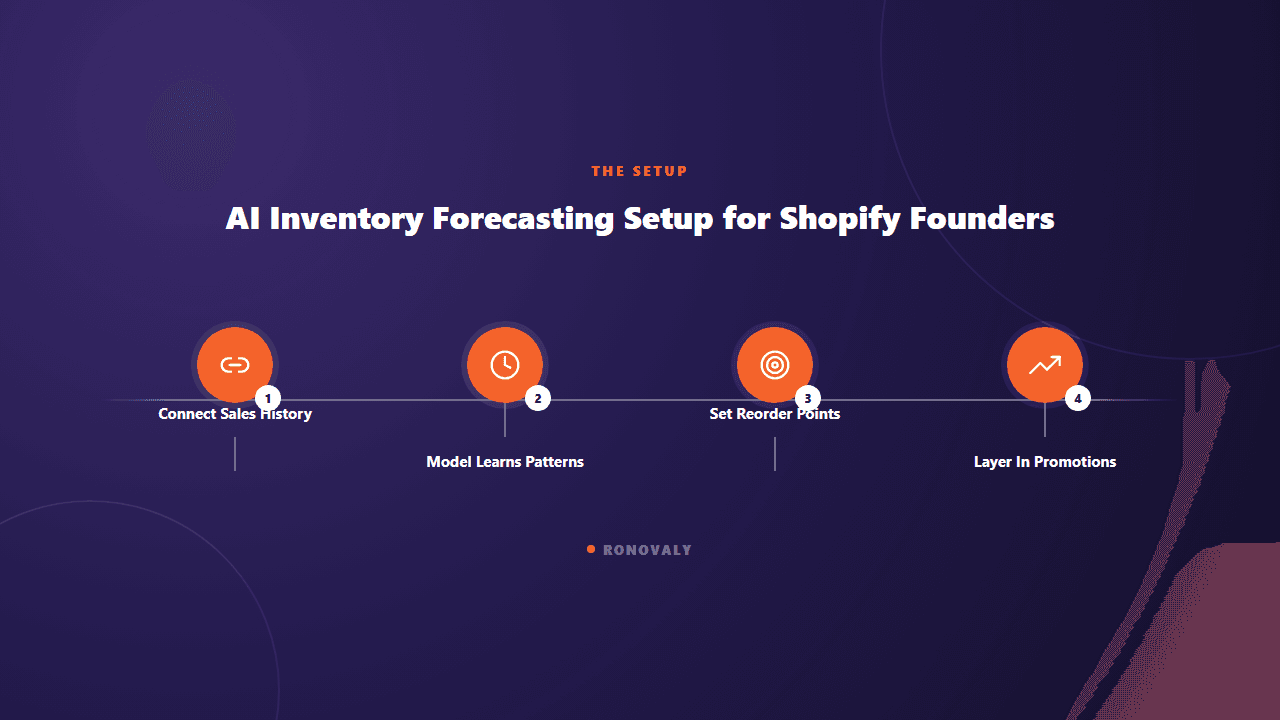
Most AI forecasting tools built for Shopify, such as Prediko and Inventory Planner, connect to your store and pull past orders on their own. You don’t upload anything by hand. The setup takes minutes. What follows depends on how much clean sales history you have. A store with 18 months of steady sales will get a much better first forecast than one with 6 weeks of data.
Step 2: Let the Model Learn Your Patterns (4-8 Weeks)
Basic forecasts show up as soon as your data is connected. Don’t judge the tool on week one, though. Shopify’s own guidance on demand forecasting software notes that most merchants see better stockout rates and inventory turnover within 6-12 weeks, not right away. The model needs a full cycle of predictions and real results to learn how your store behaves.

Step 3: Set Reorder Points, Not Reorder Guesses
Once the forecast settles, use it to set a reorder point for each SKU. That’s the stock level that triggers a new order. Stop eyeballing it. This step turns the forecast from a dashboard into a working system. A forecast only pays off if it changes when you reorder and how much.
Step 4: Layer In Seasonality and Promotions
Tell the tool about planned promotions and seasonal shifts before they happen. Don’t let it find out from sales data after the fact. A model that doesn’t know a 30%-off sale starts next week will under-predict demand for that week. Most platforms let you flag upcoming promotions for exactly this reason.
The Real Cost of Getting This Wrong
How much this helps varies a lot by store size, product category, and how much sales history the model had at the start. The goal is to improve both sides of the inventory problem at once: fewer stockouts and less cash tied up in unsold stock. Manual reordering usually forces you to trade one for the other. Measure both before and after, so you know what the tool is actually doing for you.
Illustrative example (hypothetical): imagine a skincare brand doing about $45,000 a month. It reorders from a monthly spreadsheet and keeps running out of its top 3 SKUs when demand spikes. Setting forecast-based reorder points for each SKU targets exactly that problem. The first thing to measure afterward is how often those 3 SKUs still run out.
How This Fits With the Rest of Your AI Stack
Inventory forecasting sits downstream of the analytics category in a well-ordered AI productivity stack. Add it once support, content, and email are running and producing the steady order data a model needs. Don’t start with it. A store with three months of sales will get far less from forecasting today than it will in six months, with a full seasonal cycle behind it.

Common Mistakes
Judging accuracy from week one. The model needs at least 4-8 weeks to learn your store. Giving up on weak first-week forecasts is a common way to drop a tool that would have improved a lot by week six.
Never flagging upcoming promotions. A forecast built only on past sales will keep under-predicting demand during planned sales. Enter each promotion as a signal to fix that.
Connecting the tool but ignoring the reorder point feature. A forecast that doesn’t change what you buy is just a dashboard. The value comes from setting clear reorder triggers, not from checking it now and then.
Applying it to your full catalog on day one. Start with your top 10-20 SKUs by revenue. That’s where accuracy matters most and stockouts cost the most. Then expand to the long tail.
FAQ
How much does AI inventory forecasting cost for a Shopify store?
Pricing usually scales with SKU count and order volume, so check each vendor’s current pricing page for your catalog size. To judge the cost, compare it with what one stockout on a top SKU costs you in lost sales.
How accurate is AI inventory forecasting compared to manual methods?
It depends on your catalog. Independent benchmarks put a stable, repeat-purchase catalog at roughly 75 to 85% accuracy, while fashion and seasonal launches run much lower. Accuracy improves over the first 4-8 weeks as the model learns store-specific patterns, and continues improving as more historical data accumulates.
Do I need a large catalog for AI forecasting to be worth it?
No. The tools work for stores of any size. They pay off most for stores with clear best-sellers, where a stockout really hurts revenue. Whatever your size, start with your top 10-20 SKUs by revenue, not your full catalog.
Can AI forecasting account for planned sales and promotions?
Yes, but only if you tell it. Most platforms let you flag upcoming promotions or seasonal events. A model trained only on past data will under-predict demand for periods it has never seen.
What happens if I don’t have much sales history yet?
You still get forecasts, but they will be less accurate until more data builds up. Around 6-12 months of history is the practical minimum for a model to learn from. Newer stores should treat early forecasts as a starting point to adjust by hand.
Key Takeaways
- Out-of-stocks cost retailers an estimated $1.2 trillion in 2023, per IHL Group, part of $1.77 trillion in total inventory distortion.
- Forecast accuracy depends on your catalog: stable catalogs forecast well, fashion and new launches much less so, and any model needs time to calibrate to your store.
- Set explicit reorder points from the forecast rather than treating it as a dashboard to check occasionally.
- Manually flag upcoming promotions — the model won’t predict demand spikes it has no historical pattern for.
- Start with your top 10-20 SKUs by revenue before expanding forecasting across a full catalog.
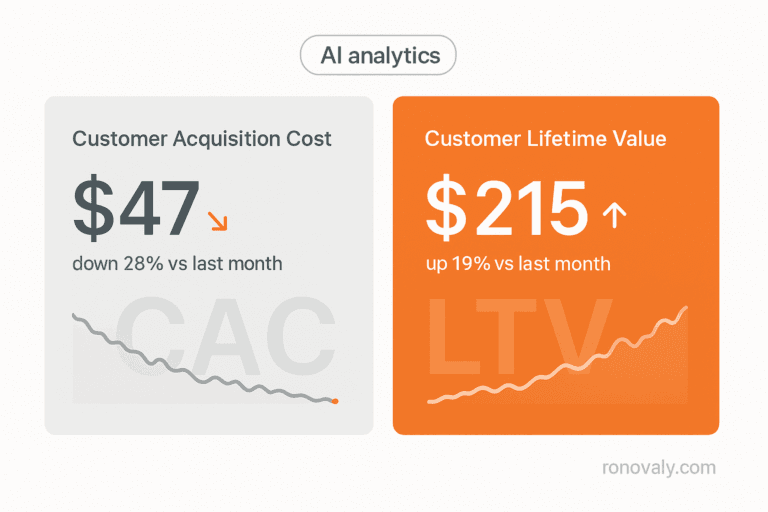
For the bigger strategic picture, see the AI strategy guide for Shopify DTC founders. For the analytics layer that pairs with forecasting, see how DTC brands use AI analytics to cut CAC and grow LTV.
This post contains affiliate links. If you make a purchase through these links, we may earn a commission at no extra cost to you.