How to reduce cart abandonment on Shopify using AI (real numbers)

Before tackling cart abandonment, make sure your store loads fast — a slow store is often the #1 reason customers leave. See our guide on how to speed up your Shopify store.
Cart abandonment recovery is one of the most impactful automations in any Shopify store — the complete Shopify automation guide covers the full system it fits into.
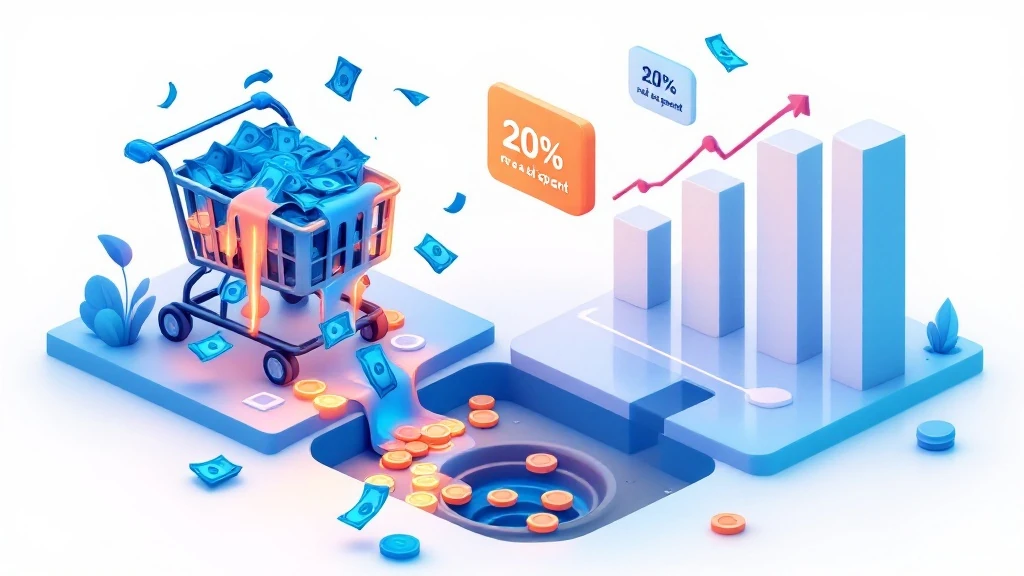
Seven out of ten shoppers who add a product to your Shopify cart never complete their purchase. At a 70% abandonment rate, cart abandonment is the single biggest revenue leak in e-commerce — and most Shopify founders are still trying to fix it manually.
The good news: AI-powered tools can win back part of those abandoned carts automatically once they are set up. This guide shows you exactly how — from the 3-email sequence that works to the Shopify Flow automation you can build in 20 minutes.
Cart recovery is one piece of a bigger automation strategy. If you haven’t set up your full Shopify automation stack yet, start with How to automate your Shopify store with AI — it gives you the foundation everything else builds on.
Why Shopify stores lose 70% of their carts
The 5 real reasons shoppers abandon
Baymard Institute research on 40,000+ e-commerce sessions shows the same five reasons appear again and again:
- Unexpected costs at checkout (48%) — shipping fees, taxes, and handling charges that only appear at the last step
- Forced account creation (26%) — requiring registration before purchase
- Slow or complex checkout (22%) — too many steps, confusing forms
- Payment security concerns (17%) — no trusted payment badges, outdated design
- Just browsing / not ready to buy (16%) — intent was never transactional
The first three are fixable in a weekend. The last two require AI to address at scale.
What cart abandonment actually costs your store
Quick calculation: if your store does $20,000/month in revenue with a 70% abandonment rate, you’re leaving roughly $46,000/month on the table. Even recovering 15% of that is $6,900/month in additional revenue — from customers who already wanted to buy.
| Monthly revenue | Lost to abandonment | 15% recovery = | 23% recovery = |
|---|---|---|---|
| $10,000 | ~$23,000 | +$3,450/mo | +$5,290/mo |
| $30,000 | ~$70,000 | +$10,500/mo | +$16,100/mo |
| $100,000 | ~$233,000 | +$35,000/mo | +$53,590/mo |
Fix 1 — AI abandoned cart email sequence
Email is the highest-ROI cart recovery channel, returning $5–$15 per email sent. The key is sending the right message at the right time — and AI tools like Klaviyo do this automatically once you set it up once.
The 3-email abandoned cart sequence
Email 1 — 1 hour after abandonment: The gentle reminder
Subject: “You left something behind” or “Still thinking it over?”
Content: Show the exact product they left, no discount yet. Just a frictionless one-click return to cart.
Email 2 — 24 hours after abandonment: Social proof
Subject: “Others are loving [product name]”
Content: Add 2–3 reviews of the abandoned product. Show stock urgency if real (“Only 4 left”). Still no discount — you’re building desire, not buying it.
Email 3 — 72 hours after abandonment: The offer
Subject: “Here’s 10% off — just for you”
Content: Now you offer the discount, but make it expire in 24 hours. This creates real urgency and converts the fence-sitters. To protect your margin, keep this email away from shoppers likely to buy anyway by splitting the flow on Klaviyo’s predictive fields, as shown in our Klaviyo AI segmentation guide for abandoned carts.
Klaviyo setup: how to build this in 30 minutes
Klaviyo’s abandoned cart flow is pre-built — you don’t start from scratch. Go to Flows → Create Flow → Abandoned Cart. The trigger is already set. You just need to:
- Edit the 3 email templates with your brand colors and product blocks
- Set the send delays (1h, 24h, 72h)
- Keep Smart Sending on, so a shopper who just received another email from you isn’t emailed again too soon
- Add a conditional split before the discount email so likely buyers skip it (see the segmentation guide linked above)
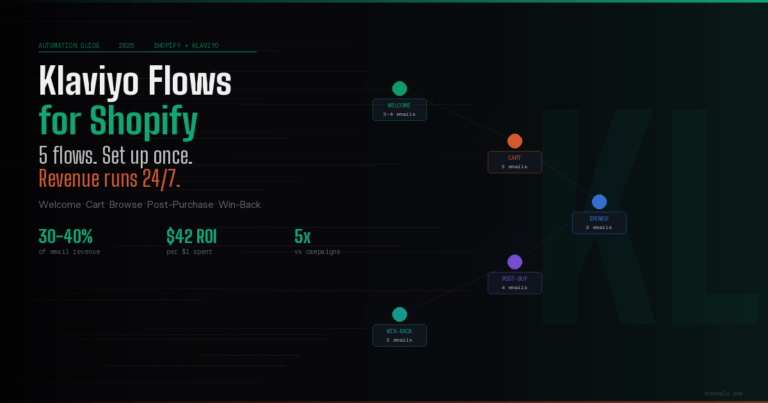
For the complete Klaviyo flow setup — including welcome series, post-purchase, and win-back — read the full Shopify Klaviyo flows setup guide.
Fix 2 — Exit-intent popups with AI personalization
Exit-intent popups trigger when a visitor’s mouse moves toward the browser’s close button or back arrow — the moment they’re about to leave. Done right, they recover 5–10% of would-be abandoners before they even leave the cart page.
What works in 2026:
- One-time discount (10–15%) — “Wait — here’s 10% off if you complete your order now”
- Free shipping unlock — “You’re $12 away from free shipping”
- Save cart for later — email capture that feeds your abandoned cart flow
AI tools like Tidio go further — they personalize the popup based on what the visitor browsed, how many times they’ve visited, and their predicted purchase intent. A first-time visitor gets a different offer than a repeat browser who has abandoned twice before. See how Tidio compares to other support tools in the Tidio vs Gorgias comparison.
One rule: never show an exit popup on mobile. On phones, any mouse-out trigger is unreliable and the popup blocks the screen. Use a sticky bar at the bottom of the cart page instead (“Complete your order — free shipping over $50”).
Fix 3 — Shopify checkout optimization
5 friction points to remove today
Before any AI tool can help, your checkout needs to not actively push people away. These five changes take under an hour and eliminate the friction that causes 46% of abandonment:
- Enable guest checkout — Remove the “Create account” requirement. Shopify Settings → Checkout → Customer accounts → set to “Accounts are optional”
- Show shipping costs on the product page — Add a shipping calculator to your product template. Surprises at checkout are the #1 abandonment cause.
- Enable Shop Pay, Apple Pay, Google Pay — One-tap checkout removes all card entry friction. Stores that enable these see 20–30% less mobile abandonment.
- Migrate to Shopify’s one-page checkout — It consolidates contact, shipping, and payment into a single screen. Available free in Shopify admin → Settings → Checkout.
- Remove unnecessary form fields — If you don’t need a phone number for fulfillment, remove it. Every extra field costs you 2–3% in conversions.
Shopify Flow cart reminder automation
Shopify Flow can send an internal Slack alert when a high-value cart (over $150, say) is abandoned — prompting your team to reach out personally. This works especially well for stores with high-ticket products where a personal email from the founder converts at 20–35%.
Set it up in Flow: Trigger → “Checkout abandoned” → Condition → “Cart total greater than $150” → Action → “Send Slack notification”. Takes 15 minutes. See more automations like this in the 10 Shopify automations to set up before scaling.
Fix 4 — AI chatbots for checkout hesitation
Some shoppers don’t abandon because of friction — they abandon because they have a question they can’t get answered. “Does this come in XL?” “What’s your return policy?” “Does this ship to Canada?” If no one answers, they leave.
An AI chatbot on your cart and checkout pages answers these questions instantly, 24/7. The best ones — like Tidio Lyro — are trained on your product catalog and FAQ so they never give a wrong answer about your store. Stores that add a chatbot to the checkout flow see 3–7% fewer abandonments from this cause alone.
For a full comparison of AI chatbots for Shopify, read The 7 best AI chatbots for Shopify in 2026.
Fix 5 — SMS cart recovery
SMS has a 98% open rate vs 20% for email — but it’s intrusive if misused. Use it only as a complement to email, not a replacement, and only for subscribers who have explicitly opted in to SMS marketing.
The SMS cart recovery formula: One message, sent 30–60 minutes after abandonment, before your first email. Keep it under 160 characters:
“Hey [first name], you left [product] in your cart. Complete your order here: [link] — reply STOP to unsubscribe.”
Klaviyo handles both email and SMS in the same flow — so you can build a combined sequence without managing two platforms. SMS recovery alone adds 3–5% on top of what email already recovers.
How to measure your cart abandonment recovery rate
| Metric | Where to find it | Target |
|---|---|---|
| Cart abandonment rate | Shopify Analytics → Checkout funnel | Under 65% |
| Email recovery rate | Klaviyo Flows → Revenue attributed | Your own baseline, tracked monthly |
| Flow revenue / total revenue | Klaviyo Analytics | 20–30% |
| Popup conversion rate | Tidio / popup tool dashboard | 5–10% |
| Revenue recovered per month | Klaviyo + Shopify Reports | Track week 1 vs week 8 |
Review these numbers every Monday morning. If your email recovery rate is below 10% after 30 days, the issue is usually in the email copy or the send timing — not the tool itself.
Frequently asked questions

What is the average cart abandonment rate for Shopify stores?
The average cart abandonment rate for Shopify stores is 70–72% according to Baymard Institute. Mobile abandonment is higher — around 80% — because checkout friction is worse on small screens. A well-optimized Shopify store can bring this down to 55–60% with the fixes in this guide.
Does Shopify have built-in cart abandonment recovery?
Yes. Shopify includes a basic abandoned checkout email in Settings → Notifications → Abandoned checkout. It sends one email 10 hours after abandonment. It’s a good starting point, but Klaviyo’s 3-email sequence with AI personalization typically recovers 3–4x more revenue. Use Shopify’s native email while you set up Klaviyo, then disable it once your Klaviyo flow is live.
How quickly does cart abandonment recovery start working?
Klaviyo’s abandoned cart flow starts recovering revenue from the first day it’s live. Most stores see measurable results within 7 days. Give it 30 days to optimize — Klaviyo’s AI needs a few hundred sends to learn the best send times and discount suppression patterns for your specific audience.
Should I always offer a discount in my cart recovery emails?
No — and this is one of the most common mistakes. Offering a discount in email 1 trains customers to abandon on purpose to get discounts. Save the discount for email 3, after you’ve tried the reminder and social proof first. Klaviyo’s predictive analytics can even suppress the discount for customers it predicts will convert without it.
What’s the best cart abandonment tool for Shopify in 2026?
Klaviyo is the best all-in-one solution — it handles email, SMS, and AI personalization in one platform. For exit-intent popups, Tidio is the best option for stores under $50K/month. For high-value cart alerts, Shopify Flow (free) handles the notification automation. You don’t need more than these three tools.
The bottom line

Cart abandonment is not a problem you solve once — it’s a system you build. The stores that recover 20%+ of their abandoned carts aren’t doing anything exotic. They have a 3-email Klaviyo flow, a checkout with no hidden costs, and a chatbot that answers questions in real time.
Start with the highest-leverage fix first: if you don’t have a Klaviyo abandoned cart flow yet, set that up today. It takes 30 minutes and pays for itself within the first week. Add the exit popup next, then optimize your checkout. Each layer compounds the one before it.
Cart recovery is automation in its most direct form: you set it up once, and it runs every day recovering revenue you would have lost. For the full Shopify automation playbook — covering support, inventory, email, and more — read How to automate your Shopify store with AI.
This post contains affiliate links. If you make a purchase through these links, we may earn a commission at no extra cost to you.