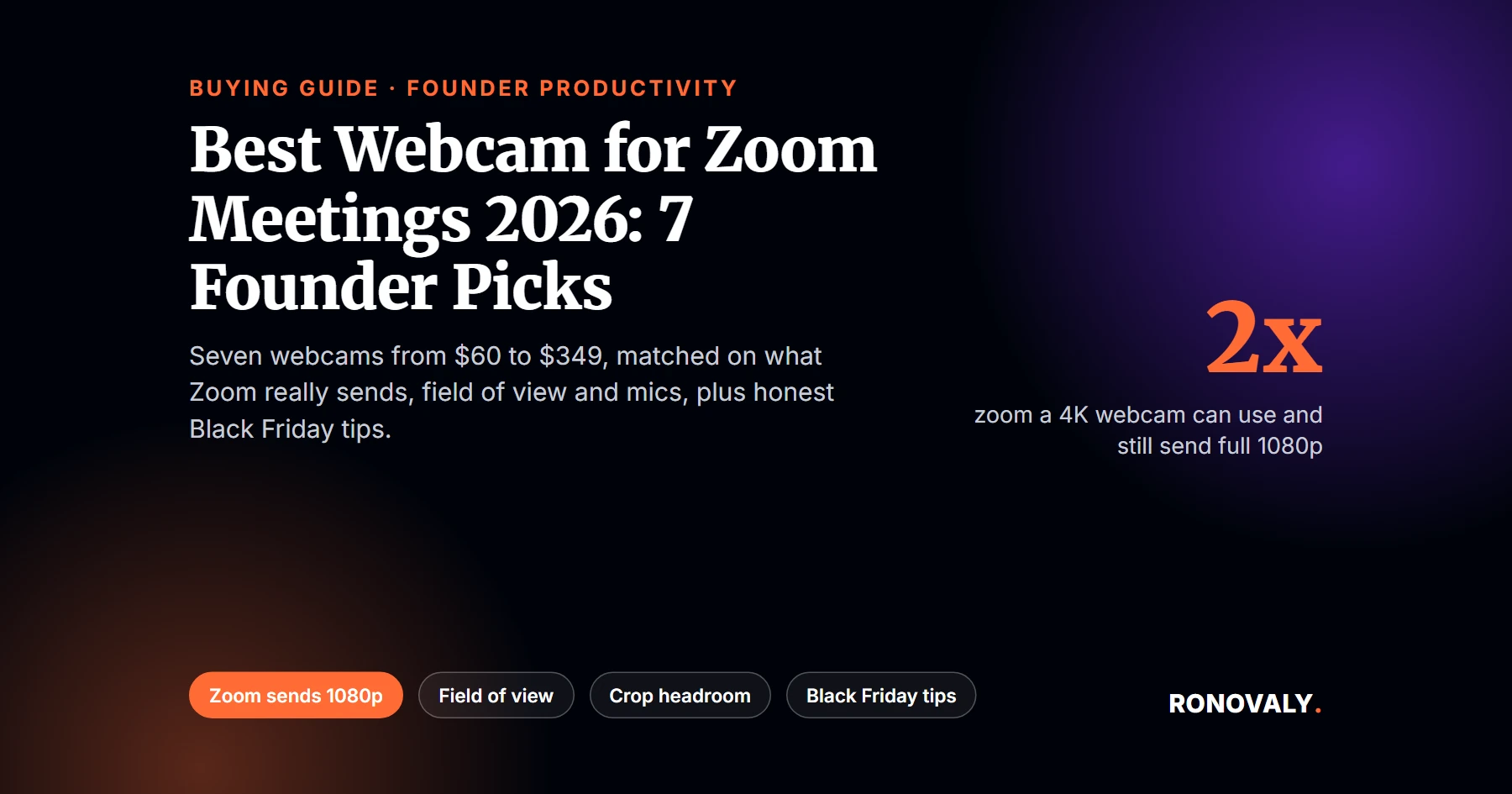
Best Webcam for Zoom Meetings 2026: 7 Founder Picks
Disclosure: this article contains affiliate links. If you buy through them, Ronovaly may earn a commission at no extra cost to you. As an Amazon Associate I earn from qualifying purchases.
The best webcam for Zoom meetings in 2026, for most Shopify founders, is the Insta360 Link 2C. It records 4K, has a natural 79.5 degree field of view and lists at $149, per Tom’s Guide. On a tighter budget, the Anker PowerConf C200 gives you a 2K picture and a privacy shutter for about $60.
Here is the catch most buyers miss. Zoom does not send 4K video. In fact, Zoom, Teams and Meet accept a 4K camera but downscale it to 1080p, per PCWorld. So why buy 4K? Because a 4K sensor usually lets in more light, and it leaves room to zoom in on your face without losing detail.
Field of view (FOV) is how wide the camera sees, in degrees. Digital zoom is a crop of the full image. In other words, the camera cuts out the middle of the frame and sends that part, which costs resolution.
Key Takeaways
- Zoom sends at most 1080p video, and it needs 3.8 Mbps of upload speed for it, per Zoom’s system requirements.
- A 4K webcam can zoom in 2x and still send a full 1080p feed. By contrast, a 1440p webcam can zoom 1.33x.
- For a solo founder, a field of view around 65 to 80 degrees frames you without showing the whole room.
- Built-in webcam mics are often average. Therefore, reviewers suggest an external mic for important calls.
- Black Friday falls on November 27, 2026. Check live prices and return windows before you buy.
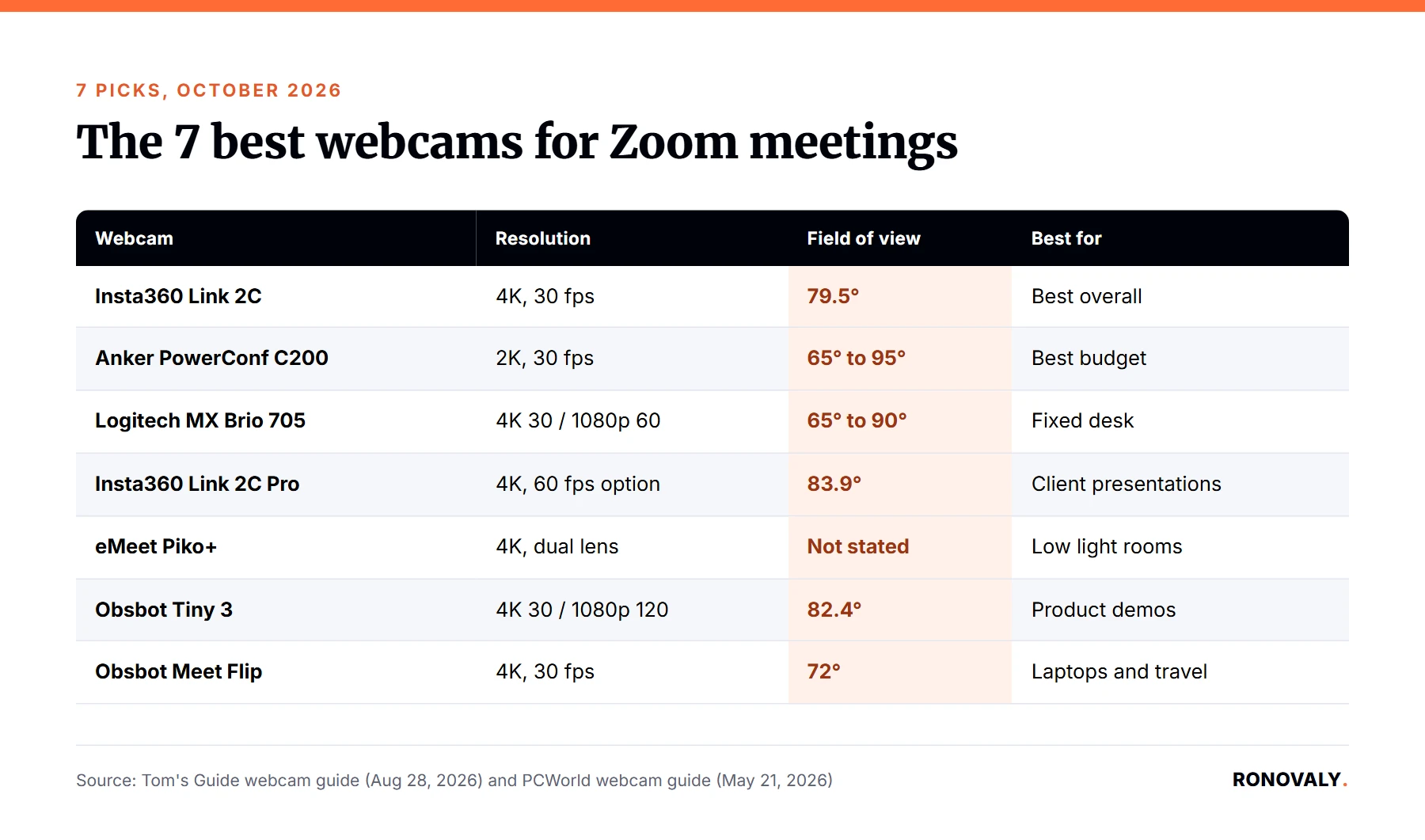
Quick Comparison: 7 Best Webcams for Zoom Meetings
| Webcam | Resolution and frame rate | Field of view | List price | Best for |
|---|---|---|---|---|
| Insta360 Link 2C | 4K, 30 fps | 79.5° | $149 | Best overall |
| Anker PowerConf C200 | 2K, 30 fps | 65°, 78°, 95° | About $60 | Best budget |
| Logitech MX Brio 705 | 4K 30 fps, 1080p 60 fps | 65°, 78°, 90° | $199 | Fixed desk setups |
| Insta360 Link 2C Pro | 4K 30 fps, 60 fps option | 83.9° | Not stated | Client presentations |
| eMeet Piko+ | 4K, dual lens | Not stated | Not stated | Low light rooms |
| Obsbot Tiny 3 | 4K 30 fps, 1080p 120 fps | 82.4° | $349 | Product demos |
| Obsbot Meet Flip | 4K, 30 fps | 72° | Just over $100 | Laptops and travel |
Specs and list prices come from Tom’s Guide’s August 2026 webcam guide, except the eMeet Piko+, which comes from PCWorld’s May 2026 guide.
How We Picked These Webcams
We did not test these webcams in person. Instead, I compared the picks of two independent testers, Tom’s Guide and PCWorld, with Zoom’s own requirements. Then I kept only cameras that solve a founder problem: looking sharp on client and supplier calls, in a home office that is rarely lit like a studio.
Next, I computed how far each resolution can zoom before it drops below the 1080p that Zoom sends. From my research, I found that this number matters more for video calls than the 4K label itself. Finally, I grouped each pick by field of view, because that decides how much of your room your clients see.
1. Insta360 Link 2C: Best Overall
The Insta360 Link 2C is the best overall webcam for Tom’s Guide. It records 4K at 30 fps with a 79.5 degree field of view, which frames one person well. Moreover, it lists at $149, a price Tom’s Guide calls brilliant for this image quality.
Its companion software lets you adjust the picture in depth, and you can control it with hand gestures. However, Tom’s Guide says the built-in mic can sound a little compressed. Consequently, pair it with your AirPods or a USB mic for sales calls.
- Best for: most founders who want a sharp picture without paying premium prices.
- Consider instead: the Link 2C Pro if you present slides to clients often.
Check the Insta360 Link 2C price on Amazon
2. Anker PowerConf C200: Best Budget Webcam
The Anker PowerConf C200 is Tom’s Guide’s best budget pick, usually around $60. It records 2K (1440p) at 30 fps. In addition, you can switch its field of view between 65, 78 and 95 degrees, so it works for a solo call or a small huddle.
It also has an integrated privacy shutter and strong low light performance, per Tom’s Guide. On the other hand, it has no swivel, so framing can take a moment. At 1440p, it can still zoom in about 1.33x and send a full 1080p feed to Zoom.
- Best for: new founders and team members who need a clear upgrade over a laptop camera.
- Consider instead: the Link 2C if you want 4K and more zoom room.
Check the Anker PowerConf C200 price on Amazon
3. Logitech MX Brio 705: Best for a Fixed Desk Setup
The Logitech MX Brio 705 is Tom’s Guide’s best Logitech webcam, with a $199 price tag. It records 4K at 30 fps or 1080p at 60 fps. Additionally, its field of view switches between 65, 78 and 90 degrees, and two beamforming mics pick up your voice.
The Logi Tune app gives you a lot of control, and AI enhancement helps your image. That said, Tom’s Guide notes that it heats up with extended use, drains laptop battery and is heavy. Therefore, it suits a monitor on a desk better than a laptop on the go.
- Best for: founders with a permanent desk and a monitor who already use Logitech gear.
- Consider instead: the Meet Flip if you mostly work from a laptop.
Check the Logitech MX Brio 705 price on Amazon
4. Insta360 Link 2C Pro: Best for Client Presentations
The Insta360 Link 2C Pro is Tom’s Guide’s pick for professionals. It records crisp 4K at 30 fps, with a 60 fps option and an 83.9 degree field of view. Notably, its dual native ISO keeps the image clear when lighting is not perfect.
Its smart modes help when you present, and AI tracking keeps you in frame. Also, a privacy switch adds peace of mind between calls. However, it has no gimbal, so it cannot physically pan like the Obsbot Tiny 3. Tom’s Guide does not state its price, so check it before you buy.
- Best for: founders who pitch investors, run client demos or present to a team.
- Consider instead: the Obsbot Tiny 3 if you move around the room.
Check the Insta360 Link 2C Pro price on Amazon
5. eMeet Piko+: Best for Low Light Rooms
The eMeet Piko+ is PCWorld’s best overall webcam. It uses a dual lens design, and PCWorld praises its excellent 4K images and stellar low light capabilities. As a result, it is a strong choice if your home office has a window behind you or dim evening light.
PCWorld also likes its lengthy USB-C cable and says its list price is hundreds of dollars less than some premium 4K webcams. In contrast, its mics and audio filtering are only okay. eMeet has since added a standard webcam mount, so it now clips onto a monitor like any other camera.
- Best for: founders who take calls early or late, in rooms without good light.
- Consider instead: the Link 2C if you want the most widely reviewed pick.
Check the eMeet Piko+ price on Amazon
6. Obsbot Tiny 3: Best for Product Demos
The Obsbot Tiny 3 is Tom’s Guide’s best premium webcam, at $349. It is a PTZ (pan, tilt, zoom) camera on a small gimbal. In practice, it physically follows you and records 4K at 30 fps or fast 1080p at 120 fps, with an 82.4 degree field of view.
For a founder, that tracking is useful when you show products on a live call. For example, you can walk to a shelf, hold up a sample and stay in frame. It also has three mics for clearer audio. However, Tom’s Guide calls it pricier than ever and not a huge upgrade over its predecessor.
- Best for: founders who demo physical products to wholesale buyers or on live streams.
- Consider instead: the Link 2C if you stay seated on calls.
Check the Obsbot Tiny 3 price on Amazon
7. Obsbot Meet Flip: Best for Laptops and Travel
The Obsbot Meet Flip is Tom’s Guide’s best laptop webcam, for just over $100. It is one of the tiniest webcams they reviewed. Even so, it records 4K at 30 fps with a 72 degree field of view, which keeps the frame tight on your face.
Setup is simple, and the flip design makes it easy to adjust the angle on a thin laptop screen. Meanwhile, its mic performance is not the best, per Tom’s Guide. So, if you take calls from hotels or trade shows, pack it with a pair of earbuds.
- Best for: founders who travel or work from a laptop most days.
- Consider instead: the MX Brio 705 for a permanent desk.
Check the Obsbot Meet Flip price on Amazon
Does 4K Matter on Zoom? Crop Headroom Explained
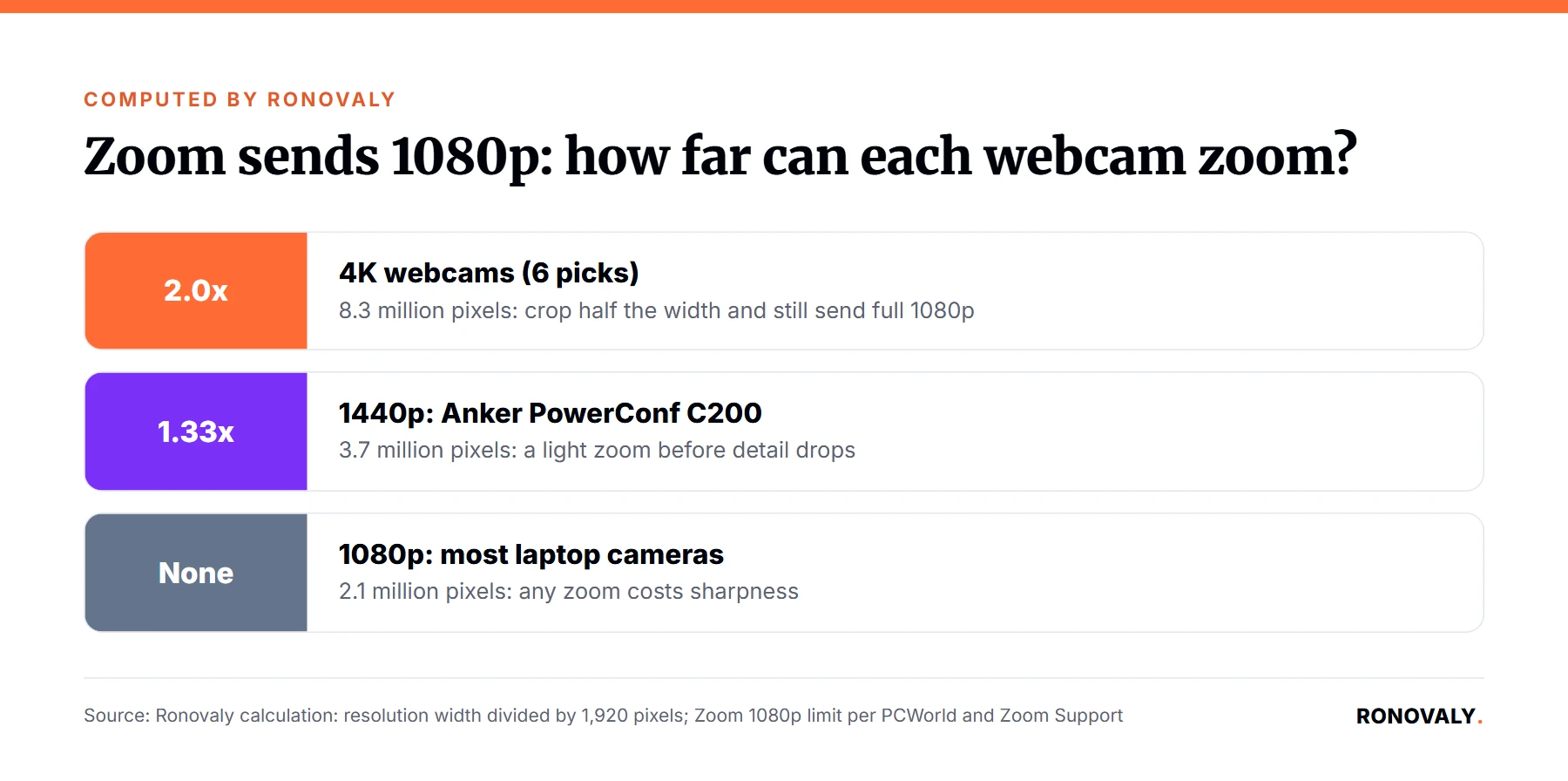
Zoom sends at most 1080p. So the real value of a higher resolution is how far you can zoom before the picture drops below that. I calculated it by dividing each resolution’s width by 1,920 pixels:
| Webcam resolution | Total pixels | Zoom room while sending 1080p | Picks |
|---|---|---|---|
| 4K (3840×2160) | 8.3 million | 2.0x | Link 2C, Link 2C Pro, MX Brio 705, Piko+, Tiny 3, Meet Flip |
| 1440p (2560×1440) | 3.7 million | 1.33x | PowerConf C200 |
| 1080p (1920×1080) | 2.1 million | None | Most laptop cameras |
In practice, that means a 4K webcam can crop out half the frame width and still look sharp on Zoom. Consequently, it can tighten on your face or follow you without going soft. A 1080p webcam cannot zoom at all without losing detail.
How to Choose a Webcam for Zoom Meetings
First, match the field of view to your room. PCWorld says a 65 degree view may be perfect if it is just you, while about 90 degrees fits two people and 110 degrees or more suits groups. Similarly, Tom’s Guide notes that most models have about an 80 degree view.
Second, check your upload speed. Zoom needs 3.8 Mbps up for 1080p and 1.2 Mbps for 720p, per Zoom. Third, decide on audio. For instance, one mic is fine in a quiet room, but Tom’s Guide recommends two or more mics, or an external one, for noisy spaces.
Finally, fix your light before you upgrade the camera. PCWorld prefers a well lit room with natural light. In addition, a bright white window on your monitor can act as a simple fill light. If you are planning the rest of your desk, see our guide to the best monitor for working from home.
Black Friday Webcam Buying Tips
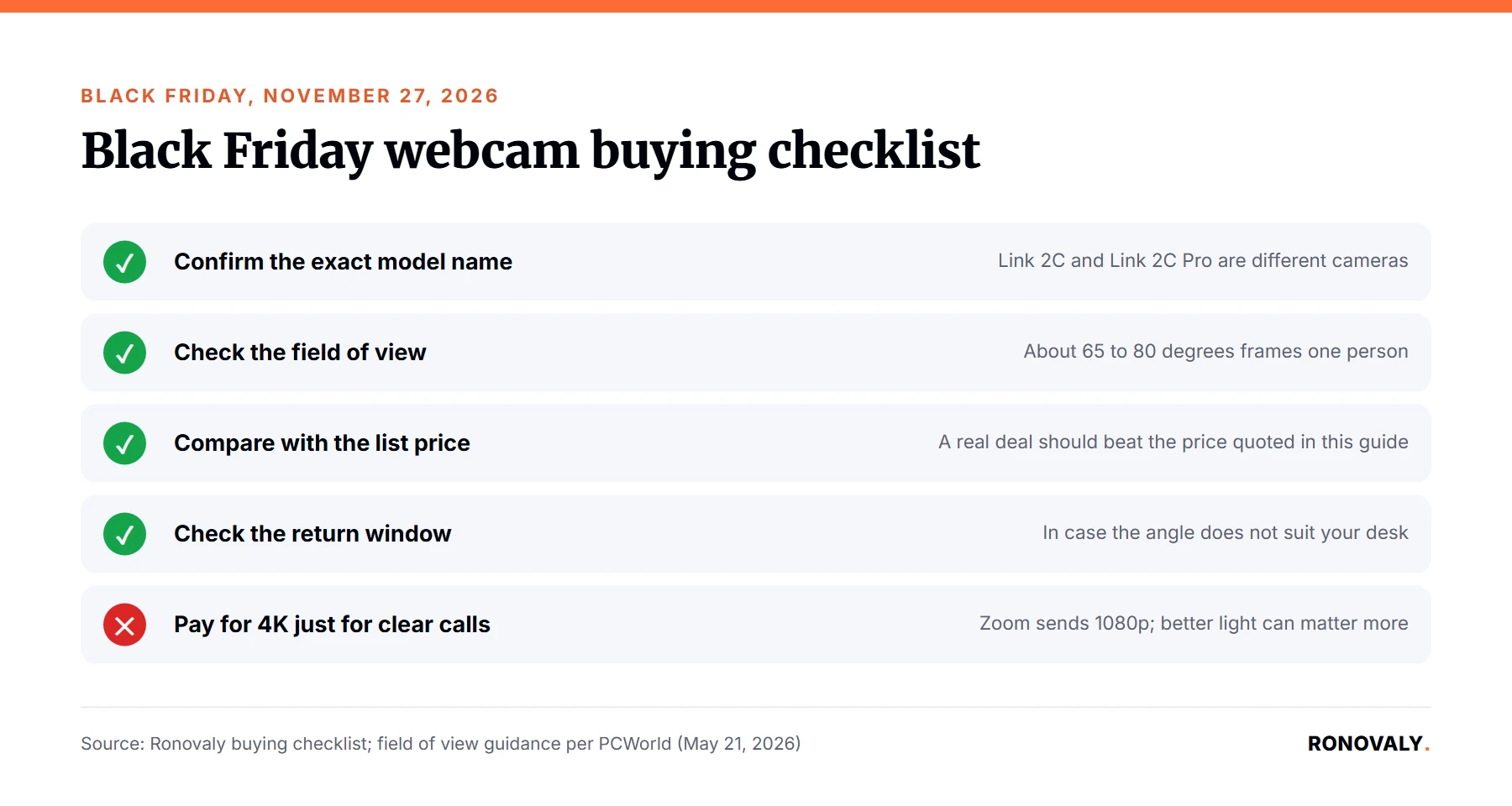
Black Friday falls on November 27, 2026, and Cyber Monday on November 30. Deals vary by retailer and change fast, so we do not list deal prices here. Instead, use this checklist:
- Confirm the exact model name. For example, the Link 2C and the Link 2C Pro are different cameras.
- Check the field of view on the product page, so the frame fits your desk.
- Compare against the list price quoted above, so a “deal” is really lower.
- Check the return window before you buy, in case the angle does not suit your setup.
- Skip 4K if you only need clear calls. A good 1440p or 1080p camera with better light can be enough.
If you are also cutting software costs before buying hardware, read our guide to auditing your Shopify AI app stack for hidden costs.
Frequently Asked Questions
What is the best webcam for Zoom meetings?
For most founders, the best webcam for Zoom meetings is the Insta360 Link 2C, Tom’s Guide’s best overall pick. It records 4K at 30 fps with a 79.5 degree field of view and lists at $149. On a budget, the Anker PowerConf C200 offers 2K and a privacy shutter for about $60.
Does Zoom support 4K webcams?
Zoom accepts a 4K webcam but sends at most 1080p video, per PCWorld. However, a 4K camera still helps, because it usually lets in more light and can zoom in 2x while keeping a full 1080p picture. Zoom needs 3.8 Mbps of upload speed for 1080p.
Is 1080p good enough for Zoom calls?
Yes. 1080p is the highest resolution Zoom sends, and Tom’s Guide calls 1080p the sweet spot for most people. The difference is that a 1080p webcam cannot zoom in without losing detail, while 1440p and 4K models can.
What field of view is best for video calls?
For one person, about 65 to 80 degrees keeps the frame on your face, per PCWorld guidance. Choose about 90 degrees if two people share the camera, and 110 degrees or more for group calls. Several picks, like the Anker PowerConf C200, let you switch between views.
When is the best time to buy a webcam in 2026?
Black Friday falls on November 27, 2026 and Cyber Monday on November 30, and many retailers run sales then. However, prices change fast and vary by retailer. Compare any deal with the model’s list price and confirm the exact model name before you buy.
Bottom Line
The best webcam for Zoom meetings is the one that frames you well in your real lighting. For example, start with the Insta360 Link 2C for value, or the Anker PowerConf C200 on a budget. Alternatively, if you demo products on calls, the Obsbot Tiny 3 will follow you around the room.
About the Author
Alex Carter covers AI, automation and productivity for Ronovaly, focusing on Shopify brands in the $500K to $5M ARR range. Alex Carter is a pen name of the Ronovaly editorial team. We did not test these webcams in person; every spec and price in this article comes from the cited sources, checked on October 29, 2026.
Sources
- Tom’s Guide, These are the 10 best webcams in 2026 we’ve tested (last updated Aug 28, 2026): https://www.tomsguide.com/computing/peripherals/best-webcams
- PCWorld, Best webcams: Top picks and expert buying advice (updated May 21, 2026): https://www.pcworld.com/article/393756/1080p-4k-webcam-buying-guide.html
- Zoom Support, Zoom system requirements: Windows, macOS, Linux: https://support.zoom.com/hc/en/article?id=zm_kb&sysparm_article=KB0060748
This post contains affiliate links. If you make a purchase through these links, we may earn a commission at no extra cost to you.