How to Use Make to Automate Your Shopify Store (5 Workflows That Save 8h/Week)

Make Shopify automation is one of the highest-leverage moves a founder can make in 2026. If you export orders to a spreadsheet by hand, copy tracking numbers into emails, or check stock counts yourself, you’re spending time a low-cost tool can handle in seconds.
Make workflows work best as part of a full automation system. See the complete guide to automating your Shopify store with AI for the bigger picture.
Make (formerly Integromat) connects Shopify to almost any other app in your stack, such as Google Sheets, Slack, Klaviyo, Gmail, Notion, and Airtable, with no code. Its visual scenario builder lets you map out exactly what should happen, when, and to which data.
This guide covers 5 Make workflows for Shopify that take repetitive manual work off your plate. Each one includes the trigger, the actions, and the setup steps. If you’re building a wider AI automation strategy for your Shopify store, Make is one of the first tools to set up.
No coding. No developer. Just your Shopify store connected to the tools you already use.
Table of Contents
What Is Make and Why Use It With Shopify?

Make is a visual workflow automation platform. You build “scenarios” — sequences of triggers and actions that run automatically. A trigger is something that happens (a new order, a low inventory alert, a form submission). An action is what Make does in response (send an email, update a sheet, create a task).
Make vs Zapier for Shopify
Most founders start with Zapier. It’s simpler but more limited: a basic Zap runs in a straight line. Make supports multi-step, branching logic with filters, routers, and iterators. That flexibility suits e-commerce workflows with conditions, like “if order value > $100, do X; else do Y.”
| Feature | Make | Zapier |
|---|---|---|
| Visual scenario builder | ✅ Full canvas | ❌ Linear only |
| Conditional logic (filters/routers) | ✅ Native | ⚠️ Paid add-on |
| Operations/month (free tier) | 1,000 | 100 |
| Entry paid plan | $9/mo | $19.99/mo |
| Shopify integration depth | Full (orders, products, customers, inventory) | Full |
| Multi-step scenarios | ✅ Unlimited | ⚠️ Limited on free |
For Shopify stores with more than 3 apps in their stack, Make’s pricing and flexibility win clearly. The free tier (1,000 operations/month) is enough to test all 5 workflows below before committing to a paid plan.
💡 Make’s free plan includes 1,000 operations a month and 2 active scenarios. That’s enough to build and test your first two workflows. Running all 5 at once needs a paid plan. Start free at make.com.
5 Make Workflows for Shopify That Save 8h/Week
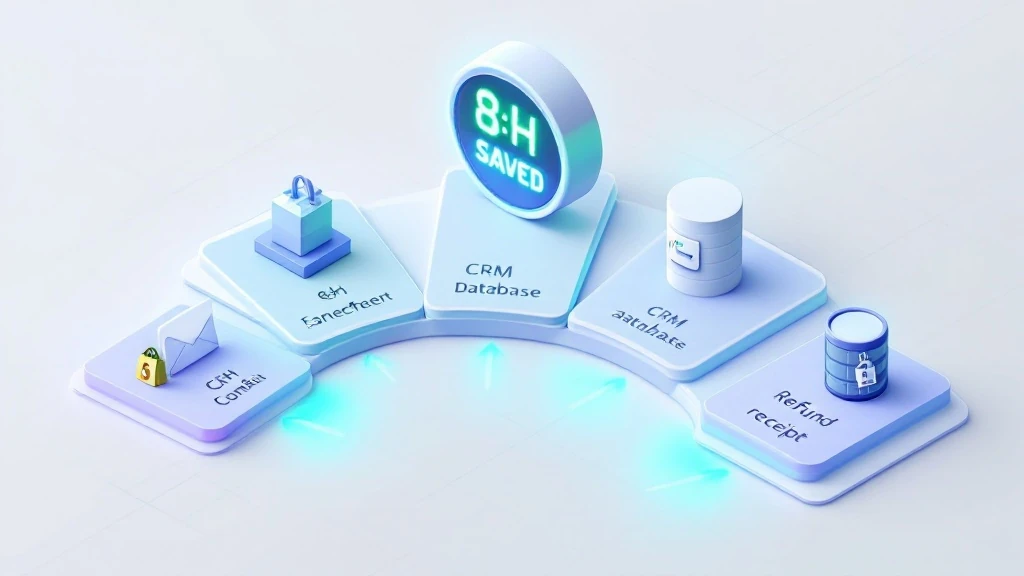
These workflows are ordered by setup simplicity. Start with Workflow 1. It takes about 15 minutes to build and removes a daily manual task right away.
Workflow 1 — New Order → Google Sheets Log (2h/week saved)
Order Logging Automation
Trigger: New order placed in Shopify
Time to build: 15 minutes | Operations used: 1 per order
STEP 1Shopify module → Watch Orders (trigger fires on every new order)
STEP 2Google Sheets module → Add a Row (map: order ID, customer name, email, total, items, shipping address, date)
STEP 3Optional: Slack module → Send message to #orders channel with order summary
Why it matters: Manual order logging is the #1 time sink for Shopify founders processing 20-50 orders/day. This workflow builds your order database automatically — ready for weekly reporting, refund tracking, or accountant exports.
Workflow 2 — Low Inventory Alert → Slack + Reorder Draft (1.5h/week saved)
Inventory Alert Automation
Trigger: Shopify inventory level drops below threshold (scheduled check every 6 hours)
Time to build: 25 minutes | Operations used: 4-8/day
STEP 1Shopify module → Get Inventory Levels (scheduled trigger, runs every 6 hours)
STEP 2Filter → Only continue if inventory_quantity < 10 (set your threshold)
STEP 3Slack module → Send alert to #inventory: “LOW STOCK: [Product Name] — [X] units remaining”
STEP 4Google Sheets module → Log low-stock product to reorder tracker
Why it matters: a stockout on a best-seller means lost sales until you restock. This workflow flags low inventory early, so you don’t have to check Shopify every day.
Workflow 3 — Abandoned Cart → Personalized Email Sequence (2h/week saved)
Abandoned Cart Recovery Automation
Trigger: Shopify checkout created but no order placed within 1 hour
Time to build: 40 minutes | Operations used: 2-3 per abandoned cart
STEP 1Shopify module → Watch Abandoned Checkouts
STEP 2Router → Branch A: cart value > $75 (send discount email) / Branch B: cart value ≤ $75 (send reminder email)
STEP 3Gmail/Klaviyo module → Send personalized recovery email with cart contents and customer name
STEP 4Wait 24 hours → Send follow-up if still no order
Why it matters: The average Shopify cart abandonment rate is 70%. A well-timed recovery email sequence recovers 5-15% of those carts. For a store doing $30K/month, that’s $1,050-$3,150 in recovered revenue — automated. For a deeper dive into AI-powered cart recovery tools, see our guide on the best AI tools for Shopify stores.
Workflow 4 — New Customer → CRM Tag + Welcome Sequence Trigger (1h/week saved)
Customer Onboarding Automation
Trigger: New customer created in Shopify (first order placed)
Time to build: 30 minutes | Operations used: 3 per new customer
STEP 1Shopify module → Watch Customers (filter: orders_count = 1)
STEP 2Klaviyo module → Add subscriber to “New Customers” list + trigger welcome flow
STEP 3Google Sheets module → Add customer to CRM tracker (name, email, first order value, product category)
STEP 4Slack module → Notify team: “New customer: [Name] — First order: $[Amount]”
This workflow puts every new customer into your email sequence right away, not a day later when you export the list by hand. A prompt first-purchase follow-up reaches customers while the order is still fresh in their mind.
Workflow 5 — Refund Requested → Ticket + Tracking Sheet Update (1.5h/week saved)
Refund Management Automation
Trigger: Refund created in Shopify
Time to build: 20 minutes | Operations used: 2 per refund
STEP 1Shopify module → Watch Refunds
STEP 2Google Sheets module → Log refund (order ID, customer, amount, reason, date)
STEP 3Slack module → Alert #support: “Refund processed: [Order #] — $[Amount] — Reason: [refund_note]”
Tracking refund reasons by hand is how many founders spot product issues weeks too late. This workflow gives you a live refund log that shows patterns, and that data feeds better product and support decisions. To automate the support side too, our comparison of AI chatbots for Shopify covers the response layer.
How to Set Up Make With Shopify: Step-by-Step

Setup takes under 30 minutes for your first workflow. Here’s the exact process.
Step 1: Connect Shopify to Make
- Create a free Make account at make.com
- Click Create a new scenario
- Search for “Shopify” in the module library
- Click Add connection → enter your Shopify store URL and API credentials
- In Shopify Admin: Apps → App and sales channel settings → Develop apps → Create an app → generate API key with read/write permissions on Orders, Products, Customers, Inventory
- Paste the API key into Make → connection confirmed
Step 2: Build Your First Scenario
- Choose a Shopify trigger module (e.g., “Watch Orders”)
- Add action modules by clicking the + button
- Map data fields by clicking on them in the module setup
- Click Run once to test with real data
- Toggle the scenario ON to activate
Step 3: Set the Schedule
Most Shopify triggers in Make run on a schedule. On the free plan, the shortest interval is 15 minutes; paid plans can check more often. For order-based workflows, 15-minute checks are fine. For inventory alerts, set a custom schedule (every 6 hours saves operations).
💡 Make’s free plan gives you 1,000 operations/month. A store doing 20 orders/day running all 5 workflows uses approximately 400-500 operations/month — well within the free tier. Get started free →
Time Saved: What 8 Hours/Week Actually Looks Like

| Workflow | Manual Time/Week | With Make | Saved |
|---|---|---|---|
| Order logging | 2h | 0 min | 2h |
| Inventory checks | 1.5h | 0 min | 1.5h |
| Abandoned cart follow-up | 2h | 0 min | 2h |
| New customer onboarding | 1h | 0 min | 1h |
| Refund tracking | 1.5h | 0 min | 1.5h |
| Total | 8h | ~20 min setup | 8h/week |
Here’s a simple way to judge it. If these workflows save you even a few hours a week, multiply those hours by what your time is worth and compare that with Make’s paid plan, which starts at about $9 a month. Time your own manual tasks for a week first, so you use real numbers.
Frequently Asked Questions
Is Make good for Shopify automation?
Yes. Make has a native Shopify integration that covers orders, products, customers, inventory, and fulfillment. Its visual builder and conditional logic (routers, filters) make it stronger than simpler tools like Zapier for complex e-commerce workflows. The free tier (1,000 operations a month) is enough to try your first workflows.
Do I need to know how to code to use Make with Shopify?
No. Make is a no-code platform. You build scenarios by dragging modules and mapping data fields on screen. The trickiest part is the Shopify API connection, and Make’s guided setup walks you through it.
How much does Make cost for Shopify automation?
Make’s free plan includes 1,000 operations a month and 2 active scenarios. That’s enough to test two workflows from this guide on a small store. To run all 5, you need the Core plan, which starts at about $9 a month and adds more operations and unlimited active scenarios.
What is the difference between Make and Shopify Flow?
Shopify Flow automates workflows within Shopify (tagging orders, hiding products, sending internal alerts). Make connects Shopify to external apps — Google Sheets, Slack, Klaviyo, Gmail, Notion. They complement each other: use Flow for internal Shopify logic and Make for cross-app automation. See our full guide on automating your Shopify store with AI for a complete breakdown.
How many operations does Make use per Shopify order?
Each module action in a scenario counts as one operation. A 3-step order workflow (Shopify trigger, Sheets row, Slack message) uses 3 operations per order. A store with 20 orders a day uses 60 operations a day, about 1,800 a month. That’s over the free limit, so it needs the Core plan.
Bottom Line
Make is one of the most cost-effective automation tools for Shopify founders who want to connect their stack without a developer. The 5 workflows above cover some of the most time-consuming manual tasks: order logging, inventory alerts, cart recovery, customer onboarding, and refund tracking.
Start with Workflow 1 (order logging). It takes about 15 minutes, runs on its own from day one, and shows you how Make works. Once it’s live, add one workflow a week until all 5 are running.
Time your manual tasks now, then again after a month of automation. That’s the honest way to measure what Make saves you.
Ready to automate your Shopify store with Make?
→ Start free at make.com — 1,000 operations/month, no credit card required
→ For your full automation strategy: How to Automate Your Shopify Store with AI
→ See all tools in the stack: Best AI Tools for Shopify in 2026
For the full AI strategy guide: AI-driven decision making for Shopify DTC founders.
This post contains affiliate links. If you make a purchase through these links, we may earn a commission at no extra cost to you.